
CRM Custom Fields for Martial Arts Schools: What to Track

Custom fields let you store the details your CRM does not ask for by default, such as a student’s injury history, the way a lead found you, or which parent handles the billing. Use them for facts that are specific to a person and rarely change. Use dedicated features for anything that moves, like rank, attendance, memberships and testing. Get that split right and your records stay clean, your follow-up gets personal, and you stop digging through spreadsheets.
This guide covers what to put in custom fields, what to keep out, how to name and structure them, how to use them in follow-up, and the privacy rules a U.S. school should respect.
TL;DR
- A custom field is a field you create for information the standard record does not cover. Good ones are stable facts: injuries, emergency contacts, lead source, preferred contact method.
- Do not store rank, attendance, billing status or testing results in custom fields. Those change constantly and drive automation, so they belong in purpose-built features.
- Prefer dropdowns and yes/no fields over free text, give every field a clear name, and check for an existing field before you add one.
- Collect only what you will use. Limit access, secure the data and delete what you no longer need, especially for kids.
Table of Contents
- What custom fields are and why a dojo needs them
- Fields worth adding at a martial arts school
- What should not be a custom field
- How to design fields that stay useful
- Using field data in follow-up
- Privacy: collect less than you could
- Our perspective
- Try it on your own school
- A one-hour setup checklist
- FAQ
- Sources
What custom fields are and why a dojo needs them
Every CRM comes with standard fields: name, email, phone, address. A martial arts school needs more than that. You want to know that a new student has a bad shoulder, that a lead came from a school demo day, or that a parent prefers text over email.
A custom field is how you add that. According to HighLevel’s documentation on CRM custom fields, these are fields a business creates for information the standard record does not cover, and they can be used in forms, workflows, filters, reporting and personalization. That last part is the payoff. A field you can filter and report on is worth far more than a note buried in a comment box.
There is also a useful distinction between two kinds of record. Contact fields describe a person (referral source, preferred contact method). Opportunity fields describe one deal (budget, urgency). For a school, think of it as the person versus the specific trial or enrollment they are working through.
Fields worth adding at a martial arts school
Start with questions you ask every new person anyway. If you collect it on a paper form today and then lose it in a folder, it is a candidate.
Other systems give a sense of what schools and gyms commonly track. Hapana’s help center lists injuries, emergency contacts, favorite class type and how a client heard about the studio as examples. PerfectGym’s guide mentions emergency contacts, T-shirt sizes and allergies as typical custom attributes.
Here is how that translates to a dojo.
| Field | Type | Why it helps |
|---|---|---|
| Lead source | Dropdown (website, referral, school demo, walk-in, event) | Shows which marketing is actually bringing students in |
| Referred by | Text or student link | Lets you thank the member and run referral rewards |
| Injuries or limitations | Text area | Coaches can adjust drilling and sparring before class |
| Emergency contact | Text (name, phone) | Needed fast, so it should be searchable |
| Preferred contact method | Dropdown (text, email, call) | Stops you from emailing people who only read texts |
| Goal for training | Dropdown (fitness, self-defense, competition, confidence for my child) | Shapes the first conversation and the follow-up |
| Uniform size | Dropdown | Speeds up gi and uniform orders |
| Preferred class type | Dropdown (kids, adult, advanced, no-gi) | Makes class suggestions relevant |
| Primary guardian | Yes/no or linked record | Clarifies who signs, pays and gets messages |
Notice that most are dropdowns. That is deliberate, and we come back to it below.
Fields for leads versus fields for students
A lead and an enrolled student need different details. For a lead, track what helps you close: goal, lead source, age group of the prospect, trial class date, and the objection they raised (price, schedule, safety worries). For a student, track what helps you coach and retain: limitations, goals, favorite class, uniform size.
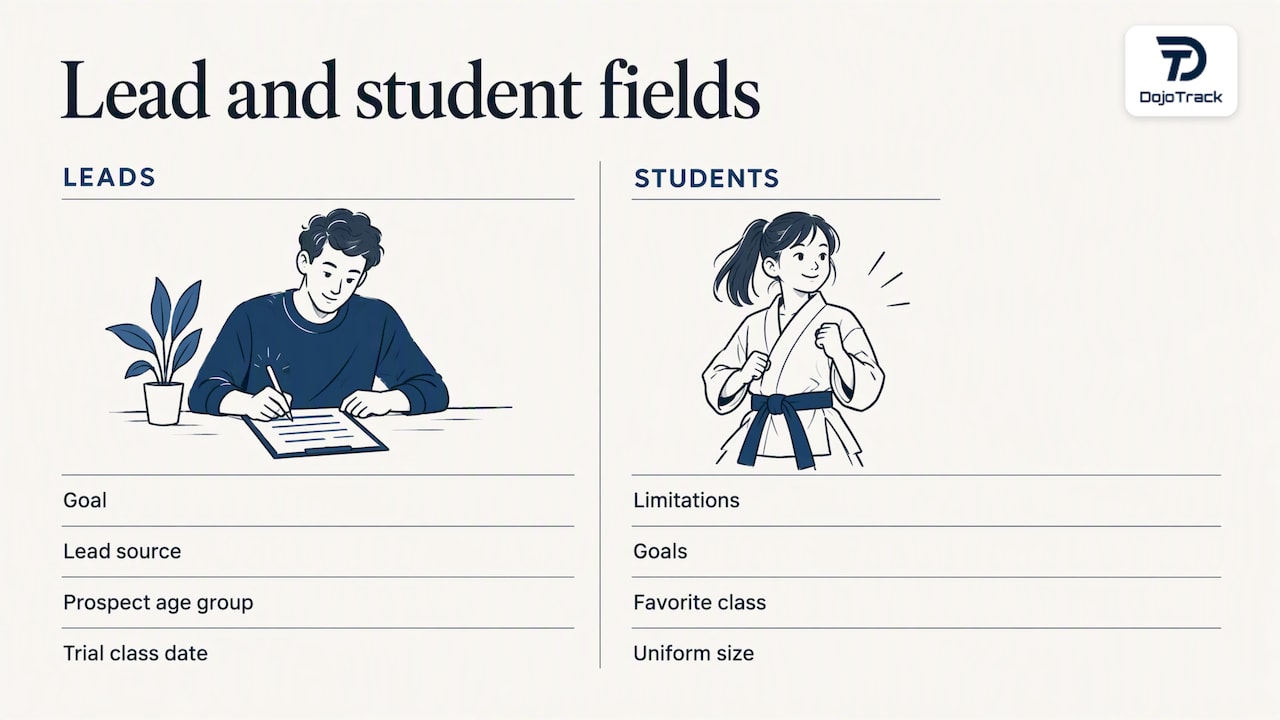
A common mistake is putting every field on every record. A 6-year-old’s profile does not need a “competition goal” field, and a prospect has no uniform size yet. Keep each form short, because every extra field is one more thing front-desk staff skip.
What should not be a custom field
This is the question most guides skip. A generic CRM may happily let you create a field called “belt,” and one top-ranking article makes exactly that point: the field stores a value but gives you none of the structure around it. A martial arts school runs on information that changes and triggers actions. That belongs in dedicated features.
| Information | Why a custom field falls short | What to use instead |
|---|---|---|
| Belt rank and stripes | A typed value has no curriculum, no requirements, no history of promotions | Rank and belt tracking with automated promotions |
| Attendance and class counts | Must update every class and count toward eligibility | Attendance tracking with check-in or a sign-in kiosk |
| Membership type and status | Billing depends on it and it changes with freezes and cancellations | Membership management tied to billing |
| Payment status | Manual updates drift out of sync with what was charged | Recurring billing connected to your payment processor |
| Testing eligibility and fees | Depends on rank, attendance and time in grade together | Belt testing and event registration |
| Signed waivers | Requires a timestamped, stored document, not a checkbox | Digital waivers |
| Equipment on loan | Needs check-out and return tracking | Equipment checkout tracking |
A simple rule: if a value is calculated from other data, updated by an event (a class, a payment, a test), or must be audited later, it is not a custom field. A custom field is for something a person tells you once and that you might update a few times a year.
The cost of getting this wrong shows up in retention. If attendance lives in a dedicated feature, your system can see that a student has dropped from three classes a week to one. If it lives in a field somebody updates by hand, nobody sees it until the student quits.
For more on how rank criteria work in practice, see our guide to BJJ belt promotion criteria coaches can track. For waivers, especially for minors, read minor waiver requirements for martial arts schools.
How to design fields that stay useful
Most custom field setups rot within a year. Fields get duplicated, nobody remembers what they mean, and half the records are blank. A few habits prevent it.
Choose the right type
CRM and gym systems typically offer text boxes, text areas, dropdown menus, numbers and yes/no values. CourtReserve’s help center lists text boxes, text areas and dropdown menus among the choices, and PerfectGym’s guide names Dictionary, Text, Number and Boolean as data types.
Match the type to the question:
- Dropdown when there are a few known answers (lead source, contact method). It prevents typos and makes reports reliable.
- Yes/no for simple conditions (photo release signed, carpool interest).
- Number for quantities you want to total or compare.
- Text area only for things that are truly individual, like an injury description.
PerfectGym’s advice is to use dictionaries for specific choices to prevent free-text errors. In a school this is the difference between a report that shows “Facebook” and one that splits into “Facebook,” “facebook ad,” “FB” and “fb.”
Name fields clearly and consistently
Use descriptive names that a new front-desk hire would understand without asking. “Lead source” beats “LS2.” If your system supports codes or internal names for integrations and reports, keep them consistent too; PerfectGym recommends clear, consistent codes for exactly that reason.
Group related fields into categories when the system allows it: Medical, Contact preferences, Marketing, Gear. A profile with 25 ungrouped fields is a profile nobody reads.
Decide what is required
Some systems let you mark a field required or optional. Make emergency contact required at enrollment. Make “favorite class” optional. If everything is required, staff will type junk to get past the form.
Check before you create
HighLevel’s guidance is to pick the correct record type and field type, use clear names, review your field list regularly and search for an equivalent field before creating a new one. Put a quarterly review on the calendar. Ask of each field: did we use this in the last three months? If not, retire it.
Separate your own questions from standard lists
Hapana distinguishes custom properties (your own questions) from common properties (system-defined dropdowns), which keeps reports standardized while you still capture school-specific data. The takeaway for any school: keep a small core of standard answers you report on, and add custom questions sparingly on top.
Using field data in follow-up
Collecting data is only half the job. The reason to bother is what you do with it. HighLevel notes that custom field values can be used in workflow filters and actions, segmentation and merge-field personalization.
In plain terms, three things become possible.
- Personal messages at scale. A text that says “Hi Maria, we have a beginner kids class Tuesday at 4:30” lands better than a generic blast. The goal and class-type fields make that possible.
- Segments. You can message only the parents of students in the kids program, or only leads who said their goal is self-defense. Our guide to push notification segmentation for martial arts schools shows how to build groups that people actually want to hear from.
- Reports. Lead source plus enrollment tells you which channel pays off. Once field values feed workflows and reports, mapping your data before connecting tools saves you from messy handoffs later.
A worked example
Say you run a 90-student taekwondo school and host a spring demo at a local elementary school. You add a lead source option called “School demo” and a goal dropdown. Over six weeks, 14 families fill out the interest form.
Because the fields exist, you can send the “confidence for my child” families a message about your 5 to 7 year old class, send the “fitness” adults a different message, and later see how many of the 14 enrolled. Without fields, you would be scrolling notes and guessing.
If you want to automate that sequence, marketing automation workflows are built on exactly this pattern: a field value triggers a message or task. Keep the trigger list short at first. One welcome sequence and one trial-class follow-up beat ten half-working automations.
For texting, remember the cost and the rules. Our post on call tracking for gyms covers legal basics, and email deliverability for gyms helps your personalized emails reach the inbox.
Privacy: collect less than you could
Injuries, medical notes and kids’ details are sensitive. The more you store, the more you have to protect. Treat each new field as a small liability and ask whether you will really use it.
The FTC’s guidance for businesses recommends limiting the information you collect, securing what you store, limiting access, honoring people’s choices and safely disposing of data you no longer need. Here is how that looks at a school:
- Limit collection. Do not ask for a child’s school, home address or medical history unless you act on it.
- Limit access. Front-desk staff may need emergency contacts. They probably do not need injury details. Use role-based permissions where your software supports them.
- Dispose of old data. When a student leaves and the record is no longer needed, delete or archive according to a written policy.
Children under 13
Many of your students are kids, so COPPA is worth understanding. It applies to online services directed to children under 13, or operators who know they collect personal information from children under 13. The FTC’s own FAQ clarifies that COPPA applies to personal information collected online from children, not to information collected from parents or other adults. In a typical school, a parent fills out the enrollment form and the waiver, so the parent is the one providing the data. Things change if a child uses an app or online form directly and enters their own details.
This is not legal advice. If you collect information directly from children online, or you are unsure how your forms are set up, talk to an attorney who handles privacy or children’s data. Your waivers also need attention; see our minor waiver requirements guide.
Our perspective
We built DojoTrack after running martial arts schools ourselves, and we have seen the same pattern many times. An owner adopts a generic CRM, adds a custom field for belt, another for membership type, another for last attendance, and within months the data disagrees with reality. Someone forgot to update it, and the student who quietly stopped coming never triggered a call.
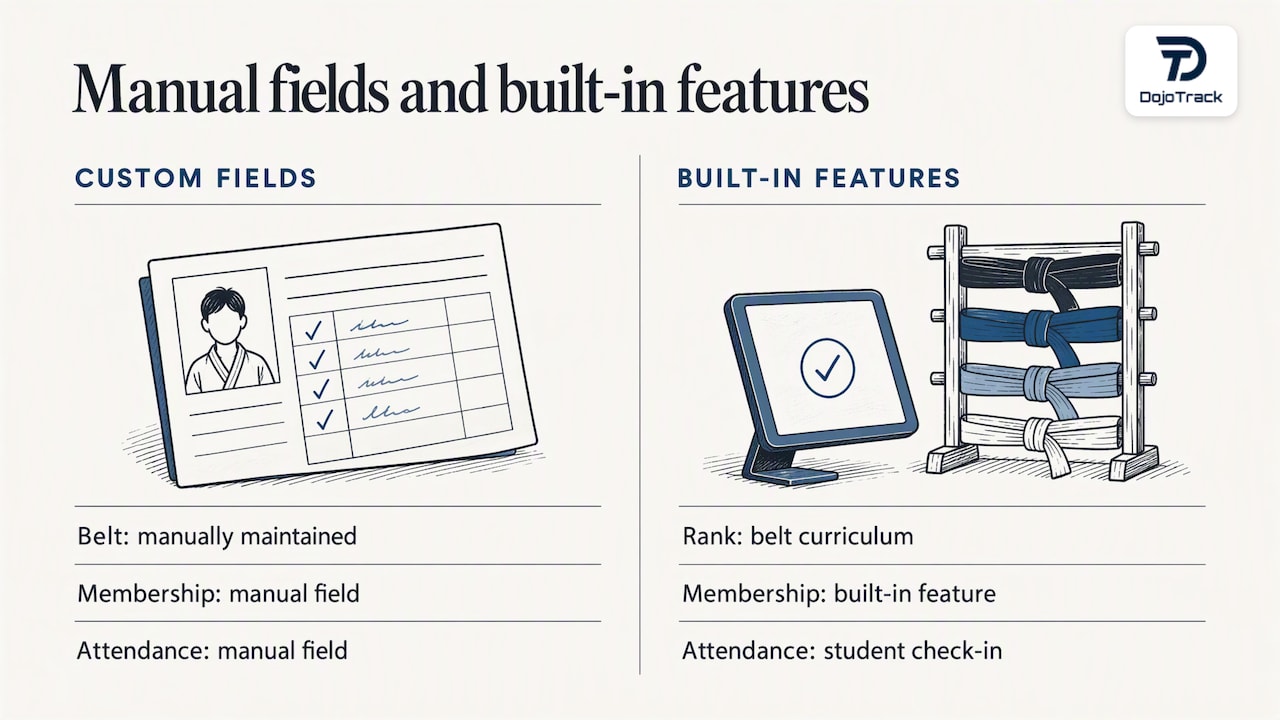
Our view is simple. Custom fields are for what a person tells you. Everything that happens on the mat or in billing should be recorded by the system as it happens: attendance when a student checks in, rank through the belt curriculum, payments through recurring billing, waivers as signed documents. That is why DojoTrack handles belt tracking, attendance, memberships, digital waivers and billing as built-in features rather than fields you maintain by hand.
When the core records maintain themselves, your limited time goes to the conversations that matter: the parent whose child is losing interest, the adult who has missed two weeks.
— DojoTrack
Try it on your own school
If you are still managing students across spreadsheets, a billing tool and a paper binder, you can start without a bill. DojoTrack has a Free plan at $0 per month, and paid plans run from Launch at $95 per month up to Master at $245 per month for advanced automation, analytics, billing and SMS. Texts cost $0.017 each, and a dedicated DojoTrack number is $2 per month. See the full breakdown on the DojoTrack pricing page, or look at what the platform does on the DojoTrack home page.
A one-hour setup checklist
- List every question on your current paper enrollment and trial forms.
- Cross out anything that belongs to rank, attendance, membership, billing, waivers or testing. Those go to dedicated features.
- For each remaining item, decide the type: dropdown, yes/no, number or text.
- Write clear names, then group them into categories such as Medical, Contact preferences and Marketing.
- Mark only essential fields as required, such as emergency contact.
- Decide who can see sensitive fields.
- Set a quarterly reminder to retire fields nobody used.
If you also lend out gear or sell uniforms, handle that in inventory and checkout tools instead of fields. Our guides on equipment checkout tracking and inventory shrinkage control explain how.
FAQ
How many custom fields should a martial arts school have?
Fewer than you think. Most schools do well with 8 to 15 fields across leads and students, each tied to a message, a report or a coaching decision. If you cannot name how a field will be used, leave it out.
Should I store belt rank in a custom field?
No. Rank is tied to curriculum requirements, promotion history, attendance and testing, so a typed value cannot do the job. A dedicated belt tracking feature keeps the history and can trigger promotions and notifications for you.
Can I keep medical information in my CRM?
You can keep what you need to coach safely, such as an injury or limitation, but keep it minimal and restrict who can see it. The FTC advises limiting the data you collect and securing what you store. For specific questions about health information, ask a privacy attorney.
Do I need parental consent to store a child’s details?
When a parent gives you the information on an enrollment form, COPPA does not apply to that data, according to the FTC’s FAQ. It can apply when children enter their own personal information online. Check your forms and apps with an attorney if you are unsure.
Sources
- How to Create and Manage Custom Fields for CRM Records (HighLevel)
- How to Set up Custom and Common Properties for Clients (Hapana)
- How to set up Custom attributes in PGM (PerfectGym)
- Overview: Custom Fields (CourtReserve Help Center)
- FTC: Marketing Your Mobile App
- FTC: Complying with COPPA, Frequently Asked Questions
- CRM Marketing Integration for Marketing Ops
- Marketing Automation Workflows That Drive Growth