
6 Step Lead Source Setup for Dojos: Quick Wins for Busy Owners

Stop guessing which channels bring paying students. Standardize UTM tagging on every campaign link, capture the lead source at intake (on forms and at the front desk), store that source in your CRM record, then analyze trial bookings and conversion rate by channel in GA4 and your CRM. DojoTrack, a martial-arts-specific CRM, was built to handle most of this natively, but the four-step system works regardless of which software you run it through.
TL;DR:
- Using UTM tags consistently across all campaigns and capturing source data at every lead point is essential for accurate attribution.
- Tracking trial booking rates, conversion percentages, cost per member, and early churn by source provides more actionable insights than lead volume alone.
- Pay special attention to properly tagging print collateral and phone leads to prevent data from defaulting to unhelpful categories like Direct traffic in GA4.
- Automatically integrating source data into your CRM and linking it with GA4 ensures more reliable and comprehensive reporting.
- Relying on purpose-built systems like DojoTrack simplifies end-to-end source tracking, automated follow-up, and reporting, reducing manual reconciliation errors.
Table of Contents
- What Lead Source Tracking Actually Means for a Dojo
- Which Channels to Track and What Each One Tells You
- How to Set Up Lead Source Tracking Step by Step
- Turning Source Data Into a Budget Decision
- Attribution Mistakes That Quietly Wreck Your Reports
- How a Martial-Arts CRM Handles This in Practice
- Your Rollout Plan: Week One, Month One, and When to Get Help
- A More Direct Way to Capture and Act on Lead Source Data
- Sources
- FAQ
What Lead Source Tracking Actually Means for a Dojo
Lead source tracking is the practice of recording where a prospective student first heard about your school and following that thread all the way to enrollment. It sounds simple until you realize there are several ways to define “source.” First-touch attribution credits whatever brought the person to your site or door the very first time. Last-touch credits whatever action happened right before they filled out a form. Session-based attribution, the default in Google Analytics, groups activity by visit rather than by person, which is why the same prospect can show up under two different sources if they research you twice before calling.
The metrics that actually matter go well beyond raw lead count:
- Leads by source — how many inquiries each channel generates
- Trial booking rate — the percentage of leads who schedule a trial class
- Trial-to-member conversion — the percentage of trial attendees who enroll
- Cost per lead and cost per new member — spend divided by results, by channel
- Early churn — how many new members quit inside the first 90 days, broken out by source
A Facebook ad that generates 40 leads a month sounds great until you notice it converts at 4% while your referral program converts at 35%. Without source tracking, you would keep feeding the weaker channel because it looks busier on paper. This is also the discipline behind martial arts lead management done right: volume without conversion context is a vanity number.
Which Channels to Track and What Each One Tells You
Every lead source has a different attribution ceiling. Knowing the limits of each keep you from over-trusting noisy data.
- Paid website campaigns (Google Ads, Meta Ads) give high-fidelity tracking when every ad link carries a UTM tag; Google Ads auto-tagging with gclid also feeds Analytics automatically once Google Ads is linked to your property.
- Organic search shows up cleanly in GA4 but tells you little about intent without landing-page improvements and conversion goals layered on top.
- Social posts split into two buckets: tagged paid social reports accurately, while organic shares from your own page often land under generic “referral” traffic unless you tag those links too.
- Referrals and walk-ins require manual capture since there’s no digital trail. Someone has to ask and someone has to type it in.
- Events, flyers, and QR codes should always route through a tagged shortlink, since untagged print collateral shows up as Direct traffic and quietly disappears into your least useful report.
- Phone leads need either a dedicated tracking number per campaign or a simple intake question, since a ringing phone carries no attribution data on its own.
How to Set Up Lead Source Tracking Step by Step
This is the build order that gets you from zero to a working system, roughly in the sequence a web developer or a motivated owner would tackle it.
- Standardize your UTM parameters. Every campaign link needs
utm_source,utm_medium, andutm_campaignat minimum. Lock in a naming convention (all lowercase, underscores instead of spaces, a fixed vocabulary for mediums likepaid_social,email,organic_social) and write it down somewhere your whole team can reference it. Google’s own guidance on custom campaign data confirms that inconsistent naming is the single biggest cause of fragmented reporting. - Add hidden fields to your capture forms. These fields should auto-fill from the UTM parameters in the page URL and save directly into the lead record, so the source travels with the person instead of getting lost after the first click.
- Configure GA4 conversion events. Set up a session-level view of traffic sources, link your Google Ads account so gclid data flows through, and mark trial bookings as a conversion event so you can see cost and volume side by side.
- Build source, medium, and campaign fields in your CRM. Automate tagging on import where you can, and record both first-touch and last-touch values when your system supports it, since the two rarely tell the same story.
- Set up call tracking. Assign a dedicated number to at least your highest-spend campaign, or a call-tracking provider if you run several at once, and map results back into the CRM record.
- Train your front desk to confirm source on every trial booking, then reconcile phone and walk-in leads against your digital numbers weekly, not monthly.
Pro Tip: Persist the UTM values into the CRM record the moment a lead is captured, not just in GA4. That way, if the same prospect comes back through a different channel three weeks later, you still know how they originally found you.
Turning Source Data Into a Budget Decision
A dashboard only earns its place if it changes what you spend money on. Keep it to fields you’ll actually check every week:
- Leads by source
- Trials booked by source
- Trial-to-member conversion rate by source
- Cost per new member by source
- 30-day and 90-day retention by source
Compare channels on net new members and cost per member, never on raw lead count alone. A channel generating fewer leads at a lower cost per member is outperforming a noisier one, even if it looks smaller on the surface. Run short A/B tests, one variable at a time, on your trial offer or landing page, and measure the lift in trial bookings before rolling a change out everywhere.
A disciplined monthly routine, cleaning bad data, reconciling manually captured leads against your digital totals, then making one reallocation decision, gives owners the clarity to shift budget with confidence instead of instinct. Skip a month and the data drifts just enough that your next decision is based on noise.
Attribution Mistakes That Quietly Wreck Your Reports
Most bad attribution data traces back to a handful of repeatable mistakes.
- Inconsistent UTM naming breaks channel grouping in GA4; a mix of capitalization and one-off medium values is a well-documented cause of misleading channel groupings. Fix it with a documented convention and a shared template for every new link.
- Untagged email and social links dump traffic into Direct, the analytics equivalent of a junk drawer. Tag every outbound link, including the ones in your email newsletter footer.
- Multiple tools showing different totals usually means you’re comparing session counts to lead counts. Pick a reconciliation workflow: GA4 for session-level traffic, your CRM for lead lifecycle, and stop expecting the two numbers to match exactly.
- Front-desk capture gaps are the most common leak of all. Script the question (“How did you hear about us?”) and make it a mandatory field on every trial intake, not an optional afterthought.
Pro Tip: If your QR codes on flyers aren’t showing up anywhere in your reports, they’re almost certainly landing as Direct traffic. A tagged shortlink fixes this in about five minutes.
— DojoTrack
How a Martial-Arts CRM Handles This in Practice
A generic CRM can technically store a “lead source” field, but it usually stops there. A martial-arts-specific platform like DojoTrack is built to capture UTM and form data automatically at intake and carry it through the entire student lifecycle, according to the platform’s own product documentation.
- Source fields populate from UTMs and forms without manual re-entry.
- Automated SMS follow-up sequences and lead scoring flag which prospects are worth a phone call today versus a nurture campaign next week.
- Trial booking messages can prefill based on the source, so a Google Ads lead and a referral lead don’t get the identical generic text.
- Staff tasks can auto-assign for follow-up, closing the loop between “lead captured” and “someone actually called them.”
A generic CRM asks you to build all of this yourself. A purpose-built one, or the free core layer many owners start with before upgrading, ships with the martial arts workflow already assumed.
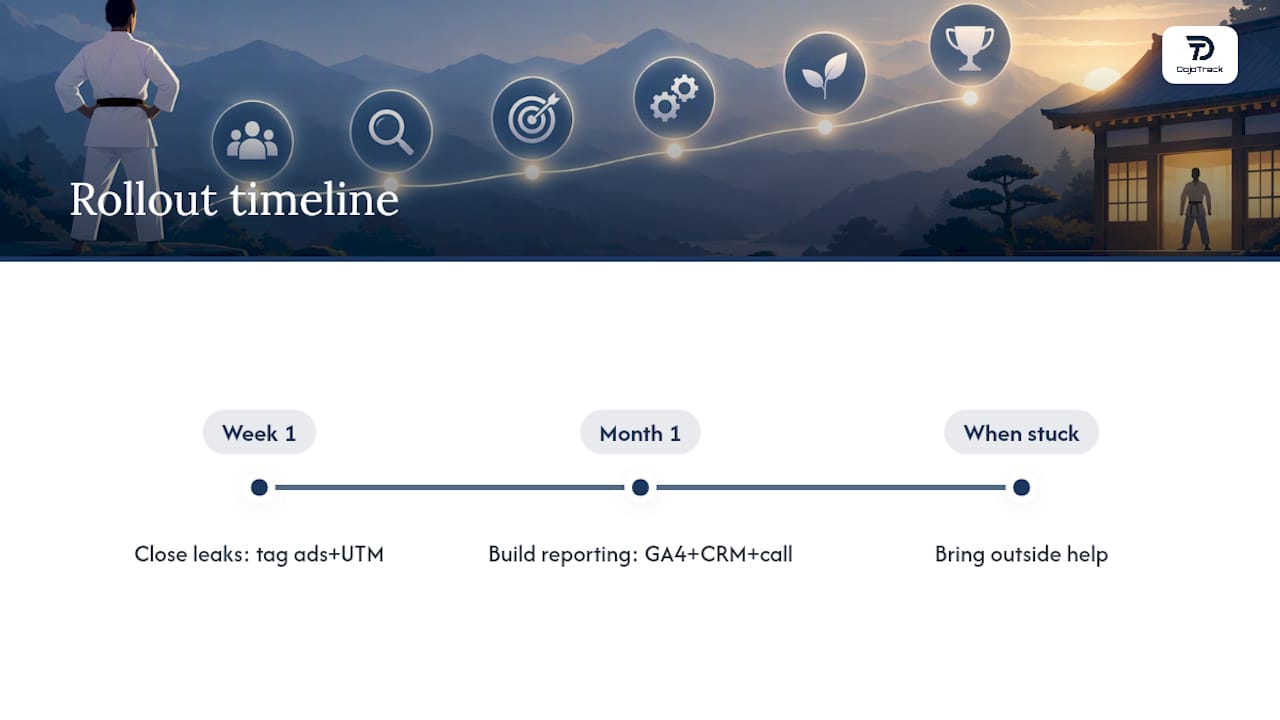
Your Rollout Plan: Week One, Month One, and When to Get Help
Week one is about closing the biggest leaks fast: tag every active ad campaign, add hidden UTM capture fields to your website forms, and make source confirmation a required part of every front-desk trial booking.
Month one is about building the reporting layer: configure GA4 conversion events for trial bookings, connect your CRM’s source fields so they populate automatically, and stand up one call-tracking number on your highest-spend campaign to see how phone leads really perform.
If conversion stays low despite steady lead volume, or your GA4 and CRM numbers never reconcile no matter how carefully you check them, that’s the signal to bring in outside help rather than keep patching the system yourself.
A More Direct Way to Capture and Act on Lead Source Data
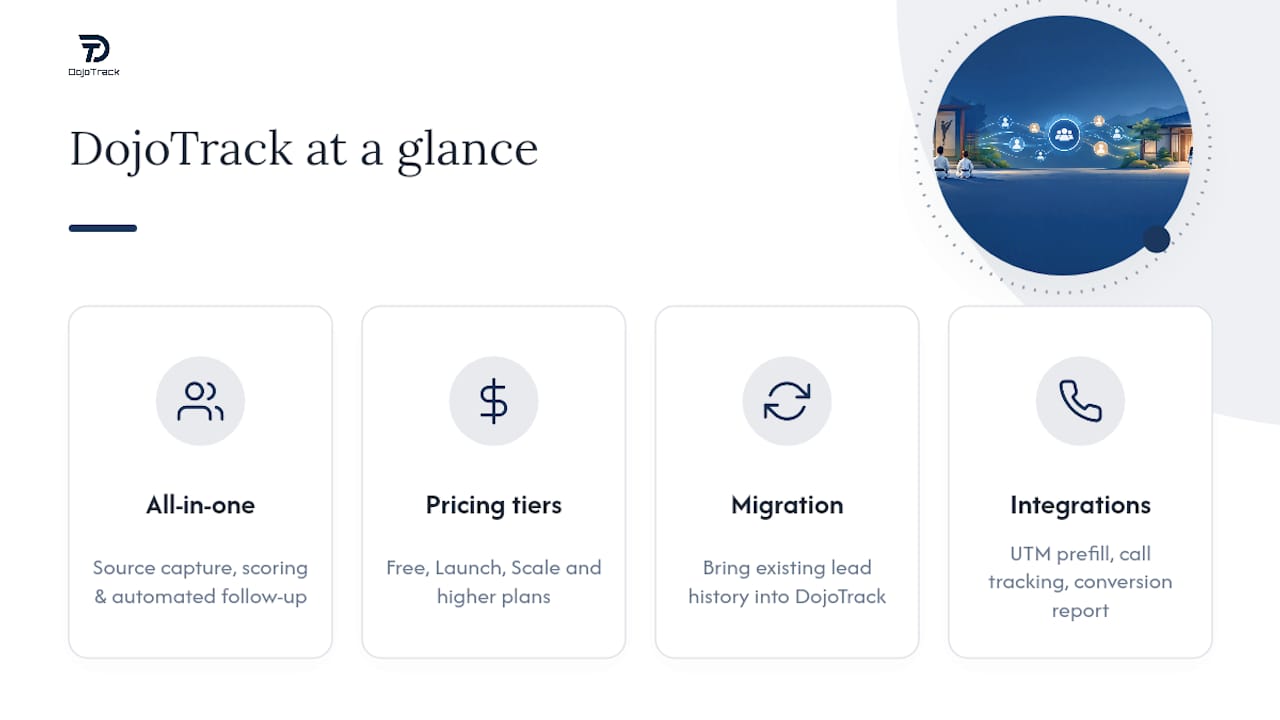
Building this stack piece by piece, spreadsheets, form plugins, a generic CRM, and a separate analytics dashboard, works, but it’s a lot of moving parts for a small studio team to maintain. DojoTrack was built specifically to close that gap for martial arts schools: source capture, lead scoring, and follow-up automation live in one system instead of three, so your front desk isn’t reconciling four tools by hand every week.
If you’re evaluating options, start with the DojoTrack pricing page to see how the Free tier compares to Launch, Scale, and the higher plans, and check the feature list for the specifics on lead capture and reporting. Already running data in another system? The migration tools are built to bring your existing lead history along. When you book a demo, ask specifically about UTM prefill into lead records, call tracking integration, and what the trial-to-member conversion report actually looks like before you commit.
Sources
For the technical side of implementation, Google’s documentation on campaign and traffic-source collection explains exactly how source, medium, and campaign fields get processed into reporting dimensions. Pair that with a deeper look at GA4 UTM parameter tracking for QR code and print collateral tagging, and this guide to checking traffic-source integrity for verifying your setup isn’t quietly miscategorizing sessions.
- Campaigns and traffic sources – Analytics Help
FAQ
What is the best software for lead tracking in a martial arts school?
The best option is whichever platform captures source data automatically at intake rather than relying on manual entry. General CRMs work but require you to build the UTM and reporting layer yourself; DojoTrack was built to handle source capture, lead scoring, and follow-up automation specifically for martial arts schools, with pricing that starts on a free core tier.
What is lead tracking and what does it actually do?
Lead tracking records where a prospective student came from and follows that person through trial booking and enrollment. It tells you which channels produce paying members, not just inquiries, so you can compare cost per new member across sources instead of just counting leads.
How do I stop my QR codes and print flyers from showing up as Direct traffic?
Route every printed link through a tagged shortlink with UTM parameters attached, since untagged QR codes and print collateral default to Direct traffic in GA4. This takes a few minutes per campaign and prevents your offline marketing from disappearing from the data entirely.
What are the 13 types of martial arts, and does it matter for tracking?
Common styles include Karate, Taekwondo, Brazilian Jiu-Jitsu, Judo, Muay Thai, Boxing, Kickboxing, Krav Maga, Aikido, Kung Fu, Wrestling, Hapkido, and Capoeira. Lead source tracking works the same way regardless of discipline, since attribution is about marketing channels, not curriculum.
Which martial art has the highest injury rate, and should that affect marketing?
Full-contact striking sports like Muay Thai and MMA tend to report higher injury rates than lower-contact disciplines like Taekwondo forms training, though rates vary by school and rule set. It’s worth reflecting honestly in your marketing copy and trial conversations, since accurate expectations reduce early churn once new students actually start training.