

TL;DR:
- Managing multiple class schedules involves creating conflict-free timetables that optimize attendance and reduce errors. Using AI-powered and purpose-built tools helps studios automate conflict detection, waitlist management, and schedule adjustments efficiently. Regularly reviewing and connecting schedules with attendance data ensures ongoing accuracy and studio growth.
Managing multiple class schedules in a martial arts studio is the process of organizing classes, instructors, rooms, and student groups into conflict-free timetables that maximize attendance and reduce administrative work. Most studio owners start with spreadsheets and quickly discover that manual updates cause cascading scheduling errors across every linked calendar. The industry term for this discipline is constraint-based schedule management, and it applies directly to any dojo running more than three concurrent programs. Dojotrack was built specifically to solve this problem for martial arts schools, MMA gyms, Taekwondo academies, and Jiu Jitsu schools across the United States.
What tools and technology help you manage multiple class schedules in a studio?
The right tools separate studios that grow from studios that stall. AI-powered scheduling engines generate fully optimized, conflict-free timetables in seconds by respecting instructor availability, room capacity, and student grouping rules simultaneously. That speed matters because building a weekly schedule manually can consume hours that you could spend on the mat.
Purpose-built class management software differs fundamentally from generic appointment schedulers. Class-specific tools support waitlist automation and capacity limits, which are critical features for scaling a studio. A generic booking app has no concept of a waitlist queue or a maximum mat capacity per belt rank.
The table below shows the core feature categories every studio scheduling system should cover.
| Feature category | What it does | Why it matters |
|---|---|---|
| Automated conflict detection | Flags double-booked instructors or rooms instantly | Prevents rework before publishing |
| Waitlist automation | Promotes next student when a spot opens | Fills classes without manual follow-up |
| Instructor allocation | Assigns qualified instructors per class type | Matches rank requirements to program |
| Real-time updates | Pushes schedule changes to students immediately | Reduces no-shows from outdated info |
| Scenario testing | Compares draft schedules before publishing | Lets you test changes safely |
Key features to prioritize when evaluating a studio scheduling system:
- Automated conflict resolution that flags instructor or room overlaps before you publish
- Waitlist promotion that notifies the next student the moment a spot opens
- Centralized calendar view that shows all programs, rooms, and instructors in one place
- Integration with attendance tracking so class fill rates inform future scheduling decisions
- Mobile access for instructors to view and confirm their assignments
Pro Tip: New studios often underestimate waitlist automation. Industry platforms have processed over 43 million bookings, and the data consistently shows that automated waitlists fill classes faster than any manual follow-up process.
Dojotrack includes scheduling as part of its unified platform, connecting class timetables directly to attendance tracking, membership management, and student communications. That connection is what separates a scheduling tool from a true studio management system.
How do you structure the scheduling process for multiple martial arts classes?
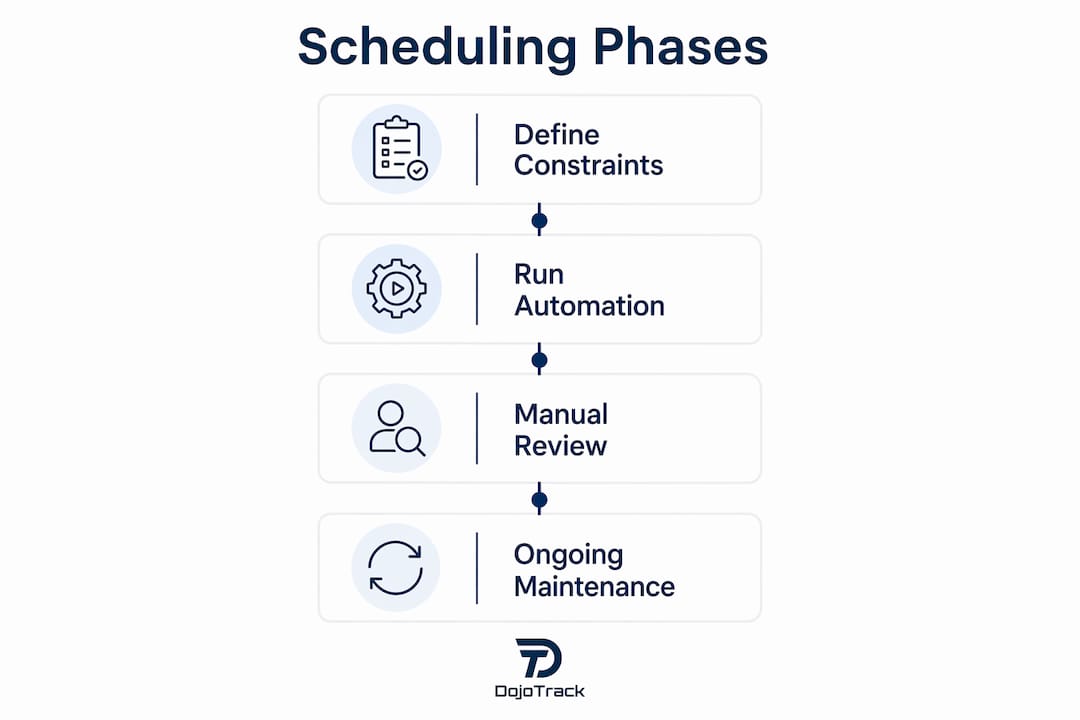
Effective multi-class scheduling follows three distinct phases. Skipping any phase is the most common reason studios end up republishing corrected schedules mid-week.

Phase 1: Define your constraints
Constraints fall into two categories. Hard constraints are non-negotiable rules: an instructor cannot teach two classes at the same time, a room cannot exceed its mat capacity, and a beginner class cannot run without a qualified instructor present. Soft constraints are preferences: a senior instructor prefers morning slots, or a kids’ program runs better before 6:00 PM. Scheduling is a constraint satisfaction process that must resolve hard constraints first. Ignoring this order leads to repeated rework and hours lost every week.
Phase 2: Run automated schedule generation
Once constraints are defined, an automated engine processes them and produces a draft timetable. Good engines use randomized class ordering to prevent algorithm starvation, a condition where certain classes consistently receive the worst time slots because they are always processed last. Randomized scheduling balances assignments fairly across all programs. This phase takes seconds with the right software and days without it.
Phase 3: Manual review and adjustment
The draft schedule is a starting point, not a final product. Use a planning workspace to swap time slots, pin classes that cannot move, and run “what-if” scenarios before publishing. Scenario testing lets you compare two draft versions side by side without overwriting a working schedule. This phase is where your knowledge of student behavior and instructor preferences adds real value.
Pro Tip: Pin your highest-enrollment classes first during manual review. Those slots anchor the rest of the timetable and reduce the number of adjustments needed downstream.
Following this three-phase workflow also protects you from the most common scheduling mistake: treating the schedule as a static document. A martial arts studio schedule changes constantly as instructors take time off, students advance in rank, and new programs launch. Building a repeatable process means you can rebuild a clean schedule in minutes, not hours. For a deeper look at why new studios need scheduling tools from day one, the operational case is straightforward.
What are the best practices for maintaining multiple class schedules ongoing?
Publishing a schedule is not the end of the process. Ongoing maintenance determines whether your timetable stays accurate or slowly drifts into chaos.
Integrating scheduling with attendance and membership systems is the single most important ongoing practice. Without that connection, you cannot see which classes are consistently underfilled, which instructors are overloaded, or which time slots drive the most student retention. Data from attendance feeds directly back into better scheduling decisions.
Ongoing maintenance strategies that protect schedule quality:
- Review fill rates weekly. Classes running below 60% capacity for two consecutive weeks signal a time slot or format problem.
- Automate student notifications. Push schedule changes to students immediately through SMS or app notifications to prevent no-shows.
- Audit instructor workloads monthly. Uneven assignments burn out your best instructors and create coverage gaps.
- Test schedule changes in a draft environment. Never edit a live published schedule directly.
- Track waitlist conversion rates. High waitlist numbers on specific classes indicate demand for an additional session.
Automated notifications deserve special attention. When a class cancels or a time slot shifts, students who do not receive immediate notice simply do not show up. That missed attendance compounds over time and affects retention. Dojotrack’s platform connects scheduling directly to automated SMS and push notifications, so changes reach students without any manual outreach from your staff.
The automation benefits for martial arts administrative tasks extend well beyond scheduling. But scheduling is the operational foundation. Get it right, and every other system runs more smoothly.
What common challenges arise when managing multiple class schedules?
The most damaging scheduling mistakes are predictable. Knowing them in advance means you can build systems that prevent them rather than fix them after the fact.
Spreadsheet dependency is the most widespread problem. Manual updates across linked spreadsheets cause the majority of scheduling errors because spreadsheets have no awareness of dynamic changes. When one instructor’s availability shifts, every class that instructor teaches requires a manual update. Miss one, and you have a double-booking.
Ignoring hard constraints creates rework. Studios that build schedules around preferences before locking in hard rules spend hours correcting conflicts that should never have existed. Hard constraints, such as room capacity and instructor certification level, must be resolved before any soft preference is considered.
Algorithm starvation affects studios using automated tools incorrectly. When a scheduling engine always processes classes in the same order, the last classes processed consistently receive the least desirable time slots. This creates instructor frustration and lower enrollment in affected programs.
Watch for these red flags in your current scheduling process:
- Instructors discovering conflicts on the day of class
- Students receiving schedule updates less than 24 hours before a change takes effect
- The same time slots sitting underfilled week after week
- Manual schedule rebuilds taking more than two hours
“Scheduling is not magic. Planners should use workflows that separate hard rules from preferences and enable scenario comparisons before finalizing any timetable.”
Pro Tip: Always maintain a published “safe copy” of your current working schedule. Test every proposed change in a separate draft before pushing it live. This one habit eliminates the most common source of mid-week schedule corrections.
The studio management automation examples that work best in martial arts schools all share one trait: they remove the human error points from repetitive tasks while keeping instructors in control of the decisions that require judgment.
Key Takeaways
Effective class schedule management in a martial arts studio requires defining hard constraints first, using automated tools to generate conflict-free drafts, and integrating scheduling with attendance data for continuous improvement.
| Point | Details |
|---|---|
| Define hard constraints first | Lock in room capacity and instructor availability before setting any preferences. |
| Use automated schedule generation | AI-powered engines produce conflict-free timetables in seconds and prevent double-bookings. |
| Integrate scheduling with attendance | Attendance data reveals underfilled classes and informs smarter timetable decisions. |
| Automate waitlists and notifications | Automated promotion and alerts fill classes faster without manual follow-up. |
| Test changes before publishing | Always draft and compare schedule versions before pushing updates to students. |
What running a martial arts studio taught me about scheduling
The studios that struggle most with scheduling are not the ones with the most complex programs. They are the ones that treat scheduling as a one-time task rather than an ongoing system. I have seen owners spend an entire Sunday rebuilding a schedule because one instructor called in sick and the spreadsheet had no fallback logic. That is time you will never get back.
The shift that changes everything is treating your schedule as a living document connected to your attendance data. When you can see that your Tuesday 7:00 PM adult class fills in under an hour while your Thursday 6:00 PM slot sits at 40% capacity, you stop guessing and start making decisions based on what your students actually want. That is the difference between a schedule that serves your studio and one that just fills a wall.
Automation does not replace your judgment as an instructor or owner. It removes the mechanical work so your judgment goes toward the decisions that actually matter: which programs to grow, which instructors to develop, and which students need extra attention before they walk out the door. The studios that grow consistently are the ones that automate the repeatable work and protect their time for the human side of the business.
If you are still rebuilding your schedule from scratch every few weeks, that is a signal. Not that you need to work harder, but that you need a better system.
— Dojotrack
Dojotrack’s scheduling tools for martial arts studios
Dojotrack’s AI-powered platform handles the full scheduling workflow for martial arts schools, from conflict detection and instructor assignment to waitlist automation and real-time student notifications. The platform connects your class timetable directly to attendance tracking, membership management, and billing, so every schedule change flows through your entire operation automatically. Studio owners using Dojotrack report spending significantly less time on administrative scheduling work each week. You can access core scheduling features at no upfront cost, with advanced AI tools available as your school grows. See the full scheduling and management features on Dojotrack’s platform, or use the lifetime value calculator to understand the revenue impact of better class fill rates.
FAQ
What does it mean to manage multiple class schedules in a studio?
Managing multiple class schedules in a studio means organizing instructors, rooms, and student groups into conflict-free timetables across all programs. The process covers schedule creation, ongoing updates, waitlist management, and student notifications.
Why do spreadsheets fail for studio schedule management?
Spreadsheets have no awareness of dynamic changes, so a single update to one instructor’s availability requires manual corrections across every linked class. This process causes the majority of scheduling errors in studios that rely on manual methods.
What is algorithm starvation in class scheduling?
Algorithm starvation occurs when a scheduling engine always processes classes in the same order, causing the last classes processed to consistently receive the least desirable time slots. Randomizing class order during automated generation prevents this problem.
How does integrating scheduling with attendance improve studio operations?
Connecting scheduling to attendance data lets you identify underfilled classes, overloaded instructors, and high-demand time slots. Those insights drive smarter timetable decisions that improve both class fill rates and student retention.
What is the difference between hard and soft scheduling constraints?
Hard constraints are non-negotiable rules, such as room capacity limits and instructor certification requirements, that must be resolved before any schedule is published. Soft constraints are preferences, such as an instructor’s preferred teaching hours, that are applied only after all hard constraints are satisfied.