

The fastest way to stop schedule chaos at your dojo is purpose-built staff scheduling software, not a spreadsheet or a shared calendar. Look for three things above everything else: a visual class grid you can drag and drop, instructor availability with built-in substitution handling, and student self-enroll with automatic waitlists. There are platforms built around exactly this combination for martial arts schools, making them a strong starting point below.
TL;DR:
- Staff scheduling software tailored for dojos automatically prevents double-bookings and manages waitlists, improving efficiency over spreadsheets or shared calendars.
- Key features to look for include a visual drag-and-drop class grid, instructor availability with conflict alerts, and capacity limits with auto-promoting waitlisted students.
- Prioritizing dojo-specific details such as belt restrictions, certification tracking, and family accounts ensures scheduling accuracy and reduces errors.
- Implementing the software as a structured, multi-week project helps refine templates, gather availability, and minimize disruption during transition.
- Automation tools like auto-scheduling and AI insights work best once class patterns and instructor roles are correctly set up first.
Table of Contents
- What Staff Scheduling Software Actually Does for Your Dojo
- Core Scheduling Features to Prioritize
- How Do You Set Up Staff Scheduling in Your Dojo?
- Staff Roster Best Practices for Morale and Retention
- Integrations, Payroll, and Migration Checks
- What Does Staff Scheduling Software Cost?
- Why DojoTrack’s Founder Built This Around Real Dojo Problems
- What Actually Matters When You Fix Dojo Scheduling
- Try DojoTrack: A Dojo-First Way to Fix Your Schedule
- Sources
- FAQ
What Staff Scheduling Software Actually Does for Your Dojo
Switch from a spreadsheet to a real scheduling platform and the change shows up fast. Double bookings disappear because the system checks instructor and room availability before it lets you save a class. Waitlists fill automatically when a spot opens, instead of you texting three parents to see who wants it. Finding a substitute instructor at 6 AM takes two minutes instead of twenty phone calls.
General-purpose scheduling tools built for retail or restaurants miss the workflows dojos actually run on. Belt progression classes need different instructor certifications. Family accounts need to book across multiple kids and multiple programs at once. Private lessons need one-on-one slots that don’t compete with your group class grid.
A few everyday scenarios show the gap clearly:
- Publishing next week’s schedule for five programs in one pass, not five separate documents
- Swapping an instructor mid-morning when someone calls in sick, without canceling class
- Capping a beginner Brazilian Jiu Jitsu class at 16 students and auto-filling the waitlist the second a spot clears
Core Scheduling Features to Prioritize
Not every platform built for “staff scheduling” understands what a dojo needs on a Tuesday night. Run your evaluation against this list before you sign anything.
- Visual schedule grid: drag-and-drop building across multiple programs (karate, Muay Thai, kids’ classes) in one view
- Instructor availability and time off: instructors set their own windows, request time off, and the system flags conflicts before you publish
- Substitution workflow: a clear path to post an open shift and get a qualified instructor to claim it, not a group text
- Capacity and waitlist automation: caps per class, automatic promotion from the waitlist, no manual tracking
- Auto-scheduling and templates: recurring weekly classes build themselves once you set the pattern, and conflict detection catches double bookings before they happen
- Student-facing booking: a mobile app, parent accounts for multiple kids, calendar sync, and automated reminders
- Attendance tied to payroll or instructor credit: check-ins that feed straight into hours worked or class-count pay
Roster tools generally offer visual weekly views, shift swaps, and availability management as standard features, but generic versions rarely account for belt-level restrictions or family billing. That’s the gap a dojo-specific platform closes.
Pro Tip: Set up your class templates before you touch the instructor assignments. Getting the recurring pattern right first means you’re only solving one problem at a time instead of rebuilding the whole week from scratch.
How Do You Set Up Staff Scheduling in Your Dojo?
Rolling out new scheduling software works best as a short, structured project rather than an overnight switch. Here’s a sequence that gets you live without breaking your current week.
- Audit your programs and peak times. List every program, every instructor role, and which hours draw the most students. This becomes your coverage map.
- Collect instructor availability. Send a short survey asking for weekly availability, blackout dates, and any certifications tied to specific programs (kids’ curriculum, competition team, private lessons).
- Build master templates. Create one recurring template per program, then assign instructors to each recurring slot. Mapping demand before assigning roles keeps critical shifts covered first.
- Publish with notice and enable swaps. Post the schedule at least a week ahead and turn on open-shift claiming so instructors can cover each other without calling you.
- Pilot for four weeks. Run it for about a month, compare actual attendance against your roster, and adjust class caps or instructor assignments based on what you see in the first few weeks.
Staff Roster Best Practices for Morale and Retention
Instructors don’t quit over one bad shift. They quit over a pattern of last-minute changes and schedules that feel arbitrary. Fix that pattern and you fix retention.
Publishing schedules early, and briefly explaining why certain instructors got certain classes, measurably reduces the sense of unfairness that drives turnover. Beyond that:
- Rotate undesirable time slots (early mornings, late evenings) instead of parking one instructor there permanently
- Allow limited shift swaps and open-shift bidding, but restrict eligibility to instructors who hold the right certification for that class
- Track coverage rate, fairness of assignment across your staff, and how often you’re making changes inside a 48-hour window
- Treat repeated short-notice changes as a warning sign, not a scheduling quirk, since it usually points to understaffing in one program
Schedule transparency isn’t just a courtesy. It’s a retention lever, and one of the cheapest ones available to a small dojo running on a tight staff budget.
Integrations, Payroll, and Migration Checks
Before you commit to a platform, run through the technical side. This is where implementations quietly stall.
- Payment and payroll connectors: confirm Stripe support and payroll export formats that match what you already use for instructor pay
- Calendar and notification sync: check that class changes push to instructor phones and parent calendars automatically
- Data migration: map out student records, membership status, attendance history, and recurring payment schedules that need to move over cleanly
- Family and private-lesson support: verify the mobile app or parent portal actually handles multiple kids under one household and separate private-lesson booking
- Security and permissions: confirm role-based admin access so front-desk staff can’t edit payroll-linked attendance records
Most scheduling platforms list payment gateways, calendar sync, and staff mobile apps as standard integrations, but confirm each one works with your existing billing setup before migration day, not after.
What Does Staff Scheduling Software Cost?
Pricing usually follows one of a few patterns: per-student fees, per-instructor fees, flat monthly tiers, or a freemium model with a free core layer and paid add-ons for automation.
- SMS notifications, AI-driven auto-scheduling, and payroll connectors are the features most likely to push you into a paid tier.
- Migration help, staff training time, and third-party payment gateway fees are the hidden costs that rarely show up on the pricing page
- Estimate ROI by tracking hours saved on manual scheduling, fewer no-shows from automated reminders, and any measurable lift in retention after schedules stabilize
A free core tier that covers scheduling and attendance lets you test the workflow before you pay for anything, which matters more for a five-instructor dojo than a forty-instructor chain.
Why DojoTrack’s Founder Built This Around Real Dojo Problems
The platform was designed by a martial arts veteran who ran a school before building the software. That background shows up in the feature set: belt progression tracking, attendance tied to curriculum milestones, and instructor scheduling that assumes you run more than one program under one roof.
The platform maps directly to the priorities above. Multiple class schedules across programs run in one grid. Family accounts book across kids without duplicate logins. A free core tier covers scheduling, attendance, and basic communication, so you can start there and layer on automation and AI insights once your studio outgrows manual assignment.
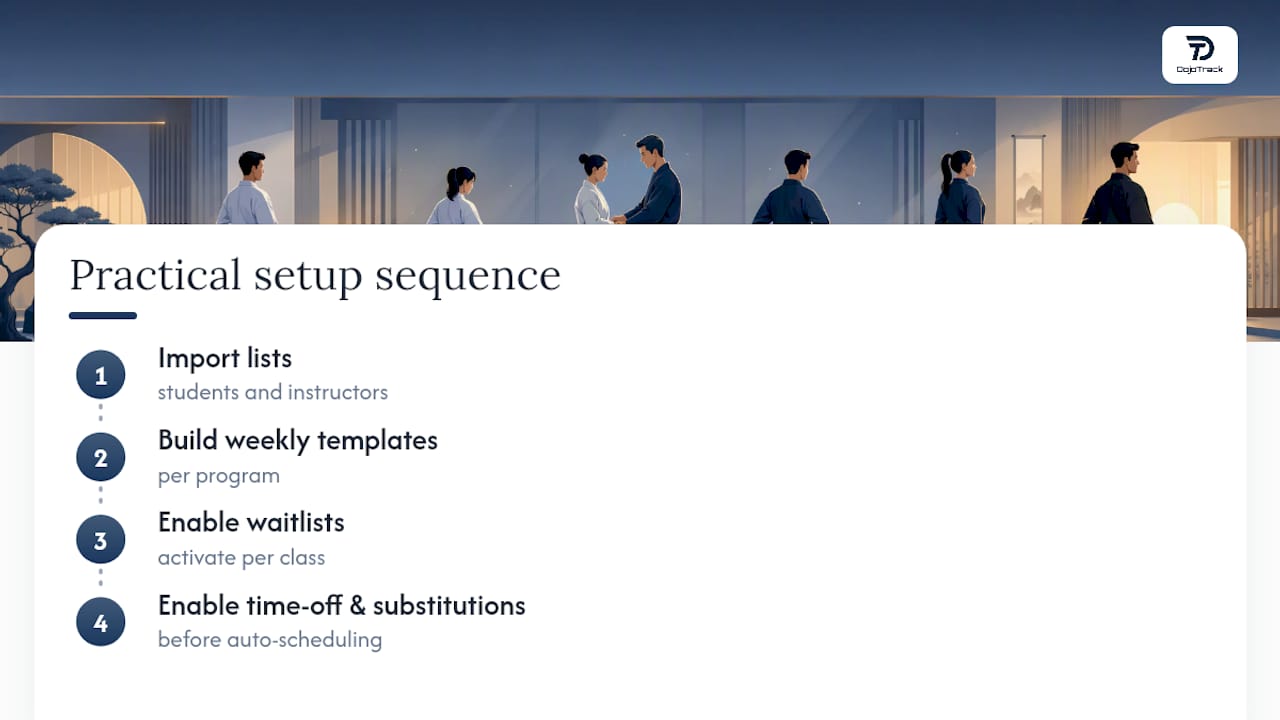
The practical starting sequence: import your student and instructor lists, build weekly templates per program, turn on waitlists, then enable time-off requests and substitution approval before touching auto-scheduling.
What Actually Matters When You Fix Dojo Scheduling
Most advice on staff scheduling reads like it was written for a call center. Shift swaps, fairness metrics, coverage ratios. All real, all useful, but none of it addresses the thing that actually breaks dojo schedules: belt-level class restrictions and instructor certifications that generic tools don’t track.
The conventional advice says pick any scheduling tool and configure it to fit your business. That’s backwards for a martial arts school. A general scheduling app can absolutely handle shift swaps and time-off requests. What it can’t do out of the box is stop you from accidentally scheduling an uncertified instructor into a kids’ curriculum class, or handle a family account booking three different programs at three different belt levels.
Prioritize the dojo-specific fields first, not the generic scheduling features everyone talks about. Auto-scheduling and AI templates are genuinely useful once your data is clean, but they only work well with accurate availability and role data going in. Get the fundamentals, your program structure, your certifications, your family accounts, right before you turn on any automation. That order matters more than which vendor you pick.
— DojoTrack
Try DojoTrack: A Dojo-First Way to Fix Your Schedule
Some dojo-specific scheduling platforms skip the setup most generic scheduling software forces on martial arts schools, avoiding configuring shift types to fake belt-level restrictions and using a unified system for family billing. Such platforms are built around the class grid, instructor certifications, and attendance-to-curriculum links your dojo already runs on, often including a free core tier that covers scheduling and attendance.
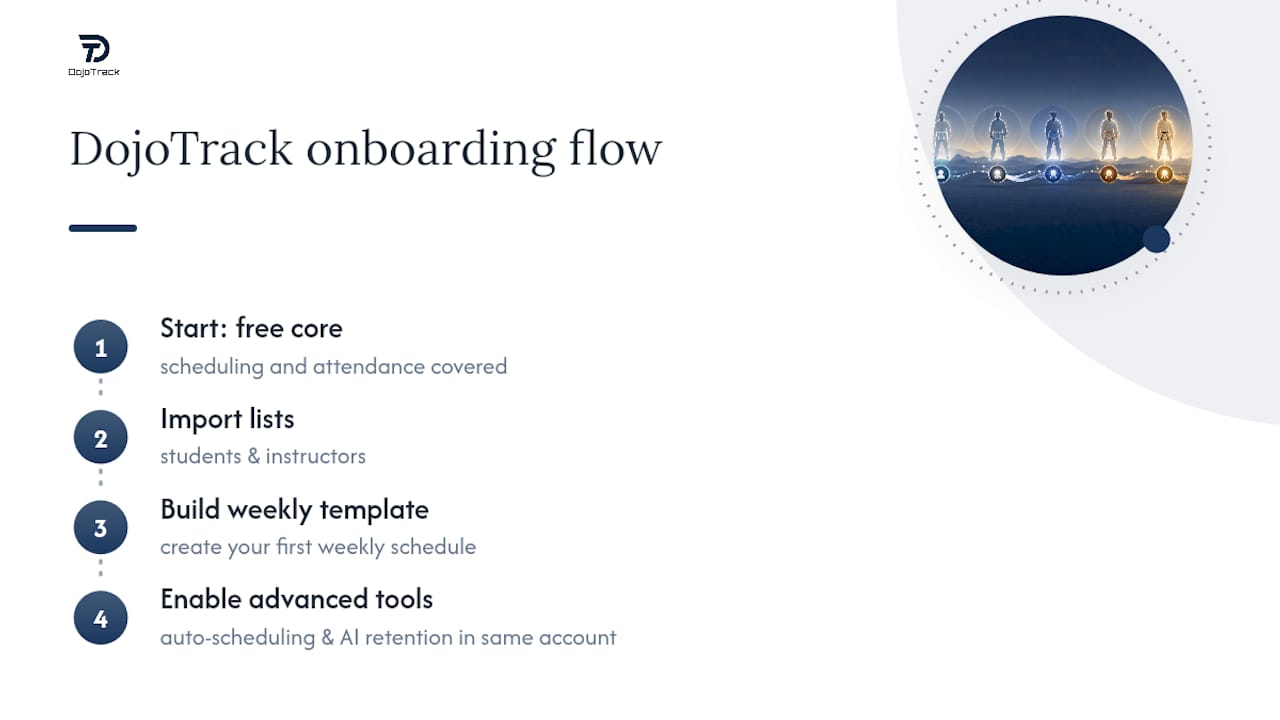
Start with the free core platform, import your student and instructor lists, and build your first weekly template this week. When you’re ready for auto-scheduling and AI-driven retention tools, they’re already built into the same account, not a separate migration.
Sources
For more on the specifics covered here, see managing multiple class schedules, staff management for martial arts schools, and building your first class schedule. For general roster fairness practices, see Staff Rostering 101.
- Staff rostering 101: the manager’s complete guide to building better schedules
- Smarter employee scheduling software | When I Work
FAQ
How Much Does Dojo Scheduling Software Cost?
Pricing varies by model. Some platforms charge per student or per instructor, others use flat monthly tiers, and some, including Dojotrack, offer a free core layer with paid add-ons for automation and SMS.
Can You Schedule a Post on ClassDojo?
ClassDojo is a classroom communication app for school teachers, not a martial arts staff scheduling platform, so it doesn’t support instructor rostering or class-grid scheduling for dojos.
How Do I Set Up Scheduling for a New Dojo?
Audit your programs and peak hours, collect instructor availability, build recurring weekly templates per program, and run a four-week pilot before finalizing your roster.
Does “Dojo” Mean Gym?
“Dojo” traditionally means a training hall for Japanese martial arts, but in everyday use across the US it functions much like “gym” does for other combat sports schools.
What’s the Fastest Way to Handle a Last-Minute Instructor Absence?
Post the open shift through a substitution workflow that only surfaces qualified instructors, rather than texting your whole staff list and hoping someone answers in time.