
Event Reminders Automation for Martial Arts Schools

Event reminder automation means you set up your reminder messages once, and your software sends them to everyone who signed up, at the right time, without you texting parents the night before. For a martial arts school, the best setup is a short sequence: an instant confirmation, a reminder about a week out, one the day before, and a text on the morning of the event. Below you will find the timing, the channel choices, the setup steps and the U.S. text-message rules that apply.
TL;DR
- Automate a confirmation at sign-up, a reminder about one week before, one the day before, and a short text the morning of the event.
- Use email for details (what to bring, schedule, cost) and text for the last-minute nudge. Push notifications work well for students who have your app.
- Get clear permission before texting, include STOP instructions, and honor opt-outs right away.
- Test the sequence on your own phone, then track no-shows for a few events to see what changed.
- Fewer manual reminders means more time on the mat and fewer empty spots at belt tests, seminars and parents’ night out.
Table of Contents
- Why event reminders are worth automating
- When to send each reminder
- Email, text or push: choosing the channel
- How to set up automated reminders step by step
- Text message rules every U.S. school should follow
- Testing your reminder workflow
- Our perspective
- Put your event reminders on autopilot
- FAQ
- Sources
Why event reminders are worth automating
You already know the pattern. A family signs up for a belt test or a Saturday seminar three weeks ahead. Life happens. On the day, a few spots sit empty, a couple of parents ask what time it starts, and you spend the evening before answering the same question by text one family at a time.
Reminders fix most of this because people forget what they registered for. The University of Minnesota’s event communications guide says one or two reminders can help reduce no-shows because participants may forget they ever registered, and it recommends reminders on top of a good confirmation message.
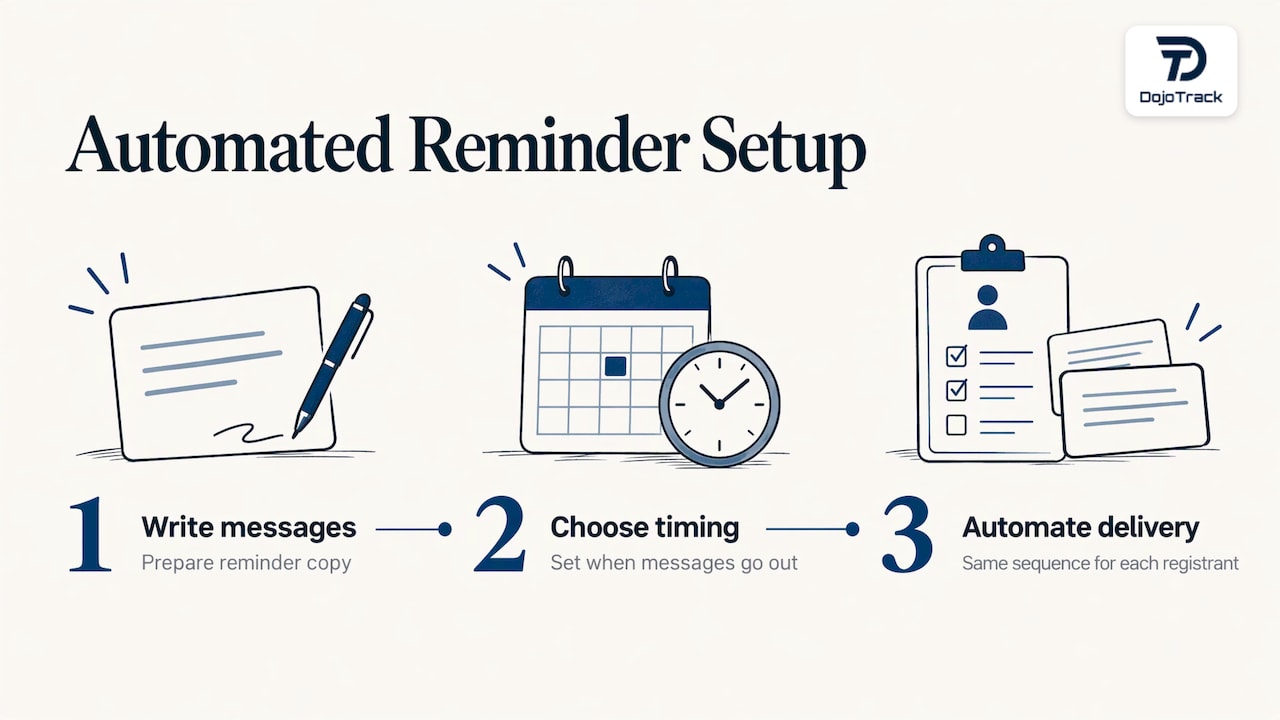
Doing this by hand works at five students. It breaks at fifty. Automation turns it into a one-time setup: you write the messages, choose the timing, and every new registrant gets the same sequence. The same logic applies across the rest of your admin, which we cover in why automating martial arts administrative tasks pays off.
Which events benefit most
Not every class needs a reminder sequence. Regular weekly classes already have a rhythm. The events that benefit are the ones that break the routine:
- Belt tests and promotions: families need the time, the fee, the uniform requirements and any prerequisites.
- Seminars and guest instructor sessions: often paid, often limited in spots, and easy to forget.
- Tournaments and competitions: weigh-ins, check-in times and travel details matter.
- Parents’ night out and camps: parents need drop-off times, pickup times and what to pack. Our parents’ night out signup playbook shows how to replace the spreadsheet for these.
- Trial classes and intro sessions: a prospect who forgets is a lead you paid to get and then lost.
When to send each reminder
There is no single perfect schedule, and published guides differ a little. The Minnesota guide suggests a confirmation when registration is received, a second reminder one to two weeks before the event, and a text from one day to one hour before. Other event guides land on similar rhythms: roughly a week out, the day before, and a short same-day note.
For a martial arts school, here is a practical default you can adapt:
| When | Channel | What it says |
|---|---|---|
| Right after sign-up | Email (plus text if they opted in) | Confirmation: date, time, location, cost, what to wear or bring |
| 7 days before | Full details, parking or check-in info, link to change or cancel | |
| 1 day before | Email or text | Short recap: time, place, one thing to bring |
| Morning of the event | Text or push notification | One line: “Belt test today at 10 a.m. See you on the mat.” |
For a small event such as a free trial class, two touches are enough: confirmation, then a reminder the day before and a text a couple of hours ahead. For a big, paid event such as a tournament trip, add a logistics email two or three days out.
Timing rules that hold up
- Send while people can still act. A reminder that arrives after a family has stopped being able to rearrange their weekend does nothing. A week out is early enough to move a soccer game.
- Send at reasonable hours. Morning or early evening works for most families. A text at 5 a.m. gets muted or earns an opt-out.
- Do not over-send. Each extra message adds some risk that a parent stops reading or opts out. Three to four touches per event is plenty.
- Make the last message tiny. The final reminder should be readable in two seconds: time, place, nothing else.
Email, text or push: choosing the channel
Each channel does a different job. Using all three for the same message is noise. Using each for what it does best is a sequence.
| Channel | Best for | Watch out for |
|---|---|---|
| Details, schedules, forms, links, anything people may need to look up later | Easy to miss in a crowded inbox, so keep the subject line specific (“Belt test Saturday, 10 a.m.”) | |
| Text message | Same-day and day-before nudges, quick confirmations | Needs clear permission and opt-out handling, and costs per message |
| Push notification (student app) | Active students who already use your app for schedules and belt progress | Only reaches people who installed the app |
| Calendar invite | Events with a fixed time, such as seminars | Only helps if the person adds it to their calendar |
In practice, parents are often the real audience for kids’ programs. They read email for details but respond to a text. That is why a text on the morning of the event does so much work for a school with many young students.
On costs: texting is metered. DojoTrack’s published pricing lists $0.017 per text message and $2 per month to rent a DojoTrack number. A 100-family belt test with two texts each is 200 messages, so the text portion costs $3.40. Compared with the time you spend on manual reminders, that is small.
How to set up automated reminders step by step
The steps are the same whether you use a studio management platform, a calendar app or a general workflow tool.
- Collect registrations in one place. Every reminder depends on a clean list of who signed up and how to reach them. If registrations live in a paper sheet, a group chat and a spreadsheet, fix that first.
- Capture contact preferences at sign-up. Ask for email and mobile number, and include a clear checkbox for text reminders (more on consent below).
- Write your templates once. Draft the confirmation, the one-week email, the day-before message and the morning text. Use placeholders for the student’s name, event name, date, time and location so each message feels personal.
- Set the timing relative to the event date. Schedule messages as “7 days before” and “1 day before”, not as fixed calendar dates. Then the same sequence works for every belt test you run.
- Link the reminder to the registration list. Messages should go only to people who registered, and a person who cancels should drop out of the sequence.
- Add a way to reply or change plans. A link to cancel or a number to call saves you from surprise no-shows and lets you fill the spot.
- Save the sequence as a template. Next quarter, duplicate it and change the event name and date.
If you want to build the sequence in a general-purpose tool rather than inside your studio software, a guide to workflow automation tools can help you compare options for confirmations and reminders for people who register.
Connecting reminders to calendars, registrations and attendee lists
Three connections matter:
- Registration to reminders: the sign-up itself should trigger the confirmation. No one on your staff should have to remember to press send.
- Schedule to reminders: if you change the event time, the reminders should pull the new time. Messages with hard-coded times are how families show up at the wrong hour.
- Attendance to follow-up: after the event, the list of who showed and who did not should be visible to you. That list is what you use to follow up with absent students. Our guide on attendance tracking and dojo revenue explains why those records matter beyond a single event.
When everything sits in one system, these connections come for free. When you stitch together separate tools, each handoff is a place for a message to fail.
Text message rules every U.S. school should follow
Email and push are forgiving. Text messages are regulated in the United States, mainly through the Telephone Consumer Protection Act (TCPA) and the FCC’s rules, so a few habits are not optional. This is general information, not legal advice. If you run a larger operation or send promotional texts, ask an attorney who handles TCPA compliance.
Practical habits for reminder texts:
- Get permission first. Add an unchecked box at sign-up that says the person agrees to receive text messages from your school, what kind of messages they are, and that message and data rates may apply. Do not pre-check it.
- Keep reminders and promotions separate. A reminder about a belt test is informational. A text about a new summer camp discount is marketing and calls for stronger written consent. Do not slip promotions into reminder texts.
- Include opt-out instructions. Tell people they can reply STOP. Repeat this periodically, not only in the first message.
- Honor opt-outs right away. The FCC has ruled that people can revoke consent at any time and in any reasonable manner, so treat “stop,” “unsubscribe” or a spoken request to your front desk the same way. Remove them from texts and keep them on email if they still want it.
- Use a number families recognize. A dedicated school number is easier to trust than a random code.
- Keep records. Store when and how each person agreed.
Rules and enforcement change, so check the FCC’s current guidance before you launch a new texting program.
Testing your reminder workflow
A broken reminder is worse than none. A text that says the belt test is tomorrow when it was moved to next week costs you trust. Run these checks before the first real event:
- Register yourself. Use a test email and your own cell number. Confirm the confirmation arrives within a minute.
- Create a test event with a near date. Set it for tomorrow so you can see the one-day reminder fire at the time you chose.
- Read on a phone. Most parents will read your message on a small screen. Check that the subject line, first line and any links work.
- Test STOP. Reply STOP and confirm you are removed from texts.
- Change the event time. Confirm the reminders show the new time.
- Cancel a registration. Confirm that person no longer gets reminders.
Measuring whether reminders reduce missed events
Pick a simple baseline. For your last three comparable events, write down registrations and actual attendance. Your no-show rate is the number of registered people who did not show, divided by total registrations.
Then run the automated sequence for the next three events and compare. Keep the comparison fair by using similar events: belt test to belt test, not belt test to free seminar.
Track a few other signals too:
- Questions to your front desk about time and location (these should drop)
- Last-minute cancellations (a few advance cancellations are a good sign because you can fill the spot)
- Opt-out rate on texts (if it rises, you are sending too much or at bad times)
- Late arrivals at kids’ events
Change one thing at a time, such as moving the text from 2 hours before to the morning. That way you know what made the difference.
Our perspective
We built DojoTrack after running martial arts schools ourselves, and event reminders are a good example of work that should never depend on someone’s memory. The owner who is also the head instructor, the front desk and the billing department does not have time to text forty families about Saturday’s belt test.
Our view is that reminders belong inside the same system that holds your students, schedule, attendance and family accounts. When a reminder comes from a general calendar app or a separate texting tool, it does not know who is a parent, who has two kids testing, or who already confirmed. When it comes from a platform built for martial arts schools, those details are already there.
That is why DojoTrack combines email and SMS communication with event management, scheduling, digital waivers and a student app with push notifications. Registration, waiver, reminder and attendance live in one place, so the list you remind is the list you check in at the door.
Our goal is simple: eliminate administrative overhead so you can spend your time teaching and building your community.
DojoTrack
Put your event reminders on autopilot
DojoTrack is AI-powered martial arts studio management software with email and SMS communications, event management, scheduling, digital waivers and a student mobile app. You can start on the Free plan at $0 per month and move to a paid plan when you want more automation. Paid plans run from Launch at $95 per month up to Master at $245 per month, and you can compare them on the DojoTrack pricing page. If you want to see how automated messaging fits into your week, read how automated email and SMS saves hours each week, or create your account and set up your first event.
FAQ
How many reminders should I send for a belt test?
Three or four is a good range: a confirmation at sign-up, an email about a week before, a short message the day before, and a text the morning of the event. For a very small or low-stakes event, two reminders are enough. More than four per event risks annoying families.
Do I need permission to text reminders to parents?
Yes. Collect clear consent for text messages at sign-up, say what kinds of messages you will send, and give a way to reply STOP. Keep reminders separate from promotional texts, and honor opt-outs right away. For specific questions about your texting program, talk to an attorney familiar with the TCPA.
Should I use email or text for event reminders?
Use both for different jobs. Email carries the details people may need to look up, such as schedule, cost and what to bring. Text is better for the short nudge the day before or the morning of the event, because people read it quickly.
How do I know if my reminders are working?
Compare no-show rates before and after. Write down registrations and actual attendance for your last few similar events, then do the same after you automate. Also watch for fewer last-minute questions and a stable text opt-out rate.
Can I reuse the same reminders for every event?
Yes, and you should. Build one sequence with placeholders for the event name, date, time and location, then reuse it for each belt test, seminar or camp. Adjust only the details that change, such as fees or what to bring.
Sources
- Seven steps to excellent event communications, University of Minnesota
- What Is TCPA Express Consent?
Recommended
- How Smart Automation Instantly Connects Martial Arts Leads to Your Dojo (with SMS Booking Links)
- Why Automate Martial Arts Administrative Tasks in 2026
- Stop Wasting Time on Manual Tasks: 5 Dojo Management Software Features That Actually Work
- How AI and Automation Are Changing the Game for Martial Arts Studio Owners