
Belt Promotion Emails: Ready-to-Send Templates and Workflows

Send a short congratulatory email that states the promotion, the event logistics, and an RSVP link — then follow up with reminders and a results update. That three-part structure (congrats + facts + next step) is what promotion announcement templates consistently recommend, and it translates directly to the dojo. Below you’ll find copy-paste templates for students, parents, and whole-school announcements, plus a full RSVP and automation workflow.
Ready-to-send student email:
Subject: You’ve Earned Your Next Belt, [First Name]!
Hi [First Name],
Congratulations! You’ve met all the requirements for your [Color] Belt promotion. Your test is scheduled for [Date] at [Time] at [Studio Name], [Address]. Please wear your current uniform and bring your [fee amount] testing fee. RSVP here by [RSVP Deadline]: [RSVP Link]. We’re proud of the work you’ve put in. See you on the mat!
[Instructor Name]
[Studio Name]
Subject-line options:
- “You’ve Earned Your Next Belt, [First Name]!”
- “[First Name], Your [Color] Belt Test Is Confirmed”
- “Belt Promotion at [Studio Name] — [Date]”
Preview text: “Your test is [Date] at [Time]. RSVP now to confirm your spot.”
Pro Tip: Send the student notification within 24 hours of the promotion decision. Emails sent the same day a student qualifies see stronger RSVP rates than those sent a week later.
Key Takeaways
The most effective belt promotion emails follow a three-part structure: congratulations, logistics, and a single RSVP link, sent within 24 hours of the promotion decision and followed by a timed reminder sequence.
| Point | Details |
|---|---|
| Send within 24 hours | Notify the student (and parent for minors) the same day the promotion decision is made. |
| Use three distinct templates | Student, whole-school, and parent/guardian versions each require different tone and detail. |
| Run a timed reminder sequence | Send reminders at 7 days and 48 hours out; add a day-of message for confirmed attendees. |
| Update records the same day | Log the new belt, promotion date, and instructor notes immediately after the ceremony. |
| Automate with Dojotrack | Dojotrack’s belt-tracking triggers and email sequences handle qualification notices, reminders, and post-event status updates without manual follow-up. |
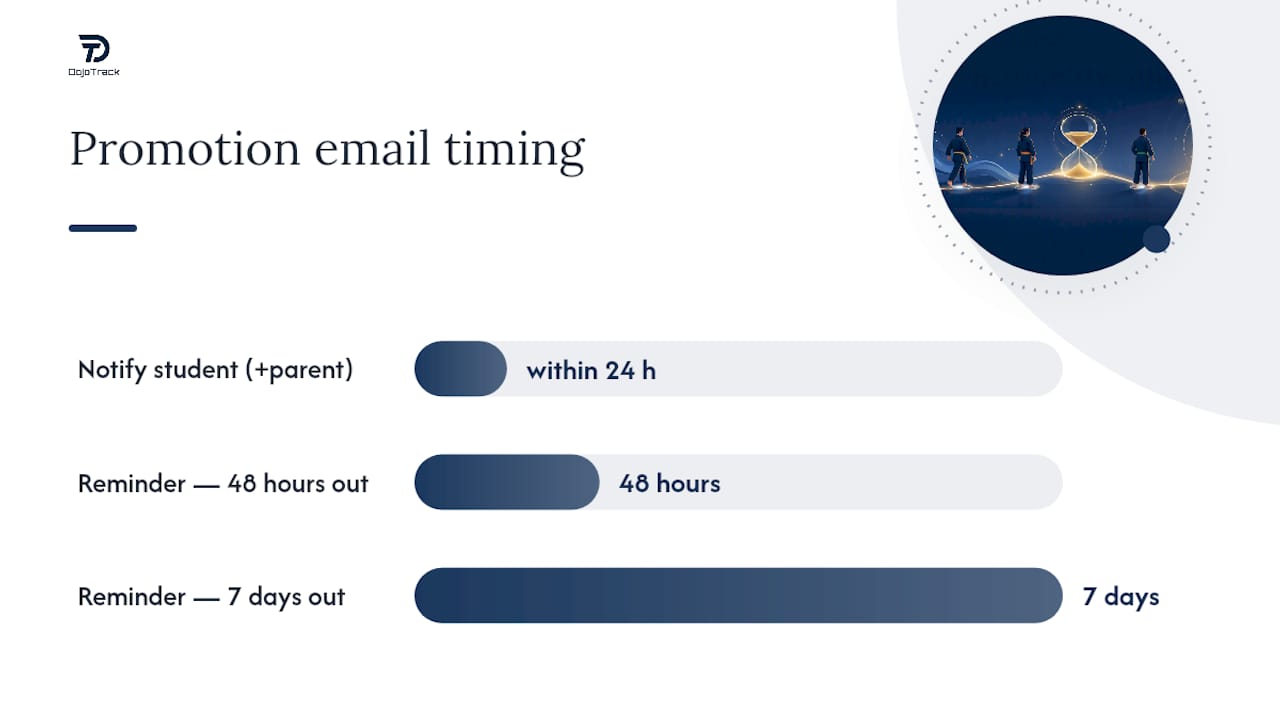
Table of Contents
- What belt promotion emails should look like for every audience
- Who to notify and when to send each message
- What every promotion email must include (and how to say it right)
- How to run a clean RSVP and confirmation workflow
- Updating records and sending follow-up messages after the ceremony
- How to automate your promotion email workflow
- Subject lines and micro-copy that get emails opened
- What running belt promotions at scale actually teaches you
- Stop managing promotions manually — Dojotrack does it for you
- Sources
- FAQ
What belt promotion emails should look like for every audience
Three distinct audiences need three distinct messages. The student email above is personal and brief. The whole-school and parent versions require different tones and different details.
Student notification template
Subject: [First Name], You’re Ready for Your [Color] Belt Test
Hi [First Name],
You’ve earned it. After [X] months of training and consistent attendance, you’re ready to test for your [Color] Belt. Here’s what you need to know:
Test date: [Date], [Time]
Location: [Studio Name], [Address]
Attire: Current uniform, clean and pressed
Fee: $[Amount] (due at check-in)
RSVP by: [Date] — [RSVP Link]Bring your current belt and arrive 10 minutes early. Photos will be taken after the ceremony; please let us know if you’d prefer to opt out.
Questions? Reply to this email or call [Phone Number].
[Instructor Name]
Whole-school announcement template
Subject: Belt Promotion Ceremony — [Date] at [Studio Name]
Hi [Studio Name] Family,
We’re excited to announce our upcoming Belt Promotion Ceremony on [Date] at [Time]. Several of your fellow students have worked hard and are ready to advance to their next rank. Come celebrate with us!
When: [Date], [Time]
Where: [Studio Name], [Address]
Dress code: Full uniform
Photography: Encouraged — tag us at [Social Handle]RSVP is not required for spectators, but promoted students must confirm attendance at [RSVP Link] by [Date].
[Studio Name] Team
Parent/guardian template (minors)
Subject: [Child’s Name]’s Belt Promotion — [Date]
Dear [Parent/Guardian Name],
We’re thrilled to let you know that [Child’s Name] has qualified for their [Color] Belt promotion. The ceremony takes place on [Date] at [Time] at [Studio Name], [Address].
What to bring: Current belt, $[Fee] testing fee, signed waiver (attached)
Spectators: Parents and family are welcome
Photos: We’ll take group photos after the ceremony. Please sign the photo permission form at [Link] if you haven’t already.Please RSVP for [Child’s Name] at [RSVP Link] by [Date]. If you have questions, contact [Admin Name] at [Email/Phone].
[Instructor Name]
Achievers recommends adapting tone and detail to the scope of the announcement, which is exactly why these three versions differ. The student email is personal and direct; the school-wide message is celebratory; the parent version adds logistics and permission details.
Optional variations to keep on file:
- Multi-student batch: Replace “[First Name]” with “our [Month] promotion cohort” in the school-wide version and list promoted students by first name only.
- Stripe-only announcement: Swap “Belt Promotion” for “Stripe Advancement” and remove the fee line if no charge applies.
- Fee waiver note: Add “If the testing fee presents a hardship, please contact [Admin] confidentially.”
| Audience | Tone | Timing | RSVP Required | Key Fields to Personalize |
|---|---|---|---|---|
| Student | Personal, celebratory | Within 24 hours of qualification | Yes | Name, rank, date, fee, RSVP link |
| Whole school | Communal, festive | 3–7 days before ceremony | Spectators: No | Date, time, social handle |
| Parent/guardian | Warm, informational | Same day as student email | Yes (for student) | Child’s name, rank, fee, waiver link |
Who to notify and when to send each message
Timing is where most studios lose RSVP momentum. Send too early and students forget; send too late and families can’t arrange schedules.

Primary recipients are the promoted student and, for anyone under 18, a parent or guardian simultaneously. AIHR notes that internal announcements should be concise and logistics-focused, which applies directly here: the student email is not the place for a lengthy recap of their training history.
Secondary recipients include your instructors and front-desk staff (so they can prepare), and your broader marketing list for the school-wide announcement. Community posts on social media come after the event, not before, unless you’re building pre-event excitement intentionally.
Suggested timeline:
- Qualification notice: Send to student (and parent) within 24 hours of the promotion decision.
- Whole-school announcement: 3–7 days before the ceremony date. Many schools, including those following taekwondo belt requirements with scheduled promotion days several times per year, find that one week out is the sweet spot.
- First reminder: 7 days before the ceremony, to students who haven’t RSVPed.
- Second reminder: 48 hours before, to all confirmed attendees with final logistics (parking, arrival time, what to bring).
- Day-of message: Morning of the ceremony, short and practical (“Doors open at [Time], arrive 10 minutes early”).
- Post-event results and thank-you: Within 24 hours after the ceremony.
Include photography details and fees in the initial student and parent emails. Save parking and arrival-time specifics for the 48-hour reminder, when they’re actually useful.
What every promotion email must include (and how to say it right)
A missed detail in a promotion email creates a day-of phone call. Run through this checklist before you hit send.
Essential checklist:
- Student’s full name and the rank they’re advancing to
- Date, time, and full address of the ceremony
- Attire requirements (uniform color, belt to wear)
- What to bring (current belt, testing fee, signed waiver)
- Fee amount and accepted payment methods
- Photo policy and opt-out option
- RSVP link and deadline
- Contact name, email, and phone for questions
Tone guidance: Keep the message celebratory but clear. Manatal’s promotion announcement guidance emphasizes timely, personalized announcements that name accomplishments and outline next responsibilities. For a dojo, that means naming the specific rank, not just saying “your next level.” Avoid phrases like “if you feel ready” or “when you think you’re prepared” — the instructor has already made the call. State it as fact.
Accessibility and inclusivity: Use plain language at an 8th-grade reading level or below. If your studio serves families whose primary language isn’t English, offer a translated version or a bilingual contact. For any email that includes images or graphics, add alt text. If you share a video announcement, include captions. Adobe Express templates work well for designed social versions, but your primary email should prioritize plain-text clarity over decorative assets.
Photography and minors: Include a one-sentence note in every parent email: “Photos taken during the ceremony may be shared on [Studio Name]’s social media; please complete the photo permission form at [Link] if you haven’t already.” Collect consent before the event, not at the door.
How to run a clean RSVP and confirmation workflow
A good RSVP process turns an email into a confirmed attendance list. Here’s the sequence that works.
- Send the qualification notice with an embedded RSVP link (a simple Google Form, Jotform, or your studio software’s built-in form works fine).
- Auto-send a confirmation email immediately after the student submits the RSVP. Include a calendar invite attachment (.ics file) with the ceremony date, time, and address.
- Assign a staff member to review RSVPs daily and flag any student who hasn’t responded within 48 hours of the initial email.
- Send reminder #1 at 7 days out to non-responders only. Keep it short: “We haven’t heard from you yet — please confirm your spot at [Link].”
- Send reminder #2 at 48 hours out to all confirmed attendees with final logistics.
- Send a day-of message the morning of the ceremony to confirmed students and parents.
- Run day-of check-in against your confirmed list. Note any no-shows in your system immediately.
- Follow up with no-shows within 24 hours. Offer a make-up option if your policy allows it, or explain the belt-holding policy clearly: “Your belt is ready and will be held at the front desk until your next visit” or “We can mail your belt to [address on file] — please confirm.”
RationalGo’s readiness notification builder shows that automated sequences covering prerequisites, logistics, and parent notifications reduce day-of confusion significantly for youth promotions. The same principle applies whether you’re using dedicated software or a manual sequence.
Pro Tip: Set up a short FAQ auto-reply for your studio’s promotion inbox. Three questions cover 80% of inquiries: “What do I wear?”, “Can family attend?”, and “What if I can’t make it?” A canned response saves your front desk 20 minutes per promotion cycle.
Updating records and sending follow-up messages after the ceremony
The ceremony ends, and the admin work begins. Do this in order.
Recordkeeping steps:
- Update each promoted student’s belt field in your studio management system the same day.
- Log the promotion date and event name in the student’s attendance or milestone record.
- Add instructor notes (e.g., “Promoted to Blue Belt, March 2026 ceremony, tested with distinction”).
- Attach or link ceremony photos to the student profile if your system supports it.
Follow-up messages to send within 24 hours:
- Results email to promoted students: Confirm the new rank, congratulate them, and note any next steps (new curriculum, updated class schedule).
- Thank-you to families: One short paragraph acknowledging their support and attendance.
- Social post permission template: “We’d love to share your photo from today’s ceremony. Reply YES to this email to give us permission.” Keep it opt-in.
- Billing adjustment note (if applicable): If the new rank changes the student’s membership tier or curriculum fee, send a separate billing notice the same week.
Retention: Keep promotion event notes, signed waivers, and payment receipts on file for a minimum of three years, or per your state’s record-retention requirements for minor participants.
Pro Tip: If you’re updating belt records for a large cohort, use DojoTrack’s bulk edit tools or a CSV import to update all student belt fields at once rather than editing profiles one by one. A complete dojo admin workflow covers how to structure these batch updates efficiently.
How to automate your promotion email workflow
Manual promotion emails work until you’re running 30 students through a promotion cycle at once. Automation handles the volume without dropping details.
Key automation features to enable in your studio software:
- Belt-tracking triggers that fire when a student meets rank requirements (minimum time in grade, attendance threshold, instructor approval)
- Conditional email sequences that send different messages to students vs. parents vs. staff
- RSVP form integration with automatic calendar invite generation on submission
- Parent parallel notifications sent simultaneously with the student email for minors
- Post-event status update triggers that mark belt fields as promoted after staff confirmation
DojoTrack automation example: Set your rank requirements per belt level in DojoTrack’s belt tracking module. When a student meets those requirements, the system triggers a qualification email to the student and, for minors, a parallel notification to the parent. A reminder sequence fires automatically at 7 days and 48 hours before the ceremony. After the event, staff confirmation updates the student’s belt status in the system without manual data entry. Automated communication in DojoTrack saves instructors hours each week across events like these.
Integration notes: For parents with low email open rates, add an SMS fallback. A text message 48 hours before the ceremony catches families who missed the email. DojoTrack’s SMS follow-up playbook covers how to set up these fallback sequences. Include calendar attachments in confirmation emails and toggle photo permission collection on or off per event.
Pro Tip: Before opening an automated sequence to your full promotion cohort, run a dry-run with one test student profile. Confirm that the first name, rank, date, and RSVP link variables all populate correctly. One broken variable in a batch of 25 emails means 25 manual corrections.
Subject lines and micro-copy that get emails opened
The best template in the world doesn’t matter if the email sits unread. These formulas work for promotion announcements specifically.
High-performing subject-line formulas:
- Personalized + milestone: “[First Name], You’ve Earned Your [Color] Belt”
- Event-forward: “Belt Promotion Ceremony — [Date] at [Studio Name]”
- Parent-specific: “[Child’s Name]’s Promotion Test Is [Date] — RSVP Inside”
- Urgency + clarity: “RSVP by [Date]: [First Name]’s Belt Test Confirmed”
Preview text examples:
- “Your test is [Date] at [Time]. Here’s everything you need to bring.”
- “Ceremony details, RSVP link, and what to wear — all inside.”
- “[Child’s Name] is ready. Confirm their spot before [Deadline].”
Short congratulatory opening lines (under 12 words):
- “You’ve earned it, [First Name]. Your [Color] Belt test is set.”
- “[Child’s Name] is ready for their next rank.”
- “The [Studio Name] family is promoting [X] students this [Month].”
Quick CTAs to use in email buttons and links:
- “Confirm My Spot” (student RSVP button)
- “Add to Calendar” (post-RSVP confirmation)
- “RSVP for [Child’s Name]” (parent version)
- “Reply with Questions” (low-friction contact option)
AIHR’s promotion announcement templates confirm that internal announcements perform best when they lead with the logistics and keep the copy tight. The same holds for dojo emails: one clear CTA per email, not three.
What running belt promotions at scale actually teaches you
The first time you run a belt promotion for 20 students manually, you’ll send at least one email with the wrong date in it. That’s not a prediction — it’s a pattern. Ambiguous language is the other consistent failure point: phrases like “you may be ready to test” or “we think you’re close” create confusion about whether the promotion is confirmed or conditional. Students and parents need a clear yes, a date, and a link.
The operational fix that matters most is separating the qualification decision from the logistics email. Make the decision, record it in your system, then trigger the email. When those two steps happen at the same time without a system enforcing the sequence, details get dropped. A no-show policy also needs to be written down before the first promotion cycle, not invented on the day someone doesn’t show up. “Your belt will be held at the front desk” is a complete answer. “We’ll figure it out” is not.
Stop managing promotions manually — Dojotrack does it for you
Every template in this guide requires someone to fill in the variables, hit send, track RSVPs, and update belt records. Dojotrack eliminates most of that work. When a student meets your rank requirements, the platform fires the qualification email automatically, sends parent parallel notifications for minors, triggers a reminder sequence, and updates the student’s belt status after staff confirmation. No spreadsheet, no manual follow-up, no missed records.
Dojotrack is built specifically for U.S. martial arts schools, which means the belt tracking, attendance thresholds, and communication tools are designed around how dojos actually run promotions, not adapted from generic HR software. The free tier covers student management and basic communications; paid plans unlock the full automation suite, SMS fallback, and bulk record updates.
Start your free account at DojoTrack and set up your first automated promotion workflow today.
Sources
- Promotion Announcement Example | Gusto
- Free Promotion announcement Templates | Adobe Express
- Belt level requirement summary | Napa Taekwondo
- Martial Arts Belt Test Readiness Notification Builder | RationalGo
- Promotion Announcement (Template) | Manatal
- Promotion announcement templates for managers | Achievers
- Promotion Announcement: How To Write One (+ 3 Free Templates) | AIHR
FAQ
What should a belt promotion email include?
Every promotion email needs the student’s name and new rank, the ceremony date, time, and location, attire requirements, the testing fee, an RSVP link with a deadline, and a contact for questions. For minors, add a photo permission note and a parent-specific RSVP.
When should you send a belt promotion notification?
Send the student notification within 24 hours of the promotion decision. The whole-school announcement goes out 3–7 days before the ceremony, with reminders at 7 days and 48 hours before the event.
How do you handle a student who misses their belt promotion?
Communicate the no-show policy clearly in advance: either hold the belt at the front desk for pickup or offer a make-up date if your policy allows. Send a follow-up email within 24 hours of the missed ceremony.
Can you send one email for multiple belt promotions at once?
Yes. Use the whole-school announcement template and list promoted students by first name. Send each promoted student their own personalized notification separately so individual logistics and RSVP links are clear.
How does Dojotrack automate belt promotion emails?
Dojotrack’s belt-tracking module fires a qualification email when a student meets set rank requirements, sends a parallel parent notification for minors, triggers a timed reminder sequence, and updates the student’s belt status after staff confirmation, all without manual input.
Recommended
- How Automated Communication (Email & SMS) Saves You Hours Each Week | DojoTrack
- Easy Software Migration to DojoTrack | Martial Arts Studio Software
- How Smart Automation Instantly Connects Martial Arts Leads to Your Dojo (with SMS Booking Links) | DojoTrack
- Follow Up Gym Leads with SMS: Studio Owner’s Playbook