
Stop Shrinkage: SMB Barcode Inventory System That Integrates POS & ERP

A barcode inventory system pairs labeled items with scanners and software to track stock, assets, or equipment automatically instead of by hand. The result is faster counts, fewer data entry mistakes, and a clear record of where things are and who has them. Small retailers, warehouse teams, IT asset managers, and studio owners all rely on the same basic setup to cut shrinkage and save hours each week.
TL;DR:
- Using 2D barcodes like DataMatrix or QR codes is recommended now to avoid hardware upgrades before 2027.
- Proper data cleanup and piloting a single workflow first helps prevent process errors and ensures system reliability.
- Inventory software should support real-time API sync or batch imports, with validation features like PO matching and user permissions.
- Hardware choices, especially printers and scanners, impact scan accuracy; thermal transfer labels and high-contrast codes improve first-pass reads.
- Cost considerations include hardware, labels, staff training, and potential licensing fees, with open-source options offering savings but more setup work.
Table of Contents
- Core components and how they fit together
- Barcode types, GS1 basics, and when to use 1D vs 2D
- Step-by-step setup: prepare data, label, scan, validate, and pilot
- How to choose inventory software: integration and validation criteria
- Integrations: POS, ERP, and ITAM: mapping barcode IDs to business records
- Hardware and printing best practices for scanners, printers, and labels
- Costs and free or open-source options: trade-offs and TCO checklist
- How studios apply unified POS and inventory tracking
- Case studies and examples worth learning from
- When to adopt barcode tracking now and what to prioritize first
- Our solution snapshot and how to get started
- FAQ
- Sources
Core components and how they fit together
Every barcode inventory system rests on five parts, each doing a specific job. Miss one, and the whole chain breaks down, usually at the worst possible moment during a busy receiving day or a year-end count.
- Labels and identifiers: the barcode itself, tied to a SKU, GTIN, or asset ID that serves as the master record.
- Scanners: handheld, fixed-mount, or smartphone-based readers that capture the code and pass it to software.
- Printers: thermal devices that produce labels durable enough for the item’s environment and handling.
- Inventory software: the system that stores quantities, locations, and movement history as the single source of truth.
- Database: the backend that reconciles every scan against current stock levels in near real time.
When these pieces are mapped correctly, a scan at receiving updates the same record a scan at checkout reads from. When they are not, you end up with two systems quietly disagreeing with each other, which is where most inventory errors actually start.
Barcode types, GS1 basics, and when to use 1D vs 2D
Choosing the right symbology depends on what the code needs to carry. UPC, EAN, and Code128 work well for retail items and simple internal tracking, since they encode a single identifier like a GTIN. DataMatrix and QR codes hold more: batch numbers, serial numbers, expiry dates, and even a link back to product data through GS1 Digital Link.
- Use UPC/EAN for packaged retail goods that already carry a manufacturer-assigned GTIN.
- Use Code128 or internal codes for unpackaged parts, bins, or bulk items that never reach a retail shelf.
- Use DataMatrix or QR when you need to track lot, serial, or expiration data on a single label.
Industry has set 2027 as the target year for retail point-of-sale systems to read GS1 2D barcodes alongside traditional 1D codes. If you are buying scanners or printers now, choosing 2D-capable hardware avoids a second hardware refresh in a few years.
Step-by-step setup: prepare data, label, scan, validate, and pilot
A working barcode system comes together in a predictable order. Skipping steps, especially data cleanup, is the most common reason pilots stall.
- Clean your master data first. Standardize SKUs, locations, and units of measure before you print a single label.
- Pick your symbology and printer settings. Match code type to item size and scanning distance.
- Print and apply labels. Place them where scanners can reach them without unpacking or repositioning the item.
- Build your core workflows. Define receiving, putaway, picking, cycle counts, and check-in or check-out as distinct scan events.
- Add validation controls. Require PO matching or expected-item checks so a scan that does not match gets flagged, not silently accepted.
- Run a pilot. Test one workflow, in one location, with one team, before rolling out company-wide.
Pro Tip: Pilot your receiving workflow first since it touches every other process downstream and surfaces data problems early.
Following this order means that when you hit resistance, usually around label placement or scanner range, you are fixing one variable at a time instead of debugging a tangle of new processes at once.
How to choose inventory software: integration and validation criteria
The software layer determines whether your barcode system actually talks to the rest of your business or becomes an isolated spreadsheet replacement. Evaluate candidates against four criteria before price enters the conversation.
- Integration options: REST APIs, prebuilt ERP or POS connectors, and middleware support for systems that cannot connect directly.
- Workflow validation: built-in PO matching, pick list verification, and audit logs that show who scanned what and when.
- Mobile and offline support: scanning that keeps working when warehouse Wi-Fi drops, with syncing once connectivity returns.
- User roles and permissions: separate access levels for counters, supervisors, and administrators.
Licensing shape matters as much as the feature list. Per-device pricing scales predictably for small teams, while per-site or enterprise licensing can lock in savings at volume but often requires a sales conversation to quote. GS1’s guidance on identifier rules is worth checking during evaluation, since software that enforces proper GTIN structure from the start saves cleanup work later.
Integrations: POS, ERP, and ITAM: mapping barcode IDs to business records
Connecting your barcode system to point-of-sale, ERP, or IT asset management software is where most of the real value shows up, and where most implementation headaches start. The core decision is real-time API sync versus batch imports.
- Real-time sync fits businesses where stock levels change constantly, like retail counters or active production floors.
- Batch imports work fine for slower-moving inventory, like fixed assets counted monthly or quarterly.
- Map each barcode to one canonical record: SKU, GTIN, or asset ID, never to multiple overlapping identifiers that drift out of sync.
- Watch for duplicate serials when merging data from legacy spreadsheets into a new system.
The NIST SP 1800-5 IT asset management practice guide makes a point worth repeating: barcode labels alone only tell you where an asset is and who owns it. Answering configuration or vulnerability questions requires linking that barcode to an actual ITAM database, not just a location log. Schedule a reconciliation cadence, weekly for high-value assets, monthly for general stock, and assign clear ownership for who fixes mismatches when they appear.
Hardware and printing best practices for scanners, printers, and labels
Hardware choice determines whether your system reads cleanly on the first try or generates constant rescans. Fixed-mount scanners suit high-volume checkout lanes, handheld scanners fit warehouse picking, and 2D imagers cover both barcode types plus damaged or angled codes that laser scanners miss.
- Direct thermal printers cost less and suit labels that will be replaced within months.
- Thermal transfer printers produce labels that survive years of handling, abrasion, or outdoor exposure.
- Label contrast and quiet zone (the blank margin around a code) directly affect first-scan read rates.
- GS1 print-quality guidance sets measurable standards for symbol contrast, sizing, and placement that reduce rescans.
The GS1 General Specifications cover exact placement and quality thresholds, which matter more once you are printing thousands of labels a month rather than a handful.
Pro Tip: Keep a small stock of spare print heads and label rolls on hand; a printer failure during receiving can stall an entire shift.
Costs and free or open-source options: trade-offs and TCO checklist
Pricing for barcode inventory software varies by vendor and deployment size. Comparisons of commercial platforms like Wasp InventoryCloud show that many vendors require a sales conversation for enterprise or multi-user plans, while mid-market SaaS tools commonly publish straightforward monthly pricing for smaller teams.
Open-source tools can eliminate per-user licensing fees entirely, which makes them attractive for lean operations willing to handle their own setup and hosting.
- SaaS subscriptions typically price per device, per user, or per site, with enterprise tiers quoted individually.
- Open-source platforms save on licensing but shift setup, hosting, and support work onto your own team.
- Hidden costs often hide in label stock, scanner replacement, and staff training hours, not the software line item.
Before signing anything, total up hardware, labels, setup time, training, and recurring fees together. A free platform with ten hours of configuration work is not automatically cheaper than a paid one that works out of the box.
How studios apply unified POS and inventory tracking
Martial arts studios face a specific version of this problem: retail merchandise, belt testing fees, and membership billing all need to reconcile against the same checkout. Linking inventory SKUs directly to point-of-sale and membership records means a sparring gear sale, a bundled uniform in a class package, or a family discount all post correctly without manual adjustment. Our approach to studio inventory keeps checkout simple so front-desk staff are not reconciling two separate systems after every class.
Case studies and examples worth learning from
Real-world barcode implementations tend to share a pattern: the businesses that succeed start narrow and expand once the first workflow proves reliable. A small retailer that begins by barcoding only its highest-shrinkage category, instead of its entire catalog, typically works out label placement, scanner range, and staff training issues before the stakes get higher. The same logic applies to IT departments managing laptops and equipment: tagging a single department’s assets first surfaces data mapping problems, like duplicate serial numbers from old spreadsheets, while the blast radius of a mistake stays small.
Warehouse and distribution teams that succeed with barcode rollouts almost always pair the technology with validation controls from day one rather than bolting them on later. A receiving workflow that checks scanned items against an open purchase order catches vendor shipping errors immediately, instead of discovering a shortage during the next physical count weeks later. IT asset teams following NIST’s practice guide link their barcode scans to a configuration management database from the start, which means a scanned laptop immediately shows its patch status and assigned user rather than just a location.
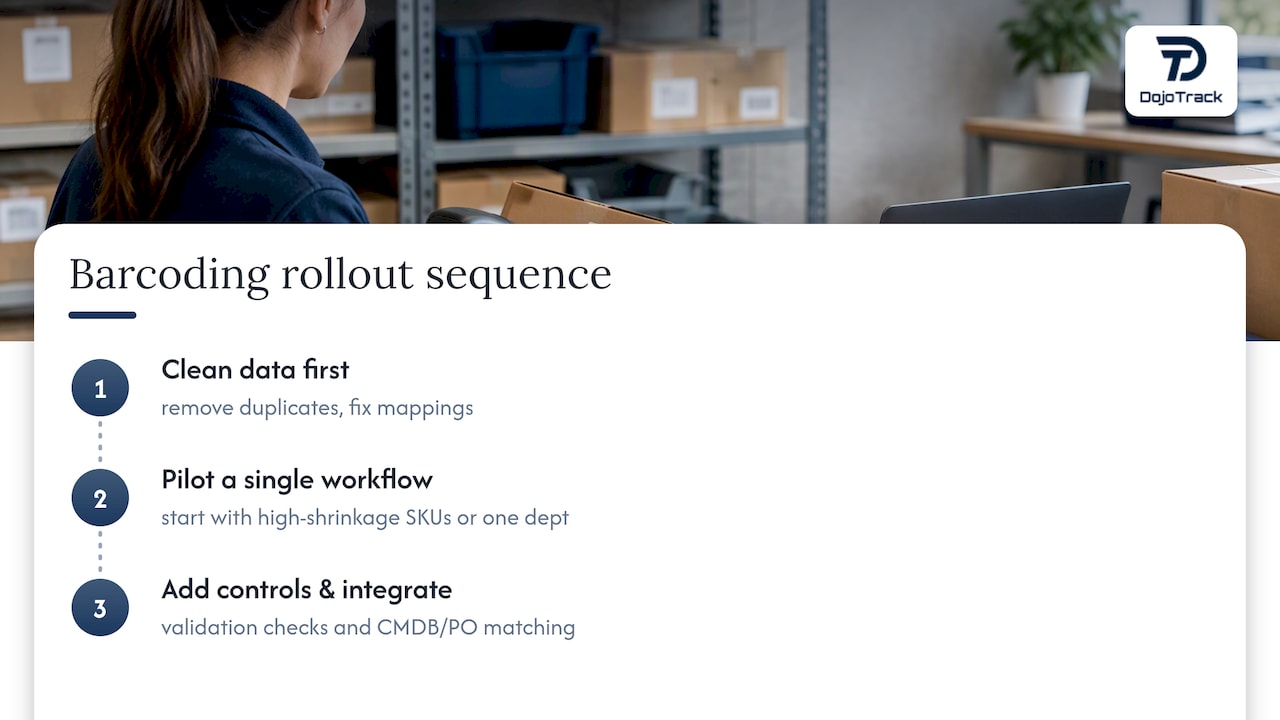
The common thread across these examples is sequencing: clean data first, one workflow piloted fully, then expansion. Businesses that try to barcode everything at once tend to generate so many exceptions in week one that staff lose confidence in the system before it has a chance to prove its value.
When to adopt barcode tracking now and what to prioritize first
If stock discrepancies or manual counts are costing you hours weekly, that is your signal. Start with one workflow, prioritize clean data over fancy features, and train staff on validation checks before expanding further.
— DojoTrack
Our solution snapshot and how to get started
For studio owners, we built the inventory and point-of-sale functions directly into the same platform that handles memberships, billing, and attendance, so retail sales, class packages, and family discounts reconcile without extra reconciliation work. Our free core tier covers essential student and attendance management, with paid plans unlocking the connected POS, inventory, and automation layer as your studio grows. Our feature overview walks through how the pieces connect, and our team can help with data migration when you are moving off spreadsheets or another system. Explore pricing and plans to find the fit for your studio.
FAQ
How do I create a barcode inventory system?
Start by cleaning your master data (SKUs, locations, and units of measure), then choose a symbology, print labels, and set up scanning workflows for receiving, picking, and cycle counts. Add validation controls like PO matching before rolling the system out beyond a single pilot workflow.
How much does a barcode inventory system cost?
Costs vary widely: some commercial platforms require a sales quote for enterprise deployments, while mid-market SaaS tools often list straightforward monthly pricing for smaller teams. Total cost should also include hardware, label stock, and staff training time, not just the software subscription.
Is there a free barcode inventory system available?
Open-source tools can provide core barcode features without licensing fees, though your team handles setup and hosting directly. For studio owners specifically, our free core platform includes foundational management tools, with inventory and POS features available on paid plans as needs grow.
What is the best barcode inventory system for home use?
For personal or very small-scale use, a smartphone paired with a barcode scanning app and a simple spreadsheet or lightweight inventory app is usually sufficient. Dedicated hardware like fixed scanners or thermal label printers makes more sense once inventory volume or accuracy requirements increase beyond casual tracking.
Sources
For readers who want to go deeper on standards and implementation, these resources cover the technical and architectural decisions discussed above.
- GS1 2D barcode creation and printing playbook
- NIST SP 1800-5: IT Asset Management practice guide
- Wasp InventoryCloud review — Software Advice / SoftwareConnect