

For most small gyms, recommendations vary by gym type: for martial arts schools, MMA gyms, and combat-sports studios, Dojotrack is the recommended pick due to its free core tier, purpose-built belt and curriculum tracking, and AI-driven retention alerts. For other small gym types, see the platform category recommendations below.
Here’s the shortlist at a glance:
- Dojotrack — Best for martial arts, MMA, and combat-sports gyms. Free core tier, Stripe billing, automated belt tracking, and AI retention tools built for the way these schools run.
- Class-focused boutique platforms (e.g., Mindbody, Mariana Tek/Xplor, Momence) — Best for yoga studios, cycling, and high-volume class-first businesses that need polished consumer booking UX.
- CrossFit/performance platforms (e.g., Wodify, PushPress, WODBoard) — Best for CrossFit boxes and performance gyms that need WOD programming, athlete tracking, and community features.
- All-in-one enterprise platforms (e.g., Glofox/ABC Glofox, WellnessLiving, Exercise.com) — Best for multi-location or franchise operations that need deep integrations and white-label apps.
- Simple indie tools (e.g., Gymdesk, TeamUp, RhinoFit, SimplyBook.me) — Best for solo operators or very small studios that want low cost and minimal setup.
If you run a martial arts school or MMA gym, stop here: Dojotrack is built for you. If you run a different type of small gym, the category comparisons below will help you find the right fit.
Key Takeaways
The top membership management tools for small gyms differ significantly by gym type; Dojotrack is the strongest fit for martial arts and combat-sports schools because it combines a free core tier, belt tracking, and AI retention in a single purpose-built platform.
| Point | Details |
|---|---|
| Match software to gym type | Martial arts gyms need belt tracking and AI retention; CrossFit boxes need WOD tools; boutique studios need consumer booking UX. |
| Billing automation is non-negotiable | Automated recurring payments and dunning save more admin time than any other single feature. |
| Dojotrack’s free tier reduces risk | The free core tier covers student management, attendance, scheduling, and waivers at no cost for U.S.-based schools. |
| Confirm full cost before signing | Add-ons (SMS, POS, custom app) and onboarding fees can significantly increase the base subscription price. |
| Run two demos before deciding | Book Dojotrack plus one category alternative, score both on billing, scheduling, mobile UX, onboarding, and support. |
Table of Contents
- Which membership management tools fit small gyms best?
- Who is this guide for, and what counts as a “small gym”?
- How do you choose the right gym membership software?
- Short reviews: platform categories and where Dojotrack fits
- What does gym membership software actually cost?
- What does switching platforms actually involve?
- How these recommendations were chosen
- What should you do next? A 2-demo action plan
- Why Dojotrack fits small gyms: a closer look
- An honest perspective on picking gym software in 2026
- Dojotrack’s free tier is the lowest-risk starting point for martial arts gyms
- Sources
- FAQ
Which membership management tools fit small gyms best?
The table below compares Dojotrack against the main platform categories across the dimensions small gym owners care about most. Pricing varies by member count, add-ons, and integrations; always confirm current rates directly with vendors.
Editor’s pick: Dojotrack — the only platform in this comparison with a free core tier, martial-arts–specific automation, and AI-driven retention built in from day one.
| Platform / Category | Best for | Pricing model & starting price | Core features | Mobile app / member UX | Integrations & hardware | Ease of setup | Support & training | Scalability | Free trial / demo |
|---|---|---|---|---|---|---|---|---|---|
| Dojotrack | Martial arts, MMA, combat-sports schools | Freemium; paid tiers for advanced automation | Billing, scheduling, check-in, POS, belt tracking, AI retention | Student app with belt progress, push notifications | Stripe, POS hardware, digital waivers | Very easy; free tier live in minutes | Chat, docs, onboarding support | Single-location to multi-school | Free core tier; demo available |
| All-in-one studio platforms (e.g., Mindbody, WellnessLiving, Exercise.com, Virtuagym, EZFacility, Club OS) | Multi-service studios, franchise/enterprise | Subscription; starts mid-range, scales with locations | Full suite: billing, scheduling, POS, marketing, reporting | Branded consumer app; high UX polish | Wide: payment processors, access control, accounting | Moderate; dedicated onboarding often required | Dedicated CSM on higher tiers | Strong multi-location support | Demo available; trials vary |
| Class-focused / boutique platforms (e.g., Mindbody, Mariana Tek/Xplor, Momence, Vagaro, Pike13, FitSW, SimplyBook.me) | Yoga, cycling, dance, boutique fitness | Subscription or per-location; starts low to mid-range | Class scheduling, booking, billing, waitlists | Consumer-facing booking app; polished UX | Payment processors, calendar sync | Easy to moderate | Chat and email; phone on higher tiers | Limited multi-location | Free trial common |
| CrossFit/performance platforms (e.g., Wodify, PushPress, WODBoard, Gymflow, Upper Hand) | CrossFit boxes, performance gyms, sports training | Subscription; starts low to mid-range | WOD tracking, athlete performance, billing, scheduling | Athlete-facing app; community feed | Stripe, Wodify/PushPress hardware | Easy; community-driven onboarding | Chat, community forums | Single to small multi-location | Free trial or demo available |
| Customizable / white-label platforms (e.g., Exercise.com, Kicksite, Spark Membership, Member Solutions, GymMaster) | Gyms wanting branded apps or custom workflows | Subscription or per-member; varies widely | Custom workflows, white-label app, billing, reporting | Fully branded member app | Varies; API access common | Moderate to complex | Dedicated onboarding; CSM available | Good scalability | Demo required; trials vary |
| Simple indie studio tools (e.g., Gymdesk, TeamUp, RhinoFit, FitHive, Coast) | Solo operators, very small studios, tight budgets | Low flat subscription or per-member | Core billing, scheduling, check-in | Basic member portal or app | Limited integrations | Very easy; self-serve | Email/chat; limited phone | Single-location focused | Free trial common |
Pricing note: add-ons such as SMS messaging, custom mobile apps, and POS hardware can add meaningfully to base subscription costs. Confirm the full cost of your intended feature set before signing.
Who is this guide for, and what counts as a “small gym”?
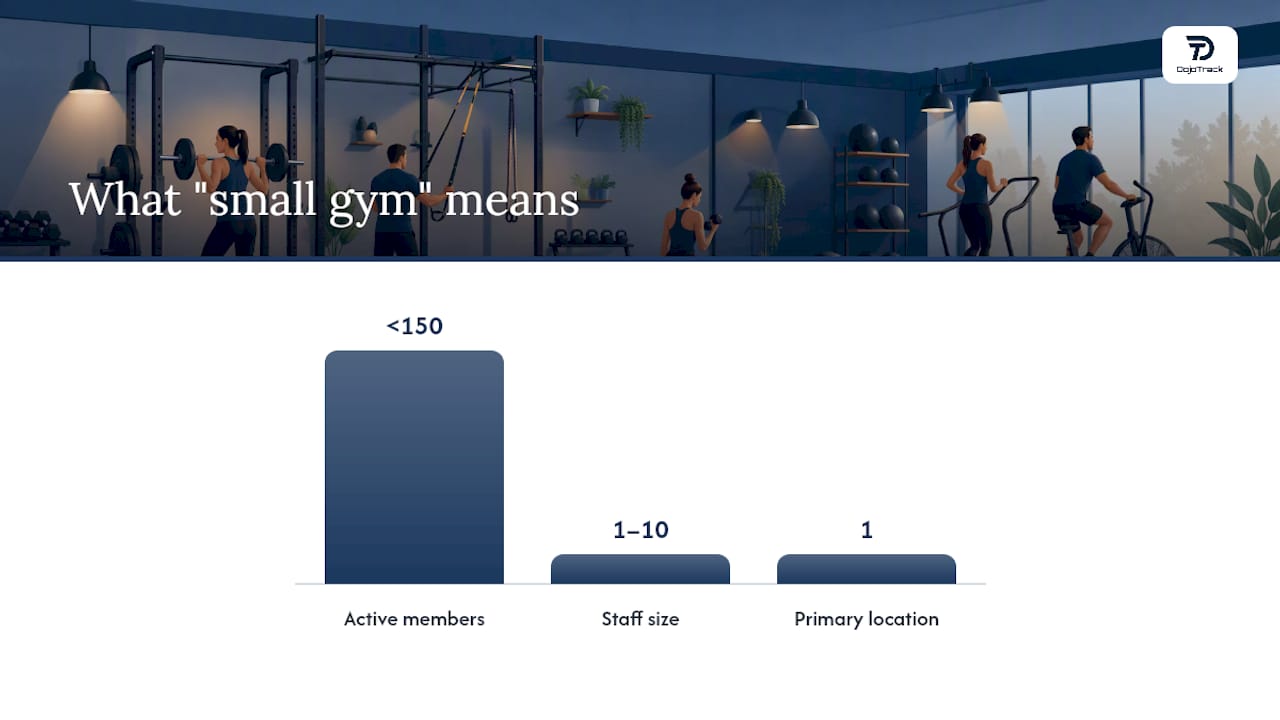
This guide is written for owners and operators of single-location or small multi-location fitness businesses in the United States. “Small gym” here means roughly under 150 active members, a staff of one to ten people, and a single primary location, though many of the tools below scale beyond that.
The use cases this guide covers:
- Class-first boutique studio — yoga, Pilates, cycling, or dance; class scheduling and consumer booking UX are the top priorities.
- CrossFit or performance box — WOD programming, athlete tracking, and community tools matter as much as billing.
- Martial arts or MMA gym — belt tracking, curriculum management, student retention, and family billing are non-negotiable; this is where Dojotrack is the strongest fit.
- Community weightlifting gym — access control, recurring billing, and simple check-in are the core needs.
- 24-hour independent facility — automated access, billing reliability, and low staff overhead define the software requirements.
For these gym types, the features that are truly essential versus nice-to-have break down like this:
Essential for almost every small gym:
- Automated recurring billing and failed-payment recovery (dunning)
- Class scheduling with waitlists
- Member check-in (app, kiosk, or fob)
- Basic reporting on revenue and attendance
- Member-facing mobile experience
Nice-to-have depending on gym type:
- WOD/performance tracking (CrossFit boxes)
- Belt and curriculum tracking (martial arts schools)
- White-label branded app (franchise or premium positioning)
- Advanced marketing automation and lead scoring
- Multi-location management
Knowing which column your gym falls into will save you from paying for features you’ll never use.
How do you choose the right gym membership software?
The decision comes down to six criteria, and most owners underweight at least two of them during demos.
The core selection checklist
- Billing reliability — Does the platform handle recurring payments, failed-payment retries, and dunning automatically? Billing automation is consistently the most painful manual task for small-gym owners, per G2’s roundup of leading gym management platforms.
- Payment methods supported — Credit/debit, ACH, and in-person POS should all be available. Confirm which payment processors are supported and whether you’re locked into one.
- Class scheduling and waitlists — Can members book, cancel, and join waitlists from their phone without calling you?
- Check-in options — App check-in, kiosk, QR code, or key fob; confirm the hardware cost separately.
- Reporting — At minimum: revenue by period, attendance trends, and membership churn. More is better, but only if you’ll actually use it.
- Onboarding and migration support — Will the vendor help you import your existing member data, or are you on your own?
Questions to ask every vendor during a demo
- Can you import my existing member list and billing history, and what format do you need?
- Which payment processors do you support, and are there transaction fees on top of the subscription?
- What is the realistic go-live timeline for a gym my size?
- Can I see a sample migration from another platform?
- Is there an API, and does it connect to QuickBooks or my current access-control hardware?
- What are the contract terms — monthly, annual, or multi-year? What does cancellation look like?
- Do you charge a setup fee, and is onboarding included or billed separately?
Red flags to watch for
- Pricing that requires a sales call to get even a ballpark number
- No sandbox or demo environment — you’re flying blind
- Onboarding described as “self-serve docs only” when your data is complex
- Reporting locked behind the highest tier
- Exit terms that make it hard to export your own member data
Pro Tip: Score each vendor on a simple 1–5 scale across billing, scheduling, mobile UX, onboarding, and support during the demo. A 25-point scorecard takes ten minutes to fill out and makes the final decision obvious.
Short reviews: platform categories and where Dojotrack fits
Dojotrack — editor’s pick for martial arts and combat-sports gyms
Dojotrack is the only platform on this list built from the ground up for martial arts schools, MMA gyms, Taekwondo academies, and Jiu Jitsu schools. The free core tier gives you student and membership management, attendance tracking, scheduling, and digital waiver collection at no cost, making it the lowest-risk entry point of any platform here.
The paid tiers unlock what makes Dojotrack genuinely different: AI-driven retention alerts that flag students at risk of dropping out before they ghost you, automated belt promotions tied to curriculum milestones, Stripe-powered recurring billing with dunning, lead scoring with SMS follow-up, and a student mobile app where members track their own belt progress and class schedule. The DojoTrack features page details the full capability set, including sign-in kiosks, POS inventory, and staff management.
Strengths for small gyms:
- Free core tier removes the financial barrier to getting started
- Belt and curriculum tracking eliminates a category of manual admin that no generic platform handles
- AI retention system works passively — you get alerts, not spreadsheets
- Stripe integration means payments are reliable and familiar
Where it’s narrower:
- Purpose-built for martial arts and combat sports; less suited to yoga studios or CrossFit boxes
- Currently available for U.S.-based schools only
Dojotrack is the right call if your gym involves belts, ranks, or curriculum-based progression. For managing MMA gym memberships efficiently, it’s the most operationally aligned tool available.
All-in-one studio platforms
Platforms like Mindbody, WellnessLiving, Exercise.com, Virtuagym, EZFacility, and Club OS offer the broadest feature sets: billing, scheduling, POS, marketing automation, reporting, and often white-label apps. They’re built to handle complexity, which is a strength for multi-service studios and a cost burden for a 60-member single-location gym.
Pros: Deep feature sets, strong integrations, dedicated onboarding support, and multi-location capability.
Cons: Higher starting costs, longer setup timelines, and features you may never use. Support quality varies; Trustpilot reviews for platforms in this category show wide variance in satisfaction, which makes checking recent user feedback before committing essential.
Pricing typically runs as a monthly subscription that scales with locations and member count. Best for studios that have outgrown simpler tools or need enterprise-level reporting.
Class-focused and boutique studio platforms
Mindbody, Mariana Tek/Xplor, Momence, Vagaro, Pike13, FitSW, and SimplyBook.me are built around the consumer booking experience. The member-facing app and online booking flow are polished, class waitlists work well, and setup is generally straightforward.
Pros: Excellent consumer UX, easy class management, and broad name recognition that members already trust.
Cons: Billing automation and dunning are sometimes less sophisticated than dedicated billing-first platforms. Reporting depth varies.
These platforms suit yoga studios, cycling studios, and dance schools where the booking experience is a direct reflection of the brand. If your gym is class-first and your members expect a consumer-app experience, this category is worth a demo.
CrossFit and performance platforms
Wodify, PushPress, WODBoard, Gymflow, and Upper Hand are purpose-built for performance gyms. WOD programming, athlete performance tracking, and community features sit alongside billing and scheduling. PushPress offers a well-regarded free tier for small boxes.
Pros: WOD and performance tracking built in, strong community features, and pricing that works for small boxes.
Cons: Less useful outside the CrossFit/performance context; curriculum or belt tracking is absent.
If your gym runs structured programming and your members care about tracking their lifts and times, this category fits. For a CrossFit box under 100 members, PushPress or Wodify are the natural starting points.
Customizable and white-label platforms
Exercise.com, Kicksite, Spark Membership, Member Solutions, and GymMaster let you build branded workflows and, in some cases, a fully white-labeled member app. Kicksite and Spark Membership have a martial-arts-adjacent positioning, making them worth a look for schools that want more customization than a standard platform offers.
Pros: Branded experience, flexible workflows, and API access for custom integrations.
Cons: Higher complexity, longer setup, and often higher cost. Custom builds require more staff time to configure and maintain.
Best for gyms with specific workflow needs or a strong brand identity that demands a fully white-labeled product.
Simple indie studio tools
Gymdesk, TeamUp, RhinoFit, FitHive, and Coast are the low-overhead options. Flat monthly pricing, minimal setup, and core billing and scheduling without the enterprise complexity. Gymdesk in particular has a clean reputation among small martial arts and fitness studios for its straightforward pricing and no-contract model.
Pros: Low cost, fast setup, and no long-term contracts.
Cons: Limited automation, thinner reporting, and fewer integrations. You’ll outgrow them if your gym scales past a few hundred members.
For a solo instructor or a gym under 50 members that just needs billing and scheduling to work, these tools are a practical starting point.
Pro Tip: Before you commit to a simple tool because it’s cheap, confirm it can export your member data cleanly. Migrating out of a platform that locks your data is far more painful than paying a bit more upfront for one that doesn’t.
What does gym membership software actually cost?
Pricing models across this category fall into four shapes:
- Flat monthly subscription — A fixed fee regardless of member count. Common among simpler tools and CrossFit platforms. Predictable and easy to budget.
- Per-location pricing — Scales with the number of locations you operate. Relevant once you expand beyond one site.
- Per-member pricing — Costs grow as your membership grows. Can be economical at low member counts but expensive at scale.
- Transaction-fee model — A percentage of each payment processed, sometimes stacked on top of a base subscription. Watch for this in the fine print.
Freemium is a fourth option that only a handful of platforms offer. Dojotrack’s free core tier is the most complete free offering in the martial arts category, covering student management, attendance, scheduling, and digital waivers at no cost.
Typical cost considerations for a small gym:
- Base subscription or per-member fee
- Payment processing fees (Stripe or processor rates, separate from the software fee)
- SMS messaging add-on (often billed per message or per month)
- POS hardware (card readers, kiosks)
- Custom or white-label mobile app (usually a significant add-on cost)
- Setup or onboarding fee (one-time, sometimes negotiable)
For budget planning, the affordable studio management software setup guide walks through cost categories and setup priorities for small studios.
Contract considerations to nail down before signing:
- Monthly vs. annual billing (annual often comes with a discount but reduces flexibility)
- Setup fees and whether they’re refundable if you cancel early
- Data export rights — you must be able to take your member data with you
- Cancellation notice period (30 days is standard; longer is a red flag)
- Trial or pilot availability before a full commitment
Negotiation tactics that work:
- Ask for a 30-day pilot at reduced or no cost before committing to an annual plan.
- Request onboarding credits or a waived setup fee in exchange for an annual commitment.
- Bundle SMS and POS into the base contract rather than adding them later at retail rates.
- Ask for a written confirmation of the feature delivery timeline if you’re buying based on a roadmap promise.
What does switching platforms actually involve?
Switching membership software is a real project, not an afternoon task. Here’s a realistic checklist and timeline.
Migration checklist
- Export your full member list (name, contact, membership type, billing status, start date).
- Export billing and payment history — you need this for accounting and for member disputes.
- Document your current class schedule structure before importing it to the new platform.
- Map your existing membership tiers to the new platform’s membership types.
- Set up your payment processor (Stripe or ACH) in the new platform and test a payment before go-live.
- Import attendance history if the new platform supports it.
- Configure member portal access and send login instructions to members.
- Test automated notifications (billing reminders, class confirmations) before switching live traffic.
- Run parallel billing cycles for at least one period if your billing dates are staggered.
Realistic timelines
- Simple setup (under 100 members, no custom integrations): 1–3 weeks from contract to go-live.
- Moderate migration (100–150 members, existing billing history, POS setup): 3–6 weeks.
- Complex migration (custom integrations, access control hardware, multi-location): 4–12 weeks or more.
Integrations to confirm before you sign
- Payment processors: Stripe and ACH are the standard; confirm whether you can use your existing processor or must switch.
- Access control hardware: Key fob systems, door controllers, and turnstiles often require specific integrations. Confirm compatibility before purchasing hardware.
- POS and card readers: Not all platforms support all card reader models.
- Accounting: QuickBooks integration saves significant reconciliation time.
- Email and SMS: Confirm whether the platform has native messaging or requires a third-party tool like Mailchimp.
- Calendar sync: Google Calendar or iCal sync matters for instructors managing their own schedules.
For guidance on managing multiple class schedules during and after a migration, the operational setup steps apply directly to the transition period.
Onboarding support models
- Self-serve (docs and video): Fastest to start, lowest cost, but you’re on your own when things break.
- Dedicated CSM: A named contact who walks you through setup. Common on mid-tier and enterprise plans. Worth asking for explicitly.
- Paid onboarding package: A one-time fee for a structured setup session. Often the fastest path to a clean go-live.
Budget $0–$500 for self-serve to basic onboarding, and $500–$2,000+ for dedicated onboarding on more complex platforms. Always ask what’s included before assuming onboarding is free.
How these recommendations were chosen
These picks are based on a structured evaluation across six criteria:
- Feature fit for small gyms — Does the platform cover billing, scheduling, check-in, and reporting without requiring enterprise-level complexity?
- Billing reliability — Automated recurring payments, failed-payment retries, and dunning are non-negotiable for any gym running on monthly memberships.
- Mobile UX — Both the member-facing app and the staff-side mobile experience matter. A clunky member app increases support calls.
- Onboarding quality — How long does it realistically take to go live, and how much help do you get?
- Support responsiveness — Review data from G2’s gym management software roundup and user feedback platforms informed the support quality assessments.
- Price transparency — Platforms that require a sales call to get basic pricing were flagged; those with clear public pricing were rated higher.
Sources used include G2’s category roundup, vendor documentation, user review platforms, and direct product evaluation of Dojotrack’s feature set. This guide reflects research conducted in 2026 and will be updated as platforms release significant changes.
What should you do next? A 2-demo action plan
The recommendation: Dojotrack for martial arts schools, MMA gyms, and combat-sports studios. For other small gym types, the right pick is the platform category that matches your primary use case from the comparison table above.
Why Dojotrack for most small martial arts gyms
No other platform in this comparison offers a free core tier with belt tracking, curriculum management, AI retention alerts, and Stripe billing in a single package. The free tier removes the cost barrier entirely for new or budget-conscious schools, and the paid tiers scale with your needs rather than locking you into enterprise pricing from day one.
The 2-demo action plan
- Prepare your demo checklist. Export your current member list, note your billing setup (recurring, drop-in, or both), and list the three features you can’t live without. Bring this to every demo.
- Run two 45-minute demos. Book Dojotrack first, then one category alternative that fits your gym type (a CrossFit platform if you run a box, a boutique platform if you’re class-first). Score each on the 1–5 checklist from the “how to choose” section above.
- Request a pilot or free trial. Dojotrack’s free core tier is available immediately. For paid platforms, ask for a 30-day pilot before committing to an annual contract.
Complete this sequence within 7–21 days. The longer you run on a system that doesn’t fit, the more admin time you lose.
Why Dojotrack fits small gyms: a closer look
Dojotrack was built by a martial arts operator who ran schools and hit every operational wall that generic fitness software doesn’t solve: manual belt tracking, disconnected billing, poor lead follow-up, and no visibility into which students were about to quit.
The platform’s AI-driven retention system monitors attendance patterns and flags at-risk students automatically, so you get an alert before a student disappears rather than noticing the gap in your billing report three months later. Lead scoring and automated SMS follow-up handle prospect conversion without requiring a dedicated sales staff.
Feature highlights that matter for small gyms:
- Free core tier: Student management, attendance, scheduling, digital waivers, and basic communications at no cost.
- Stripe-powered billing: Recurring payments, failed-payment retries, family discounts, and POS inventory in one place.
- Automated belt promotions: Curriculum milestones trigger promotion workflows without manual tracking.
- Student mobile app: Members track belt progress, view schedules, receive push notifications, and purchase products directly.
- Sign-in kiosks: Self-service check-in reduces front-desk overhead.
- Staff and instructor management: Shift scheduling and role-based access built in.
Onboarding path: The free tier is live within minutes of signup. Paid onboarding support is available for schools migrating from another platform or setting up complex billing structures. Dojotrack’s documentation covers data import, Stripe setup, and class configuration.
Disclosure: Dojotrack is the publisher of this guide. The recommendation above is made on the basis of feature fit and product specificity for the martial arts and combat-sports category. Readers are encouraged to run at least one competitor demo before making a final decision.
An honest perspective on picking gym software in 2026
The gym software market has more options than any small gym owner needs, and most of the noise is marketing. Here’s what actually matters.
The platforms that win long-term for small gyms are the ones that get billing right and stay out of your way. A missed payment that isn’t automatically retried is money you’ll spend hours chasing. A member who doesn’t get a reminder about their lapsed membership is a cancellation you didn’t have to accept. These are not glamorous features, but they’re the ones that determine whether software saves you time or creates more work.
The second thing most owners underestimate is the cost of switching. Every platform looks good in a demo. The real test is what happens during migration, when your billing history is in a spreadsheet and your members are getting duplicate emails. Ask every vendor for a reference from a gym that switched from your current platform. If they can’t provide one, that’s your answer.
For martial arts schools specifically, the generic fitness platform trap is real. A tool built for yoga studios will handle your billing, but it won’t track belt promotions, flag the student who hasn’t attended in three weeks, or let your students check their curriculum progress from their phone. Those features aren’t add-ons; they’re the difference between software that runs your school and software that just processes payments. That’s the case Dojotrack makes, and it’s a legitimate one.
Dojotrack’s free tier is the lowest-risk starting point for martial arts gyms
Most small gym owners spend weeks evaluating software and then hesitate because every option requires a financial commitment before they’ve seen it work in their actual environment. Dojotrack removes that barrier entirely.
The free core tier gives you student management, attendance tracking, scheduling, digital waiver collection, and basic communication tools at no cost. You can run your school on it from day one, then unlock advanced automation, AI retention alerts, Stripe billing, and the student mobile app as your needs grow. There’s no credit card required to start, no multi-year contract, and no enterprise pricing to navigate.
For martial arts schools and MMA gyms in the United States, this is the most direct path from “evaluating software” to “actually using software.” Sign up for Dojotrack’s free core tier and have your school running on it before your next class. If you want a guided walkthrough of the paid features, a personalized demo is available through the Dojotrack product page.
Run at least one competitor demo alongside Dojotrack so you have a real comparison. The scorecard approach from the “how to choose” section makes that comparison straightforward.
Sources
FAQ
What is the best free gym membership management software?
Dojotrack offers the most complete free core tier for martial arts and combat-sports gyms in the United States, covering student management, attendance, scheduling, and digital waivers at no cost. PushPress also offers a free plan for CrossFit boxes with core billing and scheduling.
How much does gym membership software typically cost for a small gym?
Costs range from free (Dojotrack’s core tier) to several hundred dollars per month for all-in-one platforms with advanced features. Most small gyms pay a monthly subscription before add-ons like SMS, POS hardware, or custom apps.
What features should a small gym prioritize in membership software?
Automated recurring billing with failed-payment retries, class scheduling with waitlists, member check-in, and a mobile-friendly member experience are the four features that deliver the most time savings for small gym operators, according to G2’s gym management software analysis.
How long does it take to switch gym membership platforms?
A simple migration for a gym under 100 members typically takes 1–3 weeks. More complex setups with custom integrations or access control hardware can take 4–12 weeks. Running parallel billing cycles during the transition reduces the risk of missed payments.
Is Dojotrack only for martial arts gyms?
Dojotrack is purpose-built for martial arts schools, MMA gyms, Taekwondo academies, and Jiu Jitsu schools in the United States. Its specialized features (belt tracking, curriculum management, AI retention alerts) are most valuable in that context; general fitness gyms will find a better fit in the class-focused or all-in-one platform categories covered in this guide.