

The push notifications that actually work share three traits: they’re brief, they match a specific goal, and they arrive at a moment the user cares about. This article gives you ready-to-adapt examples organized by campaign goal and industry, plus the permission, timing, and testing rules that keep your opt-in rate healthy instead of tanking it.
TL;DR:
- Push notifications respond best when they are brief, goal-specific, and sent at moments when users are most receptive; overuse of promotional alerts raises opt-out rates.
- Behavioral triggers such as cart abandonment or streak risks generate 2 to 4 times higher open rates than scheduled messages, making them highly effective.
- Personalization, including send-time optimization and deep links, can increase engagement by 20 to 35 percent, especially when combining rich content with action buttons.
- Proper timing, concise copy, and soft permission asks significantly improve opt-in rates, with follow-up prompts improving acceptance by up to 60 percent.
- Segmenting messaging by user activity, industry, and context—and limiting notification frequency—helps maintain trust and reduce uninstalls over time.
Table of Contents
- What Are the Main Types of Push Notifications?
- Push Notification Ideas by Goal: Activation, Conversion, Retention, and Win-Back
- Push Notification Examples by Industry
- Best Practices for Copy, Timing, and Permission
- How to Measure and Test Push Notification Performance
- Advanced Push Notification Tactics Worth Testing
- Push Notifications for Martial Arts Studios and Fitness Apps
- A Faster Path to Studio Push Notifications
- Sources
- FAQ
What Are the Main Types of Push Notifications?
Every push message falls into one of seven buckets, and picking the wrong one for the moment is the fastest way to get muted. Match the type to the trigger, and the expected result follows naturally.
- Transactional: Order confirmations, shipping updates, appointment reminders. These are expected and rarely opted out of because they carry information the user requested.
- Promotional: Sales, discounts, new product drops. High reach but the riskiest type for opt-out fatigue if overused.
- Engagement: Content recommendations, “you might like this,” feature nudges. Built to deepen usage, not just announce something.
- Re-engagement (win-back): Targeted at users who’ve gone quiet, designed to pull them back with a reason to return.
- Behavioral/triggered: Fired by a specific action (or inaction) like an abandoned cart or a broken workout streak. These consistently produce 2 to 4 times higher open rates than scheduled promotional broadcasts, because they respond to something the user just did rather than interrupting them cold.
- Location-based: Geofenced alerts, like a notification when a user walks near a store location.
- Rich/web push: Notifications carrying images, action buttons, or expandable content on both mobile and desktop browsers.
A useful sequencing rule from Klaviyo’s push playbook: start with push and escalate to paid channels only if push fails to move the user. Push is cheaper and faster to test, so it should be your first move for time-sensitive alerts, behavior-based nudges, welcome flows, loyalty updates, and win-back offers, saving paid retargeting for users who don’t respond.
Push Notification Ideas by Goal: Activation, Conversion, Retention, and Win-Back
Copy templates only work when the timing and trigger are right. Here’s a working set organized by what you’re trying to accomplish.
1. Activation and onboarding
New users decide whether your app is worth keeping within the first few sessions, so onboarding push needs to feel helpful, not naggy.
- First-session nudge: “You’re one tap away from your first [action]. Want to try it now?” Send 2 to 5 minutes after signup, while the app is still top of mind.
- Feature discovery: “Did you know you can [specific feature]? Most people who try this stick around.” Send after day 2 if a key feature is unused.
- Progress prompt: “Your profile is 80% complete. Finish it to get [specific benefit].” Works because it uses a completion trigger rather than a generic reminder.
Why these work: they’re specific to something the user already did (or didn’t do), not a blanket “welcome to the app” blast. Personalization tokens referencing recent activity, like last viewed item or current streak, consistently outperform generic first-name personalization.
2. Conversion: cart recovery, browse abandonment, flash sales
- Cart recovery: “Your [product name] is still waiting. Complete your order before it’s gone.” Send 1 hour after abandonment, then again at 24 hours with an incentive if the first didn’t convert. Wishlist and cart abandonment triggers rank among the strongest purchase signals available for personalized ecommerce campaigns.
- Browse abandonment: “Still thinking about [category]? Here’s what’s trending right now.” Send within 2 to 3 hours of a session where the user browsed but didn’t add to cart.
- Flash sale countdown: “3 hours left: 30% off [category]. Ends at midnight.” Send once at the start of the window, once at the halfway mark, and skip a third reminder unless the user has engaged with the first two.
The why-it-works note here is simple: urgency only lands when it’s real. A countdown tied to an actual clock builds trust; a fake “sale ends soon” that resets every week trains users to ignore you.
3. Retention: streaks, milestones, usage nudges
- Streak protection: “You’re on a 12-day streak. Don’t break it, log today’s session.” Fire this only when the user hasn’t opened the app by a set cutoff time, not on a fixed daily schedule.
- Milestone celebration: “You just hit 50 workouts logged. That’s a real achievement.” Gamified achievement messages like this outperform flat status updates because they give the user something worth sharing, not just informing them.
- Usage nudge: “It’s been 5 days since your last session. Your plan is still here when you’re ready.” Softer tone for lapsed but not yet dormant users, avoiding guilt-trip language.
4. Win-back: curiosity hooks and exclusive offers
- Curiosity hook: “Something changed since you left. Come see what’s new.” Vague enough to earn the tap, specific enough to not feel like spam.
- Exclusive comeback offer: “We miss you. Here’s 20% off your next order, just for you.” Reserve this tier for users who haven’t opened in 30+ days, since token discounts sent too early train users to wait for sales.
- Re-engagement sequence: Three-message arc over 10 days: curiosity hook first, value reminder second (“Here’s what you’ve missed”), then the discount as a final attempt.
Personalization tokens matter most here. “Your cart” or “your streak” language works because it references something specific to that user’s history, not just their name.
Push Notification Examples by Industry
The mechanics above hold across every vertical, but the tone, trigger, and format shift depending on what your users actually expect from your app.
Ecommerce. Back-in-stock alerts (“The item you wanted is back — grab it before it’s gone again”) and price-drop notifications convert reliably because they’re tied to a product the user already showed interest in. Deep-linking straight to the product page instead of the home screen matters here: notifications with deep links convert at 2 to 3 times the rate of ones that dump the user on a generic landing screen.
Gaming. Streak and milestone messages (“Your guild just unlocked a new level”) work alongside leaderboard challenges (“You’ve been passed. Reclaim your rank”) and event invites for limited-time in-game events. Gaming users tolerate more frequent push than most verticals, but only when each one ties to something happening in-game right now.
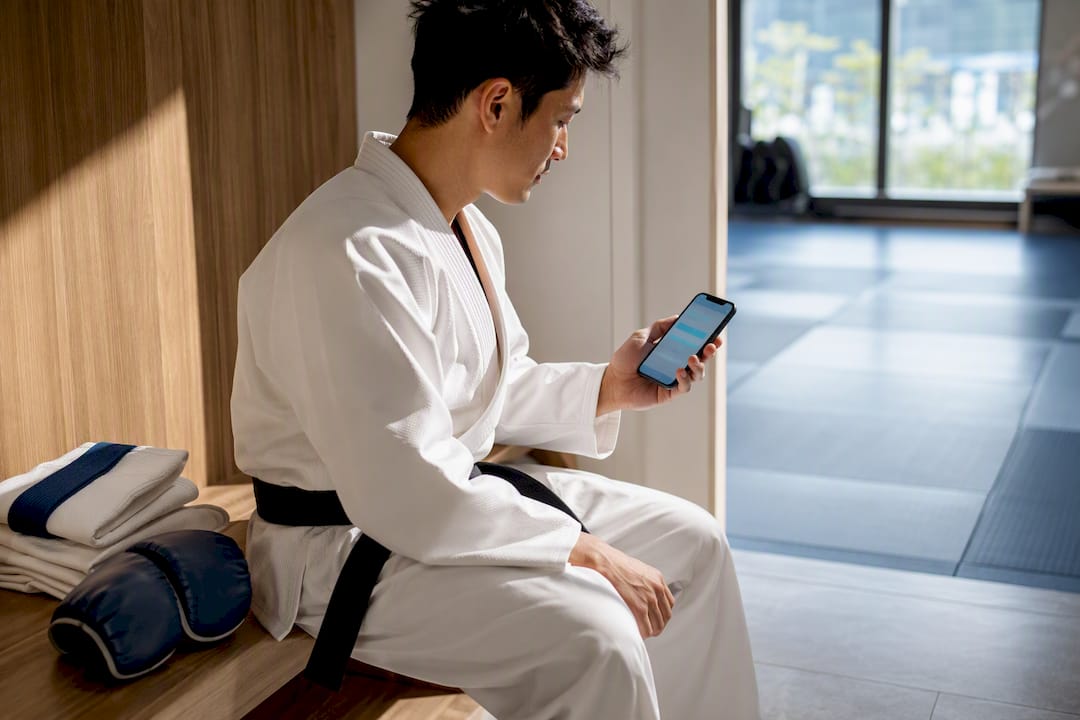
Fitness and studios. Class reminders sent an hour before a booked session reduce no-shows more reliably than a generic “come work out” nudge. Belt or milestone celebrations, and last-minute schedule change alerts, round out the core set for combat-sports and fitness apps. A gym software comparison from VO2WOD covers similar retention mechanics for functional fitness studios facing the same no-show and engagement problems.
Media and news. Breaking news briefs need to be genuinely time-sensitive, not just “new article posted.” Personalized digests (“Here’s what happened in [topic] today”) and live event alerts for things like elections or sports finals perform well because they’re tied to a real-world clock the user already cares about.
Travel and delivery. Gate change alerts and delivery ETA updates are transactional and almost never opted out of, since users actively want this information. Price-drop alerts on saved routes work as a softer promotional layer on top of that trust.
Fintech and subscriptions. Payment success and payment failure alerts are non-negotiable transactional messages. Suspicious activity alerts need to be fast and specific (“A new device just logged into your account”). Renewal reminders sent 3 to 5 days before a subscription charges give users a real chance to act, which reduces support tickets and chargebacks more than it reduces renewals.
Best Practices for Copy, Timing, and Permission
The difference between a push program that grows and one that slowly bleeds users usually comes down to four habits.
Keep the copy short and front-load the hook. Aim for a title under 50 characters and a body under 150, since most operating systems truncate anything longer on the lock screen anyway. Lead with the benefit or the surprise, not the setup. “Your order shipped” beats “We wanted to let you know that your order has shipped.”
Make the CTA an action, not a description. “Claim your spot” outperforms “Class spots are limited” because it tells the user what to do, not just what’s happening.
Use a soft-ask before the system permission prompt. Instead of triggering the native iOS or Android permission dialog the second the app opens, show an in-app screen first that explains the value, then let the user choose. This single change can raise opt-in rates by roughly 40 to 60 percent compared with an immediate system prompt, because it gives the user context before asking for a commitment.
Offer “remind me later” instead of forcing a decision. If a user isn’t ready to opt in, a soft decline that reschedules the ask preserves your one shot at the system prompt for a better moment. This pattern raises ultimate acceptance by 30 to 50 percent over forcing an immediate yes-or-no.
Cap frequency and honor silent opt-outs. Sending more than 3 notifications in 24 hours to a single user is one of the most reliable predictors of an uninstall. Segment users who stop opening notifications into a “silent opt-out” cohort and suppress lower-priority messages for them rather than continuing to blast the same volume.
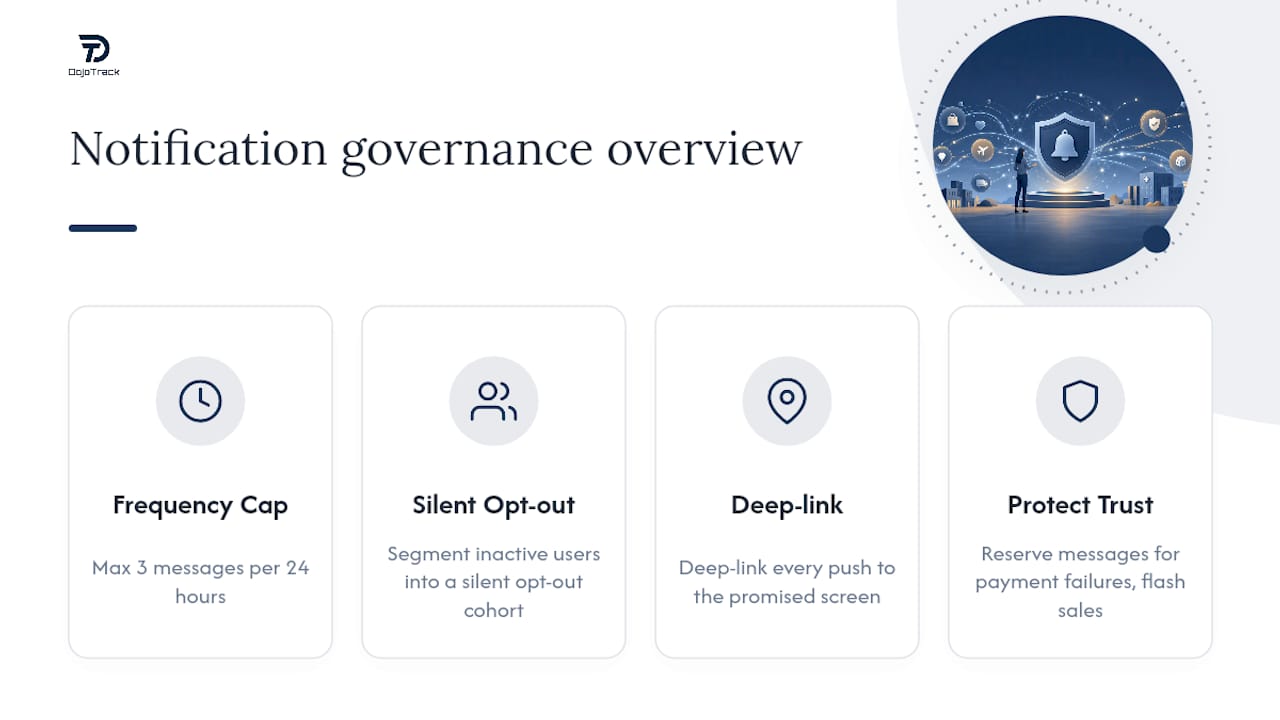
Deep-link everything. Every push should land the user exactly where the message promised, whether that’s a product page, a class booking screen, or a specific in-app achievement, not the home screen.
Pro Tip: Treat your notification frequency budget like a bank account, not a megaphone. Every irrelevant message you send withdraws trust you’ll need later for the messages that actually matter, like a payment failure or a genuine flash sale.
How to Measure and Test Push Notification Performance
Guessing which push ideas work is unnecessary when the metrics are this clear. Track deliverability, open rate, click-through rate, downstream conversion, opt-out rate, and uninstall signals for every campaign, not just clicks.
- A/B test send time first. Split your list into two groups and send the same message at two different times of day; the winner often isn’t the time your team assumes.
- A/B test the CTA verb. “Shop now” versus “See what’s new” on an identical offer frequently produces a measurable click gap.
- A/B test personalization depth. Compare a generic broadcast against one using a behavior-based token (last item viewed, current streak) to confirm the lift is real for your audience.
- Use a short attribution window. Push influence fades fast, so measure conversion within 30 to 60 minutes of the send for time-sensitive campaigns, and within 24 hours for broader engagement pushes.
- Watch the opt-out threshold as a red flag. A sudden spike in opt-outs after a specific campaign is a clearer signal than any open-rate dip that a message type is being overused.
Benchmarks vary by vertical and list quality, so treat your own historical open and click rates as the baseline to beat, rather than chasing an industry-wide number that may not reflect your users’ behavior.
Advanced Push Notification Tactics Worth Testing
Two tactics separate teams getting real lift from teams sending the same static schedule to everyone. The first is send-time personalization; the second is rich, action-oriented formatting.
AI-based individual send-time optimization studies each user’s own engagement history rather than assuming everyone opens push at the same hour. It typically needs 7 to 14 days of per-user engagement data before it can reliably predict a person’s peak window, and once calibrated, it tends to lift open rates by 20 to 35 percent compared with a single static send time for the whole list.
Sending everyone a push at the same hour ignores the most basic fact about your audience: they don’t all open their phones at the same time. Individual send-time data closes that gap without changing a single word of copy.
Rich notifications, ones carrying an image or action buttons instead of plain text, deliver a real engagement lift when the visual adds information the user needs, like a product photo or a map pin, rather than decoration for its own sake. Combined with a deep link, they let a user act (add to cart, confirm a booking, dismiss an alert) without ever opening the full app.
Behavioral triggers still outperform both of these on their own. A cart abandonment ping or a streak-at-risk alert produces stronger opens than any scheduled campaign because it responds to something the user actually did. Layer in social proof (“214 people bought this today”) or a milestone callout, and keep any scarcity language tied to something genuinely true, since users who catch a fake countdown once tend to distrust every countdown after it.
Push Notifications for Martial Arts Studios and Fitness Apps
Push works differently for a studio audience than for a retail app. Class reminders an hour before a booked session, belt promotion announcements, and same-day schedule change alerts carry real utility that students act on immediately. Attendance nudges for students who’ve missed a week work best framed as encouragement, not guilt.
Segment by program (kids, adults, competition team) and by attendance pattern, and cap non-urgent messages to a couple per week. Watch opt-out rate and app-open decline as your early warning signs; a studio audience is small enough that channel erosion shows up fast if the frequency creeps too high.
A Faster Path to Studio Push Notifications
Building your own push infrastructure means stitching together a notification service, a scheduling tool, and a way to trigger messages off attendance or billing events, which eats weeks most studio owners don’t have. DojoTrack’s student mobile app sends push notifications tied directly to real studio events already stored in the platform: booked classes, schedule changes, belt promotions, and milestone attendance, without a developer or a separate notification tool. Because the CRM, attendance tracking, and billing already live in one system, the automation triggers off data already collected instead of a workflow that would have to be built from scratch. Lead follow-up automation works the same way; studios handling lead follow-up by SMS can apply the same timing logic to push once a prospect converts to a student. If you’re running a martial arts school or combat sports gym and want push and automation running without assembling five separate tools, start with DojoTrack and see the student app in action.
Sources
- Creative push notification ideas
- Push notification marketing: ultimate guide (2026)
- Push notification strategy
- Push notification marketing: confessions of a Strava alum
FAQ
What are some good examples of push notifications?
Strong examples include cart abandonment alerts, back-in-stock notices, streak-protection reminders, and milestone celebrations, since each ties to a specific action the user took rather than a generic broadcast.
What are some creative ideas for notifications?
Gamified achievement messages, curiosity-driven win-back hooks, and behavior-based nudges referencing a user’s recent activity, like a last-viewed product or current streak, tend to outperform plain promotional blasts.
What are the best push notification services to consider?
The right service depends on your platform and industry; for martial arts studios and fitness businesses specifically, an integrated tool like DojoTrack that ties push directly to attendance, billing, and class data avoids the setup work of connecting a standalone notification service to your existing systems.
Can you give examples of transactional versus promotional notifications?
A transactional example is “Your order has shipped” or “Class starts in 1 hour,” while a promotional example is “30% off ends tonight.” Transactional messages are expected and rarely opted out of; promotional messages need frequency discipline to avoid opt-outs.
How often should an app send push notifications?
There’s no universal number, but sending more than 3 notifications in 24 hours to one user is a common threshold where opt-out and uninstall rates start climbing sharply, so most apps should cap non-urgent messages well below that.