
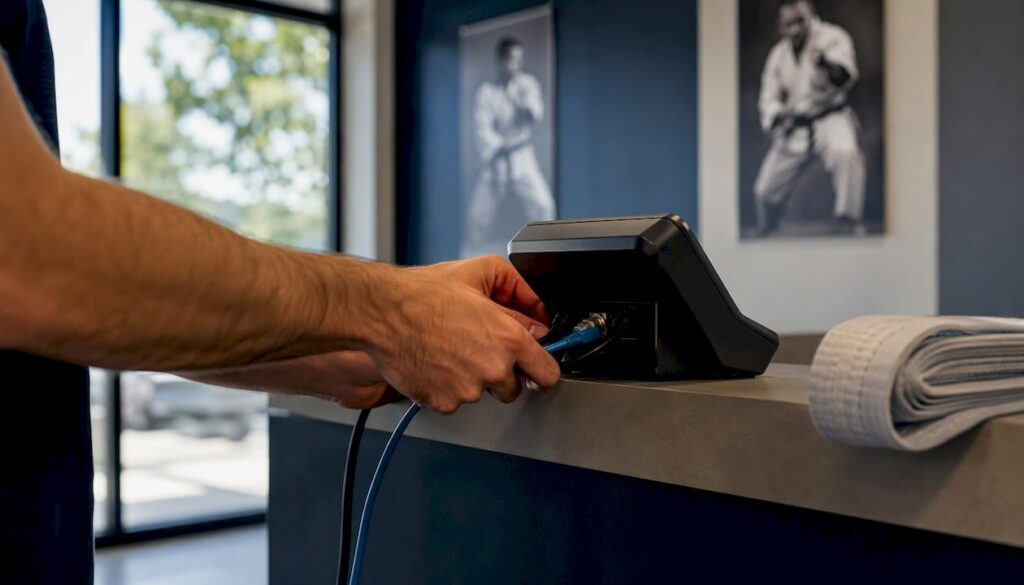
The fastest path to a working point-of-sale system in your dojo is an integrated studio-management platform with built-in POS, not a standalone retail terminal bolted onto a separate billing system. Before you buy hardware or sign a processor contract, do two things: audit every billing flow you currently run (family tuition, drop-ins, rank fees, retail), and start a free trial or request a demo so you can test real transactions against your actual student accounts.
Your martial arts POS setup needs to clear three integration hurdles from day one:
- Attendance links to billing. Class check-ins should trigger charges or confirm membership status automatically, not require a separate manual step.
- SKUs link to member accounts. A gi sale at the front desk should post to a student’s account or invoice, not float in a separate retail ledger.
- Refunds flow to accounting. Every voided or refunded transaction needs to write back to your bookkeeping system the same day, not accumulate as a reconciliation headache at month-end.
If your current setup fails any of those three checks, the rest of this guide will show you exactly how to fix it.
Key Takeaways
A martial-arts POS setup succeeds when billing, attendance, and retail share one system, SKUs are mapped before go-live, and family-billing flows are tested before the first live transaction.
| Point | Details |
|---|---|
| Choose integrated over standalone | If most sales post to student accounts, one platform for billing and POS reduces errors and training time. |
| Map SKUs before configuration | Name every product to match your membership workflows before touching platform settings. |
| Test three transaction types | Retail to cash, retail to student account, and seminar ticket purchase must all pass before go-live. |
| Separate retail and tuition ledgers | Post retail sales and recurring tuition to different revenue accounts from day one to simplify reconciliation. |
| Dojotrack as your integrated option | Dojotrack’s built-in POS, Stripe billing, and migration tools reduce setup time to under two weeks for most studios. |
Table of Contents
- What should a martial-arts POS actually handle?
- Integrated studio POS or standalone retail system: which fits your school?
- Step-by-step POS setup checklist for your martial-arts school
- What hardware and payment processors should you use?
- How do you reconcile POS sales with your billing and accounting system?
- What do you need to know about PCI compliance and data security?
- Common POS problems and how to fix them fast
- How Dojotrack speeds up your POS setup and migration
- What studio owners wish they had done sooner
- Dojotrack gives you POS and billing in one place
- Sources
- FAQ
What should a martial-arts POS actually handle?
Most generic retail POS systems were built for coffee shops or boutiques. A dojo point-of-sale system has to do more. Here is the full scope your system needs to cover:
- Pro-shop retail. Uniforms, gis, belts, sparring gear, supplements, and branded apparel all need SKU management, barcode support, and stock alerts. Pro-shop POS software positions this integrated retail flow as a direct revenue and service benefit for sports facilities.
- Drop-ins and seminar tickets. Single-session sales and event registrations require attendee tracking, not just a payment receipt. You need to know who paid and whether they showed up.
- Rank and testing fees. These are one-off charges tied to a student’s progression. They should post directly to the student’s account, not require a separate invoice.
- Class-pack redemptions. When a student buys a 10-class pack, each check-in should decrement the pack automatically.
- Family billing. Multiple students under one billing account is a daily reality in martial arts. Your POS must handle split charges and family-level payment methods without manual workarounds.
- Tax handling and receipts. Tax rates vary by product type and state. Receipts need to be accurate and deliverable by email, SMS, or print.
- Staff permissions. Front-desk staff should process sales; only managers should issue refunds or access daily totals. Register-level access controls prevent errors and reduce shrinkage.
- Sales reporting tied to attendance. Knowing that a seminar generated $1,400 in ticket sales is useful. Knowing that 38 of 42 registered students actually attended is what lets you plan the next one.
Simple pro-shop workflows cover customer lookup, barcode scanning, inventory tracking, and receipts well for small retail areas. The gap shows up when you need those sales to talk to your membership billing system.
Integrated studio POS or standalone retail system: which fits your school?
Two architectures exist, and the right choice depends almost entirely on how your revenue flows.
Integrated studio-management POS means one platform handles memberships, billing, attendance, and retail. Sales post directly to student accounts. Reconciliation is built in. Staff learn one system.
Standalone retail POS plus sync means a dedicated retail terminal (often a general-purpose system) that pushes data to your studio software via an API or nightly export. This works for studios with complex retail needs, advanced promotional pricing, or multi-channel merchandise sales.
The decision rule is straightforward: if most of your sales need to post to student or family accounts, or tie into recurring tuition, choose an integrated platform. Standalone retail POS makes sense only when your pro-shop volume and complexity genuinely exceed what a studio-focused system can handle.
The cost patterns differ too:
- Integrated platforms typically charge a monthly subscription plus Stripe or processor transaction fees. No separate retail software license.
- Standalone retail POS adds a second software subscription, a separate processor relationship, and integration or sync fees on top of your studio management cost.
- Hardware runs in the several-hundred-dollar range for a countertop terminal or card reader, whether you buy or rent. Rental keeps upfront cost low but adds to monthly overhead.
Pro Tip: Before committing to a standalone retail system, map every transaction type you ran last month. If a majority of retail sales were charged to student accounts rather than paid by card at the counter, a standalone system will create more reconciliation work than it saves.
For studios weighing generic fitness software versus a martial-arts-specific CRM, the billing integration gap is usually the deciding factor. Avoiding double-keying by using one system for billing and POS typically shortens training time and reduces monthly reconciliation work significantly.
Step-by-step POS setup checklist for your martial-arts school
Work through these steps in order. Skipping preparation almost always means redoing configuration later.
- Audit your products and billing flows. List every SKU you sell (uniforms, gear, event tickets, testing fees) and note whether each posts to a student account, a family account, or a cash/card transaction. This map drives every configuration decision that follows.
- Collect tax and banking details. Confirm your state’s sales tax rules for apparel, equipment, and services, and gather your bank routing and account numbers for processor setup.
- Choose your payment processor. If you use an integrated platform like Dojotrack, Stripe is the processor. For standalone setups, compare terminal options and full cost, including monthly fees, transaction rates, and contract terms, not rate alone.
- Create your SKU library. Name SKUs to match your class and membership workflows (e.g., “GI-ADULT-WHITE-A2” not “Item 47”). Consistent naming prevents accounting mismatches later. See inventory management best practices for a naming framework.
- Configure family billing rules. Set which family members share a billing account, what the discount rules are, and how retail charges roll up to the primary payer.
- Set up modifiers and special charge types. Add modifiers for rentals, repairs, donations, and testing fees so staff can apply them at the register without creating new SKUs.
- Assign user roles and register permissions. Front-desk staff get sales access. Managers get refund and reporting access. No exceptions at go-live.
- Pair hardware. Register terminals, pair card readers, and configure receipt printers and barcode scanners. Some EPOS vendors use a simple activation code to pair terminals to new software while keeping the same merchant account and rates.
- Run three test transactions before going live. A retail sale paid by card, a retail sale billed to a student account, and a seminar ticket purchase with attendee registration. Then run a refund on each and confirm the receipt and accounting entry are both correct.
- Test offline mode. Disconnect your internet and attempt a sale. Know exactly what your system does: does it queue the transaction, decline it, or require a manual workaround?
- Train staff with a short script. Front-desk staff need to know five things: how to look up a student account, how to add a retail item, how to apply a modifier, how to process a refund, and what to do if the terminal goes offline.
- Set your go-live date and run a pilot day. Process real transactions for one full business day before fully cutting over from your old system.
Realistic timeline and cost estimate
| Phase | Typical Duration | Estimated Cost |
|---|---|---|
| Data audit and SKU mapping | 1–3 days | Staff time only |
| Platform configuration | 1–2 days | Included in subscription |
| Hardware delivery and setup | 3–7 days (shipping) | several hundred dollars per terminal |
| Staff training | Half-day to 1 day | Staff time only |
| Test transactions and pilot day | 1–2 days | Staff time only |
| Migration support (if switching platforms) | 2–5 days | Often included or a one-time fee |
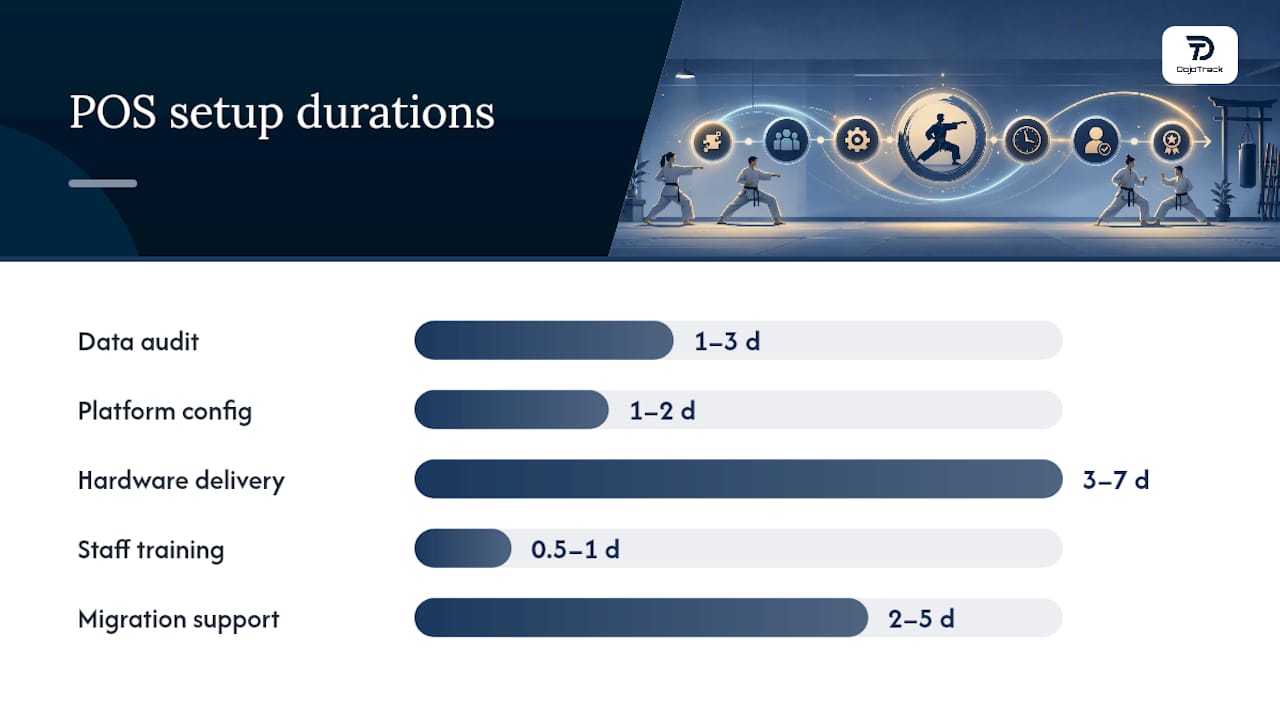
Most studios complete the full process in under two weeks when data is clean and hardware arrives on time.
What hardware and payment processors should you use?
Your hardware choices affect daily operations more than most owners expect. Here is what works in a studio environment:
- Countertop terminals. Best for a fixed front desk with consistent retail volume. Reliable, fast, and easy for staff to learn. Pair with a receipt printer and barcode scanner for a complete pro-shop setup.
- Mobile card readers. Ideal for event days, seminars, and pop-up merchandise tables. Plug into a phone or tablet and accept chip, tap, and swipe. Keep one charged and ready as a backup even if you primarily use a countertop terminal.
- Tap-to-Pay on phone. No hardware required. Useful for low-volume studios or as an emergency fallback. Most major processors now support this natively.
- Integrated PIN pads. Required if you accept debit with PIN. Check whether your processor and software support them before purchasing.
For peripherals, a basic pro-shop setup needs a receipt printer, a cash drawer, a barcode scanner, and ideally a small customer-facing display so students can confirm their total before paying.
On the processor side, terminal providers vary significantly on pricing models. Next-day payouts are now standard with most modern processors, but contract terms, monthly minimums, and early-termination fees differ widely. Compare total monthly cost, not just the transaction rate.
Connectivity matters on event days. Run your terminal on Wi-Fi with a cellular hotspot as a fallback. A seminar with 60 registrants and a downed internet connection is a revenue and reputation problem. Test the fallback before the event, not during it.
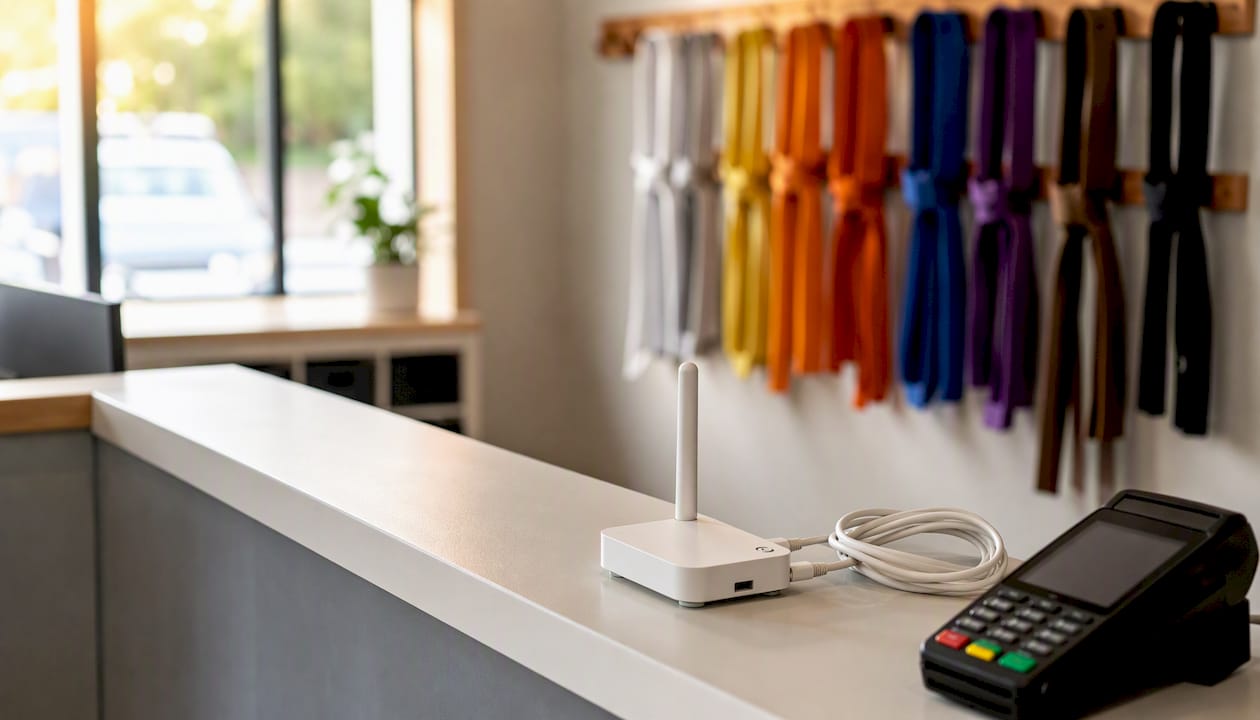
For studios sourcing pro-shop inventory, having a reliable uniform and apparel supplier with consistent SKU data simplifies your setup. Custom martial-arts apparel vendors who provide product specs and sizing data make SKU creation faster and more accurate.
How do you reconcile POS sales with your billing and accounting system?
The core rule: keep retail revenue and recurring tuition in separate ledger accounts from day one. Mixing them creates a reconciliation problem that compounds every month.
Daily close workflow:
- Settle your terminal batch at the same time each evening.
- Reconcile card-processor settlements to your POS batch totals. Any gap is a discrepancy to investigate before it ages.
- Run an exception report for refunded or voided transactions and confirm each has a corresponding accounting entry.
- Post retail sales to a retail revenue account. Post member charges to accounts receivable or a tuition revenue account. Never combine them.
Automated options reduce this to minutes rather than an hour. Platforms with omnichannel inventory sync and built-in reconciliation exports can generate a standardized journal entry file (CSV or QuickBooks Online format) that your bookkeeper imports directly.
Pro Tip: Set up a single named mapping template in your accounting software for your daily POS export. Your bookkeeper runs one import, not a manual journal. This takes 30 minutes to configure once and saves hours every month.
For a deeper look at payment flows specific to small studios, the online payments guide for martial-arts schools covers recurring billing and processor reconciliation in detail.
What do you need to know about PCI compliance and data security?
PCI compliance is not optional, and it is simpler than most owners think when you use the right tools.
- Use a PCI-aware terminal or tokenized payments. Never store raw card numbers in your system. Stripe and most modern processors handle tokenization automatically, which means your studio never touches the actual card data.
- Limit staff access. Front-desk staff should see only what they need to process a sale. Managers access reports and refunds. No one outside ownership should have access to full transaction histories or banking details.
- Anonymize reports where possible. Sales reports shared with instructors or part-time staff should show totals and SKUs, not individual payment methods or card types.
- Tie digital waivers to member profiles. When charging rank or testing fees, the receipt should reference the waiver ID so there is a clear audit trail connecting the payment to the signed consent.
- Run daily exports of critical billing and sales data. Store them in a secure location outside your POS system. Test your restore process at least once before you need it.
A studio that processes card payments is a PCI merchant, regardless of volume. Your processor will provide a self-assessment questionnaire (SAQ) annually. Using a tokenized, integrated platform like Dojotrack keeps you in the simplest SAQ category.
Common POS problems and how to fix them fast
Most go-live issues fall into five categories. Here is the fast fix for each:
- Connectivity failure. Restart the router and terminal in that order. Switch to your cellular hotspot. Run a $1 test sale before the first class starts, not after the problem appears.
- Mismatched SKUs in accounting. Establish a SKU naming convention before go-live (see Step 4 above). For historical mismatches, run a corrective journal entry that maps the old SKU to the correct revenue account and document the fix so it does not recur.
- Payments posting to the wrong student account. Check your POS-to-billing mapping rules before processing any live sales. A five-minute pre-launch check prevents hours of manual corrections.
- Printer or hardware fault. Keep a basic manual receipt template (a simple printed form with transaction fields) and a phone-based Tap-to-Pay reader charged and ready. Never let a hardware failure stop revenue collection.
- Offline sales not syncing. Confirm your system’s offline queue behavior during testing (Step 10 above). When connectivity returns, verify that queued transactions posted correctly before closing the day.
Front-desk troubleshooting checklist (post near the register):
- Check internet connection and restart router if needed.
- Switch to cellular hotspot for card processing.
- Run a test sale before the first student arrives.
- If terminal is down, use phone-based Tap-to-Pay.
- Log every manual transaction and reconcile before end of day.
How Dojotrack speeds up your POS setup and migration
Dojotrack is built specifically for martial-arts studios, which means the features that take the most configuration time in a generic system are already mapped to studio workflows out of the box: family accounts, rank and testing fees, attendance-linked billing, and Stripe-powered recurring billing.
Here is what the onboarding process looks like in practice:
- Data export from your current system (1–2 days). Dojotrack’s migration tools accept standard export formats from most studio platforms, so you are not manually re-entering student records.
- SKU mapping and configuration (1–2 days). Map your existing products to Dojotrack’s POS inventory, set family billing rules, and configure tax settings.
- Test transactions (half-day). Run the three core transaction types (retail to cash, retail to student account, seminar ticket) and confirm receipts and accounting entries.
- Staff training (half-day). Because billing and POS live in one system, staff learn one interface, not two.
- Cutover and live support (1 day). Go live with migration support available to catch any edge cases on your first full day.
Dojotrack’s martial-arts studio software covers the full stack: CRM, attendance, scheduling, digital waivers, Stripe billing, and POS inventory, all in one place. The free core tier gets you started without upfront cost, and paid tiers unlock advanced automation, AI-driven retention alerts, and the student mobile app. For studios ready to migrate, the data migration page outlines exactly what to expect and how long it takes.
What studio owners wish they had done sooner
The single most common regret after a POS migration is not testing family-billing flows before go-live. It is easy to test a simple card sale and call it done. The edge cases that cause real problems are the ones you see every day: a parent paying for two kids on one account, a rank fee charged mid-month against an existing tuition invoice, a seminar ticket refunded three days after purchase. Run those scenarios in your test environment, not on a live student account.
The second regret is delaying the cutover. Studios that set a firm pilot day and commit to it almost always go live faster than those waiting for a “perfect” moment. Pick a low-volume day (a Tuesday morning works well), process real transactions, and treat any issues as training opportunities rather than reasons to delay.
Dojotrack gives you POS and billing in one place
Running a separate retail terminal and a separate billing system means two sets of reports, two reconciliation processes, and twice the staff training. Dojotrack eliminates that split. You get built-in POS, Stripe-powered recurring billing, attendance-linked sales, family account management, and migration support under one subscription.
The free core tier covers student management, attendance, scheduling, and digital waivers with no upfront cost. When you are ready to add POS, billing automation, and AI-driven retention, the paid tiers are there. Studios switching from another platform can start the process today at the Dojotrack migration page, where you can see exactly what migration support includes and request a consult.
Sources
- 5 Dojo POS to complement Dojo terminal: Expert review
- Dojo Card Machine Review 2026: Fees, Costs, Contracts & Alternatives | Compare Your Business Costs
- Dojo EPOS Integration | POS That Works With Dojo | Seamless
- POS Pro Shop
FAQ
What does a martial-arts POS setup cost to complete?
Most studios spend several hundred dollars on hardware (one countertop terminal or card reader) and a monthly fee on software, plus processor transaction fees. Migration support, when needed, may add a modest one-time cost or be included in the platform subscription.
How do I set up a POS system for my dojo?
Audit your billing flows and SKUs first, then configure your platform, pair hardware, run three test transactions (retail to cash, retail to student account, and seminar ticket), and train staff before going live. The full process takes under two weeks for most studios.
Are martial-arts gyms profitable enough to justify a POS investment?
Yes. Studios that integrate retail sales with membership billing typically recover the setup cost quickly by reducing billing errors, capturing drop-in and seminar revenue more reliably, and cutting the staff time spent on manual reconciliation.
How much should a martial-arts class cost to charge through a POS?
Drop-in class pricing varies widely by market and discipline, but the POS question is simpler: charge the rate you set, post it to the correct student account or cash transaction, and confirm the receipt matches. The system handles the mechanics regardless of the dollar amount.
Can Dojotrack handle both POS and recurring billing in one platform?
Yes. Dojotrack combines built-in POS inventory management with Stripe-powered recurring billing, family accounts, attendance-linked charges, and rank or testing fees, all in one system with migration tools to help you switch from your current platform.