

TL;DR:
- Dojo is a payment layer that integrates with existing EPOS systems to handle in-person transactions, not a full management platform. It offers rapid payment processing, real-time tracking, and multi-method support, but does not manage memberships or student data. Successful integration depends on your software supporting Dojo’s API, making it ideal for high-volume studios seeking reliable, seamless payment solutions.
If you’ve been researching what is a dojo point-of-sale system, you’ve probably run into some confusion. And honestly, that’s understandable. The term gets used loosely, and many studio owners assume Dojo offers a full, standalone till system that handles everything from student billing to class scheduling. It doesn’t. What Dojo actually provides is a payment terminal and integration layer designed to work alongside your existing EPOS software. Understanding that distinction will save you a lot of time and help you make smarter decisions about how you manage payments at your martial arts school.
Table of Contents
- Key takeaways
- What is a Dojo point-of-sale system, really?
- Dojo POS system features relevant to martial arts studios
- How Dojo integrates with studio management software
- Comparing Dojo POS to other payment solutions
- Practical tips for studios considering Dojo POS
- My honest take on Dojo POS in martial arts studios
- How DojoTrack makes Dojo POS work harder for your studio
- FAQ
Key takeaways
| Point | Details |
|---|---|
| Dojo is a payment integration tool | Dojo works with your existing EPOS software rather than replacing it as a standalone management system. |
| Order locking protects transactions | Dojo locks orders during payment processing to prevent edits and reduce reconciliation errors. |
| Student management lives elsewhere | Membership tracking, attendance, and belt progression must be handled by dedicated martial arts software. |
| API compatibility matters | Your current EPOS or studio software must support Dojo’s API endpoints for the integration to work correctly. |
| Layered tools work best | Pairing Dojo’s payment features with purpose-built studio software gives you the most complete operational setup. |
What is a Dojo point-of-sale system, really?
Let’s clear this up directly. Dojo integrates in-person payments with existing EPOS systems rather than functioning as a self-contained point-of-sale platform. The core hardware is the Dojo Go, a card machine that handles customer-facing payment while your POS screen manages the order on the merchant side. Those two components talk to each other through Dojo’s APIs, creating a coordinated payment experience rather than a single, all-in-one device.
Here’s how the process works in practice:
- A customer at your front desk or pro shop selects products or services.
- Your EPOS system creates the order and communicates with the Dojo Go terminal.
- The customer completes payment on the Dojo device.
- Payment status updates in real time on your POS screen, confirming the transaction.
- The order is recorded, reconciled, and unlocked for the next transaction.
The Order and Pay feature extends this further by allowing customers to place orders and pay from their own devices without needing additional hardware at every station. Updates feed directly into your POS in real time, which speeds up service significantly. This is genuinely useful if you run a busy front desk where gear sales, membership renewals, and event sign-ups all happen at once.
Pro Tip: Dojo is not a till. Think of it as a payment layer that sits on top of your EPOS system. If you walk into a Dojo setup expecting it to replace your management software entirely, you’ll be disappointed. Plan for it to do one thing very well: process payments reliably.
Dojo POS system features relevant to martial arts studios
When you look at Dojo POS system features through the lens of running a martial arts school, a few stand out as genuinely practical. The Dojo Go card machine automatically switches between Wi-Fi and 4G, so a dropped connection during a busy Saturday class registration won’t kill your checkout flow. Declined payment alerts notify you in real time, which matters when you’re trying to collect gear fees or tournament entry payments quickly.
Here’s what Dojo does well for studios:
- Payment speed and uptime. Fast transaction processing means less waiting for students and parents at the front desk.
- Split payment support. Customers can split a single order across multiple payment methods, useful when a parent is paying for two kids’ uniforms with different cards.
- Real-time payment tracking. Both your EPOS screen and the Dojo terminal reflect payment status simultaneously, reducing staff confusion.
- Multi-method acceptance. Dojo supports card, contactless, and mobile payments, covering the full range of how your students and families prefer to pay.
- Integration with leading EPOS providers. If your front desk software already supports Dojo’s API, you’re not starting from scratch.
The important caveat: Dojo does not manage memberships, track attendance, record belt levels, or handle student profiles. Membership and student management still require dedicated studio software or an EPOS system that handles those functions. Treating Dojo as your full studio management tool is the most common and costly mistake studio owners make.
According to research on payment processor comparisons, Dojo suits high-volume merchants better than entry-level solutions. If your studio is processing significant monthly revenue from memberships, merchandise, and events, Dojo’s performance and integration depth become more relevant.

How Dojo integrates with studio management software
This is where things get practical for martial arts studio owners. The Dojo integration model is built around API communication between the payment terminal and your EPOS or studio management software. Successful Dojo integration depends on your existing POS system supporting Dojo’s specific API capabilities and endpoints. If your software doesn’t speak Dojo’s language, you’ll need developer support to build that bridge, or you’ll need to switch to an EPOS provider that already has a native Dojo integration.
In the Pay at Table flow, Dojo retrieves an open order from your EPOS, locks it to prevent any edits during payment, records the payment with a unique ID, and then unlocks the order once the transaction completes. For a martial arts studio, you can map this to your front desk workflow: a student picks up a new gi, staff members create the sale in your EPOS, Dojo locks that order, the student taps their card, and the sale is recorded cleanly.
Here’s a side-by-side look at where Dojo fits compared to a full-service studio management platform:
| Feature | Dojo POS | Full Studio Management Software |
|---|---|---|
| Card payment processing | Yes | Sometimes (via integration) |
| Real-time EPOS sync | Yes | Depends on system |
| Membership billing | No | Yes |
| Attendance tracking | No | Yes |
| Belt/rank management | No | Yes |
| Student profiles | No | Yes |
| Inventory management | Limited | Yes (in some platforms) |
| Mobile student app | No | Yes (in some platforms) |
Pro Tip: Before committing to Dojo, ask your current studio management software vendor whether their platform supports Dojo’s EPOS Data API. This single question can save you weeks of troubleshooting and unexpected development costs.
Comparing Dojo POS to other payment solutions
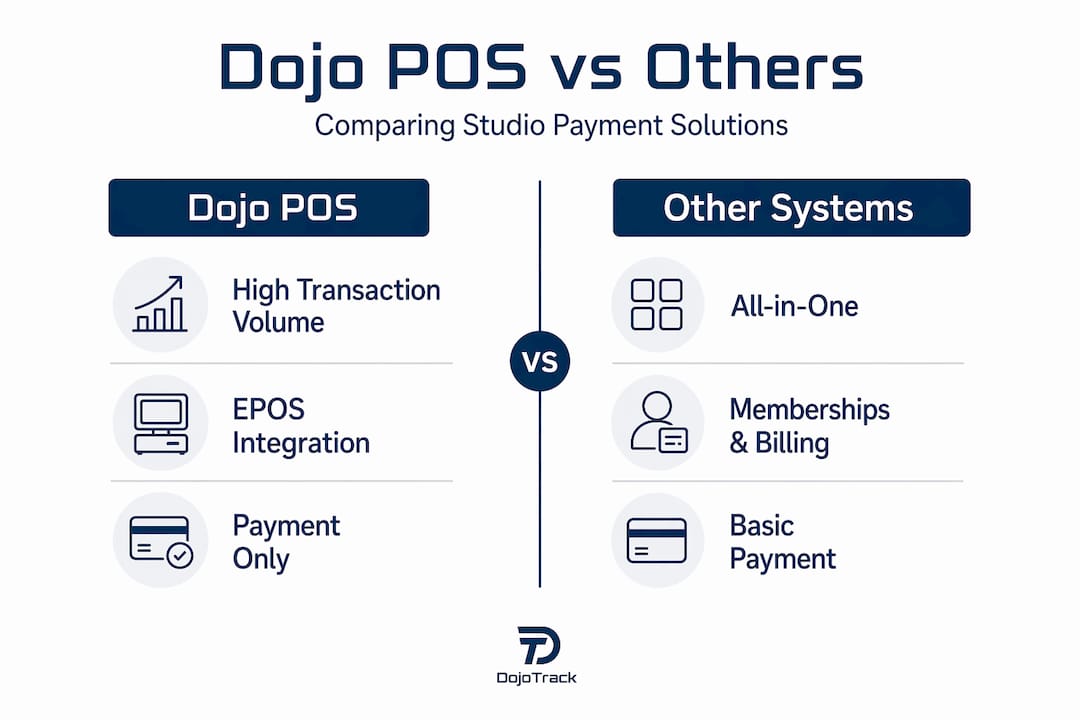
When weighing your options, context matters. Dojo is not competing with Square on price at the entry level. Square costs less upfront and requires less technical setup, making it a reasonable choice for a brand-new studio with low transaction volume. Dojo earns its place in higher-volume environments where deep EPOS integration and payment reliability are priorities.
Here’s a practical comparison for studio owners:
- Square: Easier to set up, lower upfront cost, built-in POS capabilities, less customizable for complex integrations.
- Dojo: Better for established studios with consistent revenue, strong EPOS integration via API, superior performance for high-volume payment days like belt testing or tournament registration.
- Stripe-integrated platforms: Some martial arts management software runs Stripe directly for recurring billing, which covers memberships cleanly but may require a separate hardware solution for in-person payments.
| Consideration | Dojo POS | Square | Stripe-Integrated Studio Software |
|---|---|---|---|
| Setup complexity | Medium to high | Low | Low to medium |
| Best for transaction volume | High | Low to medium | Low to high |
| EPOS integration depth | High | Medium | Varies |
| Membership billing | No | Basic | Yes |
| Hardware required | Yes (Dojo Go) | Yes (Square reader) | No (online/recurring) |
The right answer for your studio depends on volume, existing software, and whether you have the technical support to manage API-level integrations. Most studio owners benefit from pairing a reliable payment processor with purpose-built martial arts software rather than trying to find one tool that does everything adequately. You can explore how automatic vs. cash payments stack up for studios to get clearer on your payment strategy before adding hardware to the mix.
Practical tips for studios considering Dojo POS
Getting a Dojo integration right requires planning upfront. Here are the steps to work through before you commit:
- Audit your current software. Check whether your EPOS or studio management platform already lists Dojo as a supported payment integration. This is your starting point.
- Understand order locking. Order locking and unlocking must be managed carefully. If staff members try to edit an order while it’s locked during a payment, you’ll create reconciliation headaches. Train your team on this workflow before go-live.
- Plan your student management separately. Map out how your studio will handle memberships, attendance, and belt tracking outside of Dojo. This is non-negotiable because Dojo does not cover these functions.
- Get developer or vendor support. If your EPOS system requires custom API work to connect with Dojo, budget time and money for a qualified developer. Cutting corners here causes downstream problems.
- Set up payment reconciliation monitoring. Use unique payment IDs from Dojo’s order records to verify that your end-of-day totals match across your EPOS and payment reports.
Pro Tip: Run a test week with Dojo before going fully live. Process a handful of real transactions and trace each one through your EPOS to confirm the lock, payment, and unlock cycle is working exactly as expected.
My honest take on Dojo POS in martial arts studios
I’ve seen a lot of studio owners get excited about Dojo Go, and then frustrated three months later. Not because Dojo is a bad product. It isn’t. The frustration comes from expecting it to solve problems it was never designed to solve.
In my experience, the studios that get the most value from Dojo are the ones that already have a solid management platform handling memberships, attendance, and student data. They bring Dojo in specifically to handle in-person payment speed and EPOS sync. That’s a clear, defined role, and Dojo executes it well.
The pitfall I see most often: a studio owner replaces their existing payment setup with Dojo, assumes it will also handle the management side, and then discovers they’re back to tracking students in spreadsheets. Understanding the POS and CRM relationship before you commit to any payment tool is the move that separates organized, growing studios from ones that stay stuck in administrative chaos.
Dojo works. It works well. But it works best as one piece of a layered system, not as the whole system.
— DojoTrack
How DojoTrack makes Dojo POS work harder for your studio
DojoTrack is built specifically for martial arts schools in the United States, and it handles exactly what Dojo doesn’t: memberships, attendance, belt tracking, student retention, automated billing, and real-time business analytics. When you pair DojoTrack’s AI-powered studio features with a reliable payment terminal like Dojo Go, you get a complete operational setup without gaps.
DojoTrack manages Stripe-powered recurring billing for memberships, so your monthly revenue runs on autopilot. Inventory sales through the student mobile app, front desk check-ins, automated belt promotions, and lead follow-up all live in one place. You’re not stitching together five disconnected tools.
If you want to know how much each student is actually worth to your business before investing in new payment infrastructure, start with DojoTrack’s student lifetime value calculator. It puts real numbers behind your operational decisions, so you invest in the right tools at the right time.
FAQ
What is a Dojo point-of-sale system?
A Dojo point-of-sale system is a payment terminal and API integration layer that works alongside existing EPOS software to process in-person payments. It is not a standalone studio management platform.
Does Dojo POS handle martial arts memberships or student tracking?
No. Dojo handles payment processing only. Membership billing, attendance tracking, and student management require separate martial arts management software.
How does Dojo POS work with existing EPOS software?
Dojo connects to your EPOS via API, retrieving orders, locking them during payment, recording transactions with unique IDs, and unlocking orders once payment completes.
Is Dojo POS better than Square for martial arts studios?
Dojo is better suited for established studios with higher transaction volume and a compatible EPOS system. Square is simpler and cheaper upfront for new or lower-volume studios.
What do I need to check before integrating Dojo with my studio software?
Confirm that your current EPOS or studio management software supports Dojo’s EPOS Data API. Without that compatibility, you will need custom developer work to complete the integration.
Recommended
- What is DojoTrack? The All-in-One Martial Arts CRM for the Modern Martial Arts School – DojoTrack
- Why Your POS and CRM Should Be Best Friends: The DojoTrack Advantage – DojoTrack
- AI Powered Martial Arts Software | DojoTrack
- Automatic Monthly Payments vs Cash Payments for Martial Arts Studios: Which is Best? | DojoTrack