
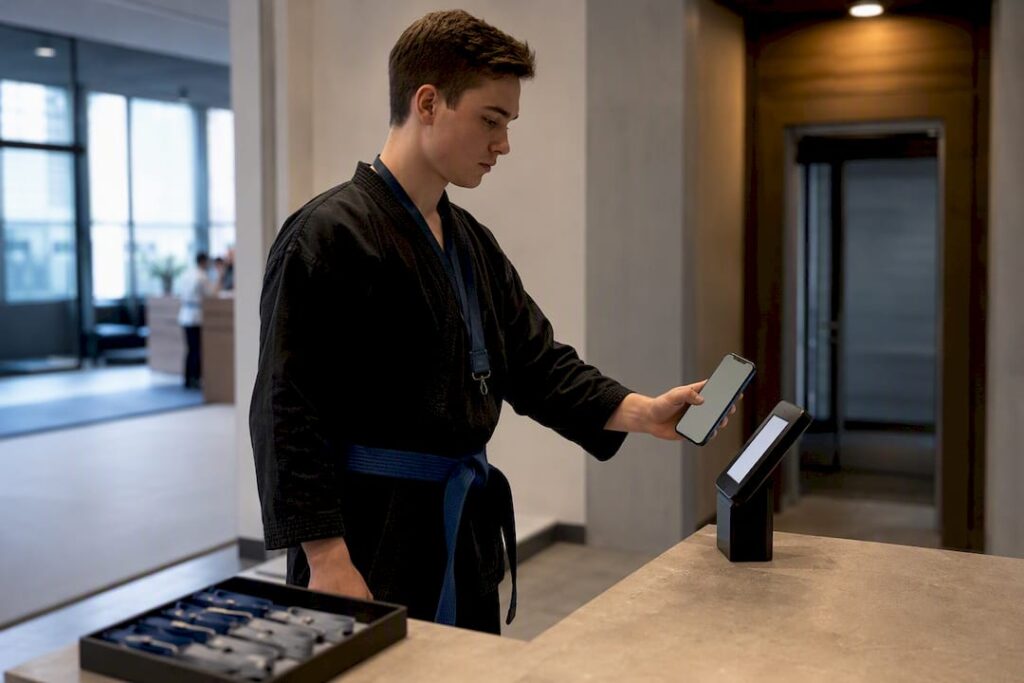
QR code check-in works by linking a scannable code to a specific registration record, so a single scan pulls up attendee data, logs a timestamp, and updates your attendance count instantly. The one action that separates a smooth entrance from a chaotic one is integration: tie every code to your registration system before doors open, not after. Guidance from Cvent and practical how-tos like QRForever back this up, and platforms like DojoTrack build it in from the start for studio events and tournaments.
TL;DR:
- QR code check-in significantly accelerates entry for large events and streamlines post-event attendance reconciliation through real-time timestamps.
- Proper setup requires generating unique codes during registration, distributing them via email or passes, and testing offline cache functionality to prevent data loss.
- Smartphone cameras sufficed for most events under a few hundred attendees, but dedicated scanners and kiosks are better for high-volume or multipurpose venues.
- Live operational monitoring and pre-event soak tests help detect issues with scan speed, Wi-Fi connectivity, and duplicate entries before the event begins.
- For martial arts schools, integrated platforms like DojoTrack combine QR check-in with attendance, billing, and tournament registration, simplifying management and reducing data duplication.
Table of Contents
- How Does QR Code Check-In Work From Registration to Timestamp?
- What Are the Biggest Benefits of QR Check-In for Organizers?
- How Do You Set Up QR Code Check-In Step by Step?
- Which Scanning Hardware Actually Holds Up at the Door?
- What Operational Checks Prevent Bottlenecks at the Door?
- How DojoTrack Applies QR Check-In to Martial Arts Events
- Try QR Check-In Built for Martial Arts Schools
- Sources
- FAQ
How Does QR Code Check-In Work From Registration to Timestamp?
A QR code typically encodes a URL or an attendee ID that resolves back to a specific registration record the moment it’s scanned. That’s the mechanism behind why a tied QR code lets attendees check in within seconds instead of waiting for a staffer to search a spreadsheet. The scan doesn’t just wave someone through. It writes a record.
There are two flavors worth distinguishing. A personalized pass carries a unique code per registrant, which supports badge printing, session gating, and duplicate-scan alerts. A public check-in code, shared on a poster or slide, works for casual drop-in events but sacrifices per-person tracking.
What happens after the scan matters most:
- The system logs a timestamp and updates the live attendance dashboard in real time.
- That entry becomes part of an exportable log for post-event reconciliation.
- If the code is tied to a session or workshop, the scan can also gate access rather than just log arrival.
Store the code wherever the attendee will actually look for it. That usually means a confirmation email, a calendar invite or wallet pass, and a printed backup for anyone without a working phone at the door.
What Are the Biggest Benefits of QR Check-In for Organizers?
The throughput gain is the first thing organizers notice. A scan that resolves a full registration record in under a second replaces a name lookup that can take thirty, especially once a line forms. When many people arrive in a short period, the difference between a smooth entrance and a bottleneck at the door becomes obvious.
Where QR check-in pays off fastest:
- High-volume arrivals: conferences, tournaments, and galas with a tight doors-open window.
- Access control: VIP sections, ticketed workshops, and age-restricted sessions that need a gate, not just a log.
- Multi-session events where the same attendee checks in repeatedly across a day.
- Post-event reconciliation, since exported timestamps make no-show and attendance reporting far less manual.
Statistic Callout: Small events can run end-to-end QR check-in in minutes using free tools, but that same source is clear that scaling reliably requires integration and offline-capable tools once attendance climbs past a casual headcount.
Accuracy improves too. Manual sign-in sheets invite duplicate entries and illegible handwriting; a scan tied to a registration record either matches or it doesn’t.
How Do You Set Up QR Code Check-In Step by Step?
Treat this as a build sequence, not a checklist you tackle the morning of the event.
- Generate a unique QR code per registrant during sign-up and store the canonical link inside the registration record itself, not in a separate spreadsheet.
- Choose your distribution channels. Email is the default, but add the code to a calendar invite and a wallet pass, and schedule a reminder 24 to 48 hours out so attendees aren’t hunting for it at the door.
- Pick your scanning method. Phone or tablet cameras work for most events under a few hundred people; dedicated scanners or a kiosk setup make sense at higher volume.
- Configure your check-in rules. Decide single-use versus reusable codes, whether a scan triggers badge printing, and which codes gate specific sessions.
- Plan fallbacks. Have a manual override for walk-ins without a code and a backup battery or wired scanner for when a device dies mid-shift.
- Run a soak test before doors open, scanning repeatedly across device types, lighting conditions, and simulated high concurrency to catch failures while you can still fix them.
Pro Tip: Limit what staff or attendees have to input at the scanner itself. Every extra required field at the door reintroduces the exact queue friction you built this system to eliminate.
Organizers running tournaments or recurring classes can shortcut a lot of this by building on a system that already treats registration and check-in as one workflow, rather than managing registrations separately from the door.
Which Scanning Hardware Actually Holds Up at the Door?
The honest answer is that any smartphone camera works as a scanner for the vast majority of events, and that’s where most organizers should start before spending on hardware they don’t need yet.
- Phone or tablet cameras: Cheapest option, zero learning curve, fine for events under a few hundred attendees.
- Dedicated barcode scanners: Faster reads in poor lighting and more durable for staff running eight-hour shifts.
- Self-service kiosks: Reduce queues and can tie directly into badge printing or payment terminals. They are useful for tournaments with add-on merchandise or upsells.
Connectivity is where most failures actually happen, not the scanner itself. A kiosk or scanner that caches timestamps locally and syncs once Wi-Fi returns prevents the classic failure mode: a scan that looks successful on-screen but never writes to the dashboard because the venue’s Wi-Fi dropped for ten seconds. Check lighting near the entrance and mount any fixed scanner at chest height before the day of the event, not during it.
What Operational Checks Prevent Bottlenecks at the Door?
Testing under real conditions catches problems a desk review never will. The soak-test approach recommended by QRForever is specific for a reason: scan repeatedly across ten to twenty devices covering both iOS and Android, under the actual venue lighting, then simulate peak arrival by running concurrent scans with a small team to see whether the backend throttles.
Once doors open, someone needs to be watching the system, not just running it.
- Track scans-per-minute, failed-write rate, and average processing latency on a simple live dashboard.
- Set clear rules for duplicate scans, whether that’s a single-use flag or an alert that routes to a staffer rather than blocking the attendee outright.
- Assign one person to monitor these numbers and a second to handle exceptions at the desk, a split Cvent recommends specifically so monitoring never gets abandoned mid-rush.
- After the event, spot-check exported timestamps against your registration count before calling attendance final.
Pro Tip: Disable Wi-Fi on a test device and scan anyway during your rehearsal. If the timestamp syncs correctly once you reconnect, your offline caching is working. If it doesn’t, you just found your biggest risk before it cost you a real event.
How DojoTrack Applies QR Check-In to Martial Arts Events
DojoTrack issues QR passes tied directly to a student’s record, so a scan at a belt test, tournament, or regular class updates attendance without a staffer flipping through a binder. That matters most for schools running tournament registrations alongside daily class check-ins, where the same platform needs to handle both without duplicate systems. Founder Jared Reed built DojoTrack after running martial arts schools himself, which is why belt tracking and attendance were treated as one connected problem instead of two separate tools bolted together.
— DojoTrack
Try QR Check-In Built for Martial Arts Schools
DojoTrack is the alternative to running check-in and attendance as two disconnected tools. Instead of piecing together a QR scanner app and a separate student roster, you get one system where a scan updates the same record used for billing, belt curriculum, and attendance history.
- QR passes tied to student records so a scan at the door or at a tournament logs attendance automatically.
- Live attendance dashboard with exportable logs for reconciliation after class or a competition.
- Event registration built in, so tournament sign-ups and check-in share the same data from day one.
Studio owners can start with DojoTrack’s free core plan to get attendance tracking and check-in running before deciding whether to add automation and billing features later.
Sources
- The Event Planner’s Guide to QR Code Check-In | Cvent Blog
- Check-in QR Code Generator | QRForever
- Use QR codes for event registration, links to content, or URLs
- QR Code Attendance – Free Check-In & Check-Out | Attenditai
FAQ
How Do I Create a QR Code for Check-In?
Generate a unique code per registrant at sign-up through your registration platform, then embed the canonical link in that person’s record so a scan resolves directly to their data rather than a generic public code.
Do I Need to Print My QR Code if I Have It on My Phone?
No, most check-in systems scan directly from a phone screen, but a printed backup protects against dead batteries or a phone that won’t load the wallet pass at the exact moment you need it.
How Do I Get My QR Code Before an Event?
Registration platforms typically email your code immediately after signup, and distributing it through a calendar invite or wallet pass alongside that email cuts down on last-minute “where’s my code” messages.
Can I Check a QR Code From My Phone Without a Separate Scanner?
Yes, any smartphone camera can scan a QR code through the device’s native camera app or a check-in platform’s scanning feature, no dedicated hardware required for most events.
Is QR Check-In More Reliable Than a Sign-In Sheet or Barcode?
QR check-in tied to a registration record reduces manual entry errors and duplicate sign-ins compared to a paper sheet, since the system either matches an existing record or flags it for review rather than accepting anything written down.