
DojoTrack Setup: 10 Essential Steps
Setting up your martial arts studio management software doesn’t have to feel like learning a new kata from scratch. Whether you’re transitioning from spreadsheets or upgrading from basic fitness software, DojoTrack’s setup process is designed to get your dojo running smoothly in under an hour.
This comprehensive guide walks you through the 10 essential steps to configure your martial arts CRM and transform how you manage your students, classes, and business operations.
1. Sign Up & Connect Stripe
Your DojoTrack journey begins with account creation and payment processing setup. Head to DojoTrack’s signup page and create your account using your primary business email. You’ll immediately get access to a 14-day free trial – no credit card required upfront.
Why Stripe connection matters: Unlike generic fitness software, DojoTrack integrates directly with Stripe to handle membership billing, belt testing fees, tournament payments, and equipment sales. This isn’t an afterthought – it’s built into the core of the martial arts studio software.
Once your account is active, navigate to Settings → Payments and connect your existing Stripe account (or create a new one). This connection enables automatic membership renewals, failed payment recovery, and detailed financial reporting that most dojo owners desperately need.

2. Configure Your Belts
Every martial arts discipline has its unique ranking system, and DojoTrack accommodates them all. Go to Settings → Belt Configuration to add your specific belt ranks.
Example configurations:
- Karate: White, Yellow, Orange, Green, Blue, Purple, Brown, Black (1st-10th Dan)
- Brazilian Jiu-Jitsu: White, Blue, Purple, Brown, Black (with stripes)
- Taekwondo: White, Yellow, Green, Blue, Red, Black
- Mixed programs: Create separate categories for different arts
This setup enables proper student progression tracking, belt testing management, and ensures your AI martial arts CRM understands your specific requirements – something generic management systems simply can’t handle.
3. Create Membership Types
Navigate to Settings → Memberships to define your pricing structure. DojoTrack’s martial arts management software supports unlimited membership types, making it perfect for studios offering diverse programs.
Sample membership structures:
- Unlimited Training: $150/month (all classes, open mat time)
- 2x Per Week: $100/month (perfect for working professionals)
- Kids Program: $80/month (youth-specific classes and activities)
- Drop-in Rate: $25/class (trial students and visitors)
- Family Plans: Discounted rates for multiple family members
Set up automatic billing cycles, trial periods, and family discounts. The system handles pro-rating, membership upgrades, and downgrades automatically – eliminating the administrative headaches that plague most dojo owners.

4. Import Your Students
Time to migrate your student database. DojoTrack offers two approaches: bulk CSV import for existing rosters or manual entry for new studios.
For CSV import:
- Download the template from Settings → Students → Import
- Include essential data: names, contact information, emergency contacts, current belt rank, membership type
- Upload and review for accuracy
Manual entry works better for:
- Studios with under 50 students
- Complex student situations requiring individual attention
- New dojos building their roster from scratch
The dojo software automatically creates student profiles that track attendance, belt progression, payment history, and family relationships. This comprehensive view helps with retention strategies and personalized communication.
5. Set Up Classes
Your class schedule is the heartbeat of your dojo. Navigate to Settings → Classes to create your weekly schedule.
Essential information for each class:
- Class name and style (Beginner Karate, Advanced BJJ, Kids Taekwondo)
- Day and time slots
- Maximum capacity
- Assigned instructor
- Belt rank requirements
- Age restrictions
DojoTrack’s martial arts studio software handles complex scheduling scenarios like split classes, make-up sessions, and instructor substitutions. Students can view schedules, book classes, and receive automated reminders – reducing no-shows and improving attendance.
The system also tracks which students are registered for each class, helping you optimize class sizes and identify popular time slots for expansion.
6. Connect Gmail & Twilio
Communication automation separates successful dojos from struggling ones. DojoTrack integrates with Gmail/Google Workspace and Twilio to handle your messaging needs.
Gmail Integration:
- Go to Settings → Email Settings
- Authorize your Gmail or Google Workspace account
- Customize email templates for welcome messages, payment reminders, belt testing notifications
Twilio SMS Setup:
- Navigate to Settings → SMS Configuration
- Connect your Twilio account for text messaging
- Set up automated reminders for classes, payments, and special events
Unlike generic solutions, DojoTrack understands martial arts terminology and contexts. Automated messages reference belt ranks, upcoming tournaments, and dojo-specific events naturally.
7. Create Digital Waivers
Paper waivers are inefficient and easily lost. DojoTrack’s digital waiver system protects your dojo while streamlining the enrollment process.
Navigate to Settings → Waivers to build your custom liability waiver. Include required fields like:
- Student and parent/guardian information
- Medical conditions and emergency contacts
- Photo/video release permissions
- Specific martial arts activity acknowledgments
The system generates a shareable link for new leads and students to sign electronically before their first class. Digital signatures are legally binding and automatically stored in each student’s profile.
8. Configure Kiosk Check-In
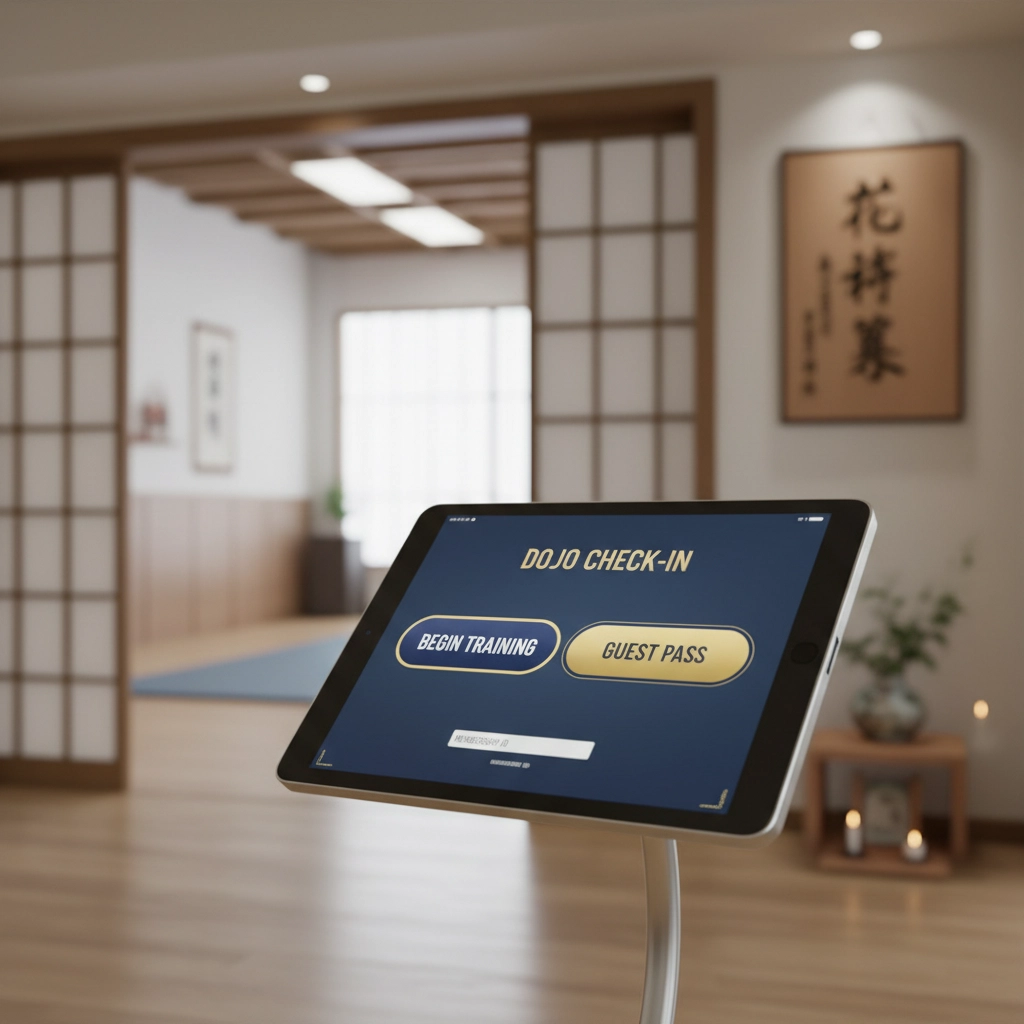
Student self-check-in reduces front desk bottlenecks and improves the arrival experience. Set up your kiosk system in Settings → Kiosk Configuration.
Setup requirements:
- Create a secure kiosk password
- Designate a tablet or computer near your entrance
- Configure display settings and check-in time windows
Students simply tap their name, confirm their class, and they’re checked in. The system tracks attendance automatically, updates class rosters, and can even handle guest check-ins and trial class bookings.
This feature alone saves most dojo owners 30-60 minutes per day of administrative work.
9. Test Everything
Before going live, run comprehensive tests to ensure all systems work correctly:
Critical tests to perform:
- Submit a test waiver using the digital link
- Check in a student at the kiosk
- Process a test payment through Stripe
- Send test emails and SMS messages
- Create a sample class and register students
- Generate attendance and financial reports
Test failed payment scenarios, membership upgrades, and belt progression updates. This martial arts CRM handles complex scenarios automatically, but verification ensures everything works for your specific setup.
10. Train Staff & Go Live!
Your staff’s comfort with the system determines adoption success. Schedule training sessions covering:
Essential staff functions:
- Student check-in and attendance management
- Adding new students and updating information
- Processing payments and membership changes
- Generating reports and tracking KPIs
- Handling common troubleshooting scenarios
DojoTrack’s intuitive interface means most staff members become proficient within 30 minutes. The dashboard provides real-time insights into student retention, attendance patterns, and revenue trends – metrics that drive smart business decisions.
Ready to Transform Your Dojo Management?
These 10 steps establish the foundation for efficient dojo operations. DojoTrack’s martial arts management software eliminates the administrative burden that prevents instructors from focusing on what matters most: teaching martial arts and building student relationships.
Your 14-day free trial includes full access to all features, unlimited students, and dedicated support. Unlike generic fitness software, DojoTrack understands the unique needs of martial arts studios – from belt progression tracking to tournament management.
Ready to streamline your dojo operations? Start your free trial today and experience the difference purpose-built martial arts studio software makes for your business and students.
The setup process takes less than an hour, but the time savings and improved student experience last for years. Your students deserve better than spreadsheets and manual processes – and so do you.